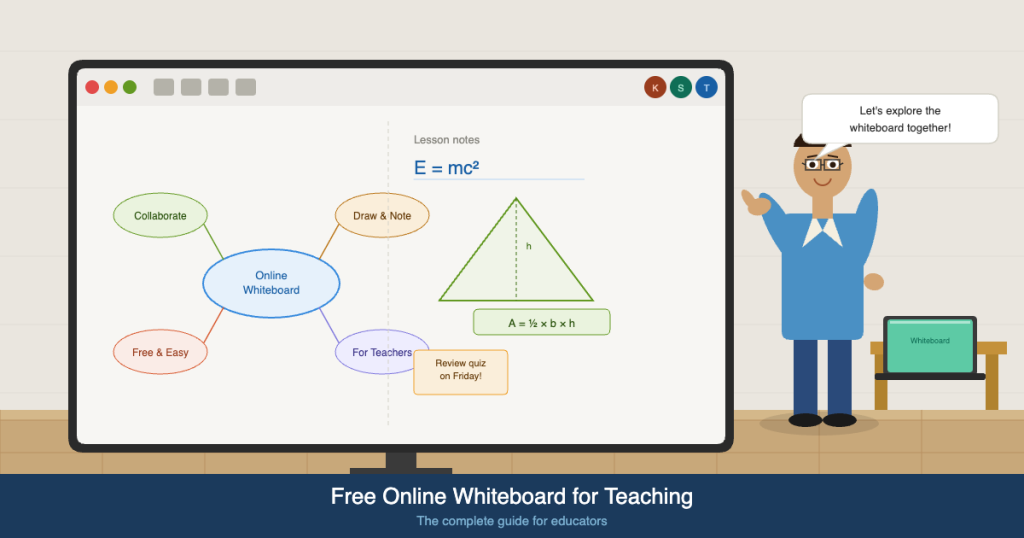
In the evolving world of digital education, teachers are constantly seeking tools that can improve engagement, simplify lesson delivery, and support diverse learning styles. One of the most powerful solutions available today is a free online whiteboard for teachers. Whether you’re teaching in a classroom, remotely, or in a hybrid setup, online whiteboards provide a flexible and highly interactive environment that enhances both teaching and learning outcomes.
This in-depth, SEO-optimized guide explores everything educators need to know about using a free online whiteboard for teachers, including benefits, features, strategies, use cases, and practical implementation tips.
What Is a Free Online Whiteboard for Teachers?
A free online whiteboard for teachers is a cloud-based digital platform that allows educators to create, share, and collaborate on visual content in real time. It replicates the experience of a physical whiteboard while offering significantly more functionality.
Teachers can:
- Write and draw using digital pens
- Add shapes, diagrams, and annotations
- Insert multimedia elements like images and videos
- Collaborate with students in real time
- Save and reuse boards for future lessons
Unlike traditional tools, these platforms are accessible from anywhere, making them ideal for modern teaching environments.
Why Every Educator Needs a Free Online Whiteboard for Teachers
1. Drives Active Learning
A free online whiteboard for teachers transforms passive classrooms into highly interactive learning environments. Instead of students simply listening to lectures, they actively participate in the lesson by writing, drawing, and contributing ideas in real time.
For example, during a math lesson, a teacher can ask students to solve equations directly on the whiteboard. In language classes, students can collaboratively build sentences or identify grammar mistakes. This type of engagement encourages deeper cognitive processing, which improves retention and understanding.
Active learning also fosters accountability. When students know they may be called upon to contribute to a shared board, they are more likely to stay focused and involved throughout the session.
2. Supports Multiple Learning Styles
Every classroom includes a mix of learners—visual, auditory, and kinesthetic. A free online whiteboard for teachers accommodates all of these learning styles in a single platform.
Visual learners benefit from diagrams, charts, and color-coded notes. Auditory learners can follow along with verbal explanations while observing real-time changes on the board. Kinesthetic learners engage through interaction, such as dragging elements, drawing shapes, or annotating content.
By addressing multiple learning styles simultaneously, teachers can ensure that no student is left behind. This inclusivity makes lessons more effective and accessible.
3. Perfect for Remote and Hybrid Teaching
The rise of online education especially online tutoring has made digital tools essential. A free online whiteboard for teachers without signup enables seamless teaching regardless of location.
In remote settings, teachers and online tutors can share a whiteboard screen during live sessions and allow students to interact from their own devices. In hybrid classrooms, both in-person and remote students can collaborate on the same board, creating a unified learning experience.
This flexibility ensures continuity in education, even during disruptions, and allows teachers to reach a wider audience without compromising quality.
4. Improves Lesson Organization
Organization is key to effective teaching, and a free online whiteboard for teachers provides the tools needed to structure lessons clearly.
Teachers can divide the board into sections for different topics, use headings to guide the flow of the lesson, and apply color coding to highlight important points. This structured approach makes it easier for students to follow along and understand the progression of ideas.
Additionally, saved boards can serve as lesson archives, allowing teachers to revisit previous topics or build upon existing content without starting from scratch.
5. Encourages Collaboration and Creativity
Collaboration is a critical skill in modern education, and online whiteboards make it easy to implement collaborative learning activities.
Students can work together on shared boards to brainstorm ideas, solve problems, or create visual presentations. This not only enhances understanding but also builds teamwork and communication skills.
Creativity is also encouraged, as students can express ideas visually through drawings, diagrams, and layouts. A free online whiteboard for teachers turns traditional lessons into creative problem-solving experiences.
Key Features of the Best Free Online Whiteboard for Teachers
Real-Time Collaboration
Real-time collaboration is one of the most important features of any free online whiteboard for teachers. It allows multiple users to interact with the board simultaneously, making lessons more dynamic and engaging.
Teachers can monitor student contributions instantly, provide feedback on the spot, and guide discussions effectively. This feature is particularly useful for group activities, where students can work together regardless of their physical location.
Drawing and Annotation Tools
Drawing and annotation tools are essential for explaining concepts clearly. A robust free online whiteboard for teachers should include a variety of tools such as pens, highlighters, shapes, and text boxes.
These tools allow teachers to illustrate ideas visually, which is especially helpful for complex subjects like mathematics and science. Students can also use these tools to demonstrate their understanding, making the learning process more interactive.
Multimedia Integration
Modern teaching requires more than just text and drawings. A free online whiteboard for teachers should support multimedia integration, allowing educators to embed images, videos, PDFs, and links directly onto the board.
This enhances the learning experience by providing context and variety. For instance, a teacher can insert a video to explain a concept, then use the whiteboard to summarize key points and encourage discussion.
Cloud Storage and Accessibility
Cloud-based storage ensures that all whiteboard content is محفوظ and accessible at any time. Teachers can access their boards from any device, making it easy to prepare lessons, review past sessions, or share materials with students.
This feature also eliminates the risk of losing important content, which is a common issue with traditional whiteboards.
Sharing and Export Options
A good free online whiteboard for teachers should make it easy to share content. Teachers can generate shareable links for students, export boards as PDFs or images, and integrate them into learning management systems.
This ensures that students can revisit lessons at their own pace, which is especially helpful for revision and exam preparation.
Mobile Compatibility
In many regions, students rely on mobile devices for learning. A free online whiteboard for teachers must be optimized for smartphones and tablets to ensure accessibility for all users.
Mobile compatibility allows students to participate in lessons from anywhere, making education more inclusive and flexible.
How to Use a Free Online Whiteboard for Teachers Effectively
1. Plan Structured Lessons
Planning is crucial when using a free online whiteboard for teachers. Instead of writing randomly, divide the board into clear sections such as introduction, main content, activities, and summary.
This structure helps students follow the lesson more easily and ensures that key points are not missed. It also allows teachers to manage time effectively during the session.
2. Use Visual Aids Extensively
Visual aids are one of the biggest advantages of using a whiteboard. Teachers should incorporate diagrams, charts, and illustrations to explain concepts more effectively.
For example, instead of explaining a scientific process verbally, draw it step-by-step on the board. This approach makes complex ideas easier to understand and remember.
3. Encourage Student Interaction
Interaction is key to engagement. A free online whiteboard for teachers allows students to actively participate by writing answers, drawing diagrams, or adding notes.
Teachers can assign tasks to individual students or groups, ensuring that everyone has an opportunity to contribute. This not only improves engagement but also builds confidence.
4. Incorporate Real-Time Feedback
Providing immediate feedback is essential for effective learning. Teachers can use the whiteboard to correct mistakes, highlight important points, and demonstrate solutions in real time.
This instant feedback helps students understand their errors and learn from them तुरंत, improving overall performance.
5. Save and Reuse Content
One of the most powerful features of a free online whiteboard for teachers is the ability to save and reuse content. Teachers can create templates for recurring lessons, store important materials, and build a library of resources over time.
This not only saves time but also ensures consistency in teaching.
Benefits of Using a Free Online Whiteboard for Teachers
- Improves student engagement: Interactive features keep students involved and attentive throughout the lesson, reducing distractions and increasing participation.
- Enhances collaboration: Students can work together in real time, sharing ideas and solving problems collectively, which strengthens teamwork skills.
- Saves time and resources: Digital tools eliminate the need for physical materials and allow teachers to reuse content, making lesson preparation more efficient.
- Supports remote learning: A free online whiteboard for teachers enables seamless teaching across different locations, ensuring continuity in education.
- Encourages creativity: Students can express their ideas visually, making learning more enjoyable and innovative.
- Simplifies complex topics: Visual explanations make difficult concepts easier to understand, improving learning outcomes.
Common Challenges and Solutions When Using a Free Online Whiteboard for Teachers
While a free online whiteboard for teachers offers numerous benefits, it’s important to recognize and address the challenges that may arise during implementation. Understanding these obstacles—and having clear solutions—ensures a smoother teaching experience and maximizes the effectiveness of digital instruction.
1. Internet Connectivity Issues
One of the most common challenges when using a free online whiteboard for teachers is unstable or slow internet connectivity. Since these tools rely on real-time updates, lag or disconnections can disrupt the flow of a lesson and reduce student engagement.
Solution:
Teachers should choose lightweight platforms that perform well even on low bandwidth. It’s also helpful to:
- Share static versions (PDF/image exports) of the whiteboard as a backup
- Ask students to close unnecessary tabs or apps during sessions
- Prepare offline materials in case of connectivity failure
- Use simple layouts instead of media-heavy boards when bandwidth is limited
Having a backup plan ensures that teaching continues smoothly, even with technical limitations.
2. Learning Curve for Teachers and Students
Although most platforms are user-friendly, some teachers and students may initially struggle to use a free online whiteboard for teachers, especially if they are new to digital tools.
Solution:
Start with basic features such as writing, drawing, and simple collaboration before introducing advanced tools like templates or integrations. Additional strategies include:
- Conducting short onboarding sessions or demos
- Creating a quick “how-to” guide for students
- Practicing with the tool before live classes
- Using consistent layouts to build familiarity
Over time, both teachers and students become more comfortable, leading to a more seamless experience.
3. Student Distraction and Off-Task Behavior
Because students can interact freely on a shared board, there is a risk of distractions—such as unrelated drawings, comments, or edits—that can disrupt the lesson.
Solution:
Establish clear guidelines for using the free online whiteboard for teachers. Teachers can:
- Assign specific roles (e.g., writer, reviewer, presenter)
- Lock certain sections of the board
- Enable moderation features if available
- Use timed activities to maintain focus
Structured activities and clear expectations help keep students engaged and productive.
4. Device Compatibility and Accessibility Issues
Not all students have access to high-end devices. Some may use older smartphones or tablets, which can affect their experience with a free online whiteboard for teachers.
Solution:
Choose platforms that are optimized for low-end devices and mobile browsers. Teachers should also:
- Avoid overcrowding the board with too many elements
- Use simple fonts and layouts for better readability
- Test the whiteboard on different devices قبل class
- Provide alternative formats (e.g., downloadable notes)
Ensuring accessibility makes the learning experience inclusive for all students.
5. Limited Features in Free Versions
A free online whiteboard for teachers may come with limitations such as restricted storage, fewer templates, or limited collaboration features compared to paid versions.
Solution:
Maximize the available features by:
- Reusing and duplicating boards instead of creating new ones
- Organizing content efficiently to save space
- Combining the whiteboard with other free tools (e.g., video conferencing, document sharing)
Teachers should only consider upgrading if the limitations significantly impact their teaching workflow.
6. Classroom Management in a Digital Environment
Managing a classroom on a shared digital platform can be challenging. Without proper control, sessions using a free online whiteboard for teachers can become chaotic.
Solution:
Implement strong classroom management techniques such as:
- Setting clear rules at the beginning of each session
- Using structured lesson plans with defined activities
- Monitoring student contributions in real time
- Pausing collaboration when explaining key concepts
A well-managed digital classroom ensures that the whiteboard remains a productive learning tool.
7. Data Privacy and Security Concerns
When using any online tool, including a free online whiteboard for teachers, data privacy is an important consideration. Teachers may be concerned about unauthorized access or data sharing.
Solution:
Choose platforms that offer secure sharing options, such as:
- Password-protected boards
- Private access links
- User permission controls
Teachers should also avoid sharing sensitive information and educate students about safe online practices.
8. Overdependence on Technology
While a free online whiteboard for teachers is a powerful tool, relying too heavily on it can limit teaching flexibility. Technical issues or platform downtime can disrupt lessons.
Solution:
Maintain a balanced approach by:
- Combining whiteboard use with other teaching methods
- Preparing alternative teaching materials
- Encouraging offline activities when possible
This ensures that learning continues effectively, even without technology.
9. Difficulty in Tracking Individual Student Contributions
In collaborative environments, it can be challenging to assess individual participation on a shared whiteboard.
Solution:
Teachers can:
- Assign specific sections of the board to each student
- Use color coding to identify contributions
- Ask students to explain their work verbally
- Combine whiteboard activities with individual assessments
This approach ensures fair evaluation and accountability.
10. Time Management Challenges
Using a free online whiteboard for teachers can sometimes slow down lessons, especially when students are unfamiliar with the tool or when activities are not well-structured.
Solution:
Plan lessons carefully by:
- Allocating time for each activity
- Preparing templates in advance
- Practicing transitions between tasks
- Keeping instructions clear and concise
Efficient time management helps maintain the pace of the lesson and ensures that all objectives are covered.
How to Choose the Right Free Online Whiteboard for Teachers
Selecting the best free online whiteboard for teachers is a critical decision that can directly impact lesson quality, student engagement, and overall teaching efficiency. With so many tools available, it’s important to evaluate platforms based on practical classroom needs rather than just features.
Below is a detailed, structured framework to help educators choose the right solution.
1. Ease of Use and Learning Curve
The first and most important factor when choosing a free online whiteboard for teachers is simplicity. A tool that is difficult to navigate can slow down lessons and frustrate both teachers and students.
Look for platforms that offer:
- Clean and intuitive interfaces
- Drag-and-drop functionality
- Minimal setup requirements
- Easy onboarding for students
A good rule of thumb: if you can start using the whiteboard effectively within 10–15 minutes, it’s likely a strong candidate.
2. Real-Time Collaboration Capabilities
Collaboration is at the core of any free online whiteboard for teachers. The tool should allow multiple users to interact simultaneously without lag or confusion.
Key features to evaluate include:
- Number of participants allowed on a board
- Speed and responsiveness during live editing
- Visibility of student contributions in real time
- Ability to track or differentiate user inputs
Strong collaboration features are especially important for group activities, brainstorming sessions, and interactive problem-solving.
3. Device Compatibility and Accessibility
A reliable free online whiteboard for teachers must work seamlessly across different devices and operating systems. Not all students have access to high-end laptops, so accessibility is crucial.
Ensure the platform:
- Works on desktops, tablets, and smartphones
- Runs smoothly on both Android and iOS
- Requires minimal processing power
- Functions well on common browsers (Chrome, Safari, etc.)
This ensures that all students can participate equally, regardless of their device.
4. Feature Set and Teaching Tools
Different teaching styles require different tools. The ideal free online whiteboard for teachers should include a well-rounded set of features without being overly complex.
Essential tools include:
- Drawing and annotation tools (pen, highlighter, shapes)
- Text input and formatting options
- Sticky notes and labels
- Grid or alignment guides for structured layouts
Advanced features that add value:
- Pre-built templates for lessons and activities
- Infinite canvas for extended discussions
- Layering or grouping elements
- Undo/redo history for corrections
The goal is to balance functionality with simplicity.
5. Multimedia and Content Integration
Modern lessons often rely on multimedia. A high-quality free online whiteboard for teachers should allow seamless integration of different content types.
Look for support for:
- Image uploads
- Video embedding
- PDF and document insertion
- External links
This capability enables teachers to create richer, more engaging lessons without switching between multiple tools.
6. Sharing, Export, and Collaboration Controls
The ability to share content easily is essential. A free online whiteboard for teachers should provide flexible sharing options for both live and asynchronous learning.
Important features include:
- Shareable links for quick access
- Permission controls (view-only vs edit access)
- Export options (PDF, PNG, etc.)
- Embedding capabilities for LMS platforms
These features make it easier to distribute materials and maintain continuity outside live sessions.
7. Performance and Reliability
Even the most feature-rich free online whiteboard for teachers is ineffective if it’s slow or unstable. Performance plays a key role in maintaining lesson flow.
Evaluate:
- Loading speed of boards
- Stability during multi-user sessions
- Responsiveness of drawing tools
- Frequency of crashes or glitches
Testing the platform during peak usage times can give a realistic picture of its reliability.
8. Storage and Board Management
Free tools often come with storage limitations. When choosing a free online whiteboard for teachers, consider how well the platform manages saved content.
Key considerations:
- Number of boards allowed in the free version
- Ease of organizing boards (folders, tags, etc.)
- Ability to duplicate or archive boards
- Automatic saving and version history
Efficient board management helps teachers build a reusable library of lesson materials.
9. Security and Privacy Features
Security is an important factor, especially when working with students. A free online whiteboard for teachers should offer basic protections to ensure a safe learning environment.
Look for:
- Private sharing links
- Password protection
- User access controls
- Compliance with educational privacy standards
Teachers should also ensure that students understand proper usage and online safety practices.
10. Integration with Other Teaching Tools
A free online whiteboard for teachers becomes significantly more powerful when it integrates with other platforms used in the classroom.
Useful integrations include:
- Video conferencing tools (Zoom, Google Meet)
- Learning Management Systems (Google Classroom, Moodle)
- File storage platforms (Google Drive, Dropbox)
These integrations streamline workflows and reduce the need to switch between multiple applications.
11. Scalability and Upgrade Options
While starting with a free plan is ideal, it’s important to consider future needs. A free online whiteboard for teachers should offer a clear upgrade path if required.
Evaluate:
- What features are locked behind paid plans
- Pricing structure for upgrades
- Whether the free version is sufficient long-term
This ensures that the platform can grow with your teaching needs.
12. Community, Support, and Resources
A strong support system can make a big difference. The best free online whiteboard for teachers platforms often provide:
- Tutorials and documentation
- Video guides and webinars
- Active user communities
- Customer support channels
Access to resources helps teachers troubleshoot issues and discover new ways to use the tool effectively.
Practical Checklist for Choosing the Right Tool
Before finalizing your choice, ask yourself:
- Is this free online whiteboard for teachers easy to use for both me and my students?
- Does it support real-time collaboration without lag?
- Will it work on all devices my students use?
- Does it include the features I need for my subject?
- Can I easily share and save my lessons?
- Is it reliable during live sessions?
If the answer to most of these questions is yes, you’ve likely found the right tool.
Final Thoughts
Choosing the right free online whiteboard for teachers is not about finding the most feature-rich platform—it’s about finding the one that best fits your teaching style and your students’ needs.
A well-chosen whiteboard can:
- Improve lesson delivery
- Increase student engagement
- Simplify classroom management
- Save time in lesson preparation
By carefully evaluating your options and focusing on usability, collaboration, and accessibility, you can select a tool that enhances your teaching and creates a more interactive and effective learning experience.
The Future of Online Whiteboards in Education
The role of a free online whiteboard for teachers is rapidly evolving as education becomes more technology-driven. What began as a simple digital replacement for traditional whiteboards is now transforming into an intelligent, collaborative, and highly personalized teaching platform. As schools, tutors, and institutions continue to adopt digital tools, the future of online whiteboards will be shaped by innovation, accessibility, and deeper integration with the broader educational ecosystem.
1. AI-Powered Teaching Assistance
One of the most significant advancements in a free online whiteboard for teachers will be the integration of artificial intelligence. AI will not just support teaching—it will actively enhance it.
Future whiteboards may:
- Automatically generate lesson outlines based on topics
- Suggest diagrams, examples, and visual aids in real time
- Convert handwritten notes into structured text
- Provide instant translations for multilingual classrooms
AI can also analyze student interactions on the board to identify learning gaps and suggest improvements. This will allow teachers to deliver more personalized and data-driven instruction without additional effort.
2. Personalized Learning Experiences
Personalization is becoming a core focus in education. A free online whiteboard for teachers will increasingly adapt to individual student needs.
For example:
- Students may see customized content based on their skill level
- Teachers can assign differentiated tasks on the same board
- Adaptive exercises can adjust in difficulty as students interact
This shift ensures that each student progresses at their own pace, improving both engagement and learning outcomes.
3. Deeper Integration with Learning Ecosystems
Future whiteboards will not function as standalone tools. Instead, a free online whiteboard for teachers will be deeply integrated with:
- Learning Management Systems (LMS)
- Video conferencing platforms
- Assignment and grading tools
- Student analytics dashboards
This integration will create a seamless teaching experience where lesson delivery, collaboration, assessment, and feedback all happen within a connected environment.
4. Enhanced Collaboration Beyond the Classroom
Collaboration will extend far beyond traditional classroom boundaries. A free online whiteboard for teachers will enable:
- Cross-school and international student collaboration
- Real-time group projects with participants from different locations
- Peer-to-peer learning communities
Students will gain exposure to diverse perspectives, preparing them for global collaboration in future careers.
5. Immersive Technologies: AR and VR Integration
The integration of Augmented Reality (AR) and Virtual Reality (VR) will redefine how a free online whiteboard for teachers is used.
Imagine:
- Drawing a diagram that instantly becomes a 3D interactive model
- Exploring virtual science experiments directly from the whiteboard
- Walking through historical events in an immersive environment
These technologies will make abstract concepts tangible, significantly improving comprehension and engagement.
6. Voice and Gesture-Based Interaction
Future whiteboards will move beyond keyboards and touchscreens. A free online whiteboard for teachers may soon support:
- Voice commands for creating and editing content
- Gesture-based controls for navigation
- Real-time speech-to-text transcription
This will make teaching more natural and efficient, allowing educators to focus on instruction rather than tool management.
7. Smart Templates and Automation
Templates will become more intelligent and dynamic. A free online whiteboard for teachers will offer:
- Pre-built lesson structures tailored to specific subjects
- Automated formatting and layout suggestions
- Instant generation of quizzes, mind maps, and activities
This reduces preparation time and allows teachers to focus more on delivering high-quality lessons.
8. Advanced Analytics and Performance Tracking
Data-driven insights will play a crucial role in the future of education. A free online whiteboard for teachers will provide detailed analytics such as:
- Student participation levels
- Interaction patterns on the board
- Areas where students struggle
These insights will help teachers refine their teaching strategies and provide targeted support where needed.
9. Increased Accessibility and Inclusivity
Accessibility will remain a top priority. Future developments in a free online whiteboard for teachers will include:
- Better support for students with disabilities
- Real-time captions and translations
- Compatibility with assistive technologies
This ensures that all students, regardless of their abilities or backgrounds, can participate fully in the learning process.
10. Offline Capabilities and Low-Bandwidth Optimization
As digital tools expand globally, accessibility in low-resource environments becomes critical. A free online whiteboard for teachers will likely include:
- Offline editing modes
- Automatic syncing when internet access is restored
- Optimized performance for low-bandwidth connections
These features will make high-quality digital education accessible even in underserved regions.
11. Gamification and Interactive Learning Layers
Gamification will become more deeply embedded in whiteboard tools. A free online whiteboard for teachers may include:
- Built-in quizzes and leaderboards
- Reward systems for participation
- Interactive challenges and simulations
This approach increases motivation and makes learning more engaging for students of all ages.
12. Content Libraries and Community Sharing
Future platforms will likely include large repositories of shared educational content. Teachers using a free online whiteboard for teachers will be able to:
- Access ready-made lesson plans
- Share their own whiteboard templates
- Collaborate with other educators globally
This community-driven approach will reduce workload and promote best practices in teaching.
FAQs: Free Online Whiteboard for Teaching
1. What is the best free online whiteboard for teaching?
The best tool depends on your needs, but most educators prefer platforms that offer real-time collaboration, ease of use, and multimedia support.
2. Can students use a free online whiteboard without signing up?
Many platforms allow guest access via a shared link, making it easy for students to join instantly.
3. Is a free online whiteboard suitable for large classes?
Yes, but performance depends on the platform. Some tools handle large groups better than others.
4. Can I use an online whiteboard on my phone?
Yes, most modern whiteboards are mobile-friendly and work on both Android and iOS devices.
5. Are free online whiteboards सुरक्षित?
Most reputable tools offer basic security features like password protection and private sharing links.
6. Can I save my whiteboard sessions?
Yes, most platforms allow you to export your board as a PDF or image.
7. Do I need technical skills to use a whiteboard?
No, most tools are designed to be beginner-friendly with simple interfaces.
8. How can I make my lessons more interactive?
Use features like:
- Live drawing
- Student participation
- Collaborative tasks
9. Can I integrate whiteboards with Zoom or Google Meet?
Yes, most online whiteboards work seamlessly alongside video conferencing tools.
10. Is a free online whiteboard good for tutoring?
Absolutely. It’s one of the best tools for one-on-one and group tutoring sessions.
Conclusion
A free online whiteboard for teaching is no longer just a convenience—it’s a necessity in modern education. It empowers teachers to deliver engaging, interactive, and effective lessons while making learning more accessible for students.
From real-time collaboration to multimedia integration, these tools redefine how knowledge is shared and absorbed. Whether you’re a school teacher, tutor, or online educator, adopting an online whiteboard can significantly enhance your teaching strategy.
If you haven’t already started using one, now is the perfect time to explore the possibilities and transform your classroom experience.