
TL;DR:
- The best PencilSpaces.com alternatives for educators are purpose-built virtual classroom tools that unify video and whiteboard in one session link. Platforms like Lessonspace, Wise, and BitPaper offer session persistence and student controls tailored for live teaching. Simultaneously, general collaboration tools excel in project work but lack the specific features needed for effective online teaching.
What are the top PencilSpaces.com alternatives for virtual teaching?
The strongest pencilspaces.com alternatives combine live video conferencing with an integrated whiteboard in a single session link, so students join one URL and start learning immediately. Wise (Tutor Management Software), Zoho Meeting, Lessonspace, and Class for Web consistently rank at the top of this category across software review platforms, each offering that unified experience in slightly different ways. Beyond those four, platforms like Miro, Whiteboard.fi, and Explain Everything cover more specific use cases, from K-12 quick-fire sessions to multimedia lesson recording.
Here is a quick orientation before the detailed reviews:
- Wise (Tutor Management Software): Tutor-focused platform with built-in video and whiteboard, designed for independent educators.
- Zoho Meeting: Business-grade video conferencing with solid security and Zoho suite integration.
- Lessonspace: Purpose-built virtual classroom with persistent whiteboard sessions and strong participant controls.
- Class for Web: Formerly Blackboard Collaborate; scales to institutional needs with deep LMS integration.
- Miro: General-purpose collaborative whiteboard with a rich template library, suited for teams and educators alike.
- Whiteboard.fi: Lightweight K-12 tool giving every student their own individual board in real time.
- Explain Everything: Multimedia whiteboard with screen recording, built for teachers who create lesson content.
- Ziteboard: Minimalist, low-latency drawing board for distraction-free collaboration.
- Google Jamboard: Cloud whiteboard tightly integrated with Google Workspace.
- Zoom Whiteboard: In-meeting whiteboard for educators already running sessions on Zoom.
- Stormboard: Sticky-note-and-whiteboard hybrid, useful for brainstorming and planning in education.
- EduCreations: Whiteboard app focused on recording annotated lessons for later sharing.
- LucidSpark: Flexible visual collaboration board with integrations for productivity apps.
- BitPaper: Simple, low-latency board with video support, built specifically for tutoring.
- Livestorm: Webinar and video platform with engagement analytics and wide integrations.
- Wooclap: Audience-response and quiz platform layered on top of live teaching.
- Kahoot!: Game-based quiz platform for student engagement.
- Google Classroom: Free LMS for Google Workspace schools managing assignments and coursework.
- Docebo: Enterprise LMS with learning analytics for organizations.
- Blackboard: Widely used institutional LMS with virtual classroom tools.
- Moodle: Open-source, highly configurable LMS with community-driven plugins.
- Skillshare: Video-based learning community for creative and professional courses.
- Adobe Captivate: E-learning authoring tool for building interactive course content.
- LearnCube: Virtual classroom tailored for language tutoring and small-group teaching.
- WizIQ: LMS with virtual classroom, ecommerce, and attendance features.
Detailed reviews of the best PencilSpaces.com alternatives
Choosing among these platforms is easier when you can compare them side by side. The table below covers the dimensions that matter most to educators: key features, pricing model, best use case, and the honest trade-offs.
| Platform | Key Features | Pricing | Best Use Case | Pros | Cons |
|---|---|---|---|---|---|
| Wise (Tutor Management Software) | Integrated video + whiteboard, session persistence, tutor scheduling | Tiered paid plans | Independent tutors, small teams | Intuitive tutor-focused interface; sessions save automatically | Limited scalability for large institutions |
| Zoho Meeting | HD video, screen sharing, Zoho suite integration, recording | Free tier; paid plans from $1/host/month | Educators needing business-grade meetings | Strong security; affordable entry point | Whiteboard tools less specialized than tutoring platforms |
| Lessonspace | Persistent whiteboard, participant controls, live collaboration | Paid plans; free trial available | Tutors wanting robust session management | Purpose-built for teaching; clean interface | Fewer integrations than enterprise tools |
| Class for Web | LMS integrations, screen sharing, breakout rooms, scalable | Institutional pricing | Schools and corporate learning | High scalability; deep LMS compatibility | Can feel complex for solo tutors |
| Miro | Template library, sticky notes, real-time collaboration, cross-platform | Free tier; paid from $8/user/month | Teams and educators needing versatile boards | Rich templates; works on any device | Not purpose-built for live teaching sessions |
| Whiteboard.fi | Individual student boards, teacher view, instant setup | Free; premium plans available | K-12 quick interactive sessions | Extremely easy setup; student-specific boards | Limited video integration |
| Explain Everything | Multimedia whiteboard, screen recording, mobile support | Free tier; paid plans available | Teachers creating recorded lesson content | Strong recording tools; tablet-friendly | Recording workflow adds steps for live sessions |
| Ziteboard | Low-latency drawing, minimal interface, real-time sync | Free tier; paid plans available | Distraction-free digital collaboration | Fast and clean; no setup friction | Very limited feature set beyond drawing |
| Google Jamboard | Google Workspace integration, sticky notes, cloud storage | Free (with Google Workspace) | Educators in Google ecosystem | Zero extra cost; familiar Google UI | Google announced end-of-life for Jamboard |
| Zoom Whiteboard | In-meeting whiteboard, annotation, Zoom integration | Included with Zoom plans | Zoom users wanting basic visual collaboration | No extra app needed; convenient | Basic compared to dedicated whiteboard tools |
| Stormboard | Sticky notes, templates, reporting, idea organization | Free tier; paid plans available | Brainstorming and planning in education | Unique idea-organization features | Less suited for live lesson delivery |
| EduCreations | Whiteboard recording, lesson sharing, annotation | Free; premium available | Teachers sharing recorded lessons | Easy to record while annotating | Limited live session features |
| LucidSpark | Brainstorming tools, productivity app integrations, flexible canvas | Free tier; paid plans available | Educators and teams needing visual planning | Strong integrations; flexible layout | Not designed specifically for live teaching |
| BitPaper | Low-latency writing, video support, simple session management | Paid plans; free trial | Tutors needing a straightforward board | Built for tutoring; low latency | Fewer features than full virtual classroom platforms |
| Livestorm | Webinar tools, engagement analytics, integrations, whiteboard | Free tier; paid plans available | Interactive webinars and distance learning | Analytics help measure engagement | Webinar-first design, not tutoring-first |
| Wooclap | Real-time quizzes, polls, audience response, whiteboard | Free tier; paid plans available | Teachers increasing student engagement | Strong participation features | Whiteboard is secondary to quiz tools |
| Kahoot! | Game-based quizzes, polls, team challenges | Free; paid plans available | Engaging students through interactive quizzes | Highly engaging; students love it | Not a whiteboard or virtual classroom tool |
| Google Classroom | Assignment management, Google Drive integration, grading | Free with Google Workspace for Education | Schools managing coursework and assignments | Free; familiar to most US schools | No live whiteboard or video built in |
| Docebo | Learning analytics, training administration, integrations | Enterprise pricing | Organizations needing comprehensive LMS | Powerful analytics; enterprise-grade | Overkill for individual tutors |
| Blackboard | Course management, virtual classroom, collaboration tools | Institutional licensing | Educational institutions needing full LMS | Widely adopted; comprehensive tools | Heavy and complex for small-scale use |
| Moodle | Open-source, customizable plugins, community support | Free (self-hosted); hosting costs vary | Institutions wanting adaptable open platforms | Highly configurable; no licensing fees | Requires technical setup and maintenance |
| Skillshare | Video classes, community interaction, creator tools | Subscription-based | Educators offering creative courses | Large audience; community engagement | No live teaching or whiteboard features |
| Adobe Captivate | Interactive content authoring, simulations, SCORM export | Paid plans; subscription available | Developers building rich e-learning content | Powerful authoring tools | Steep learning curve; not for live sessions |
| LearnCube | Integrated whiteboard, video, lesson recording, language tools | Paid plans; free trial | Language tutors and small-group teaching | Tailored for language instruction | Niche focus may not suit all subjects |
| WizIQ | Virtual classroom, LMS, ecommerce, attendance tracking | Paid plans; free trial | Businesses and educators managing courses | Ecommerce and attendance built in | Interface feels dated compared to newer tools |
Pro Tip: Before committing to any platform, run a full mock session with a colleague playing the student role. Test the whiteboard latency, the session join flow, and whether the board state saves after you close and reopen the session. Those three checks reveal more than any feature list.
Wise, Lessonspace, and BitPaper: the tutoring-first trio
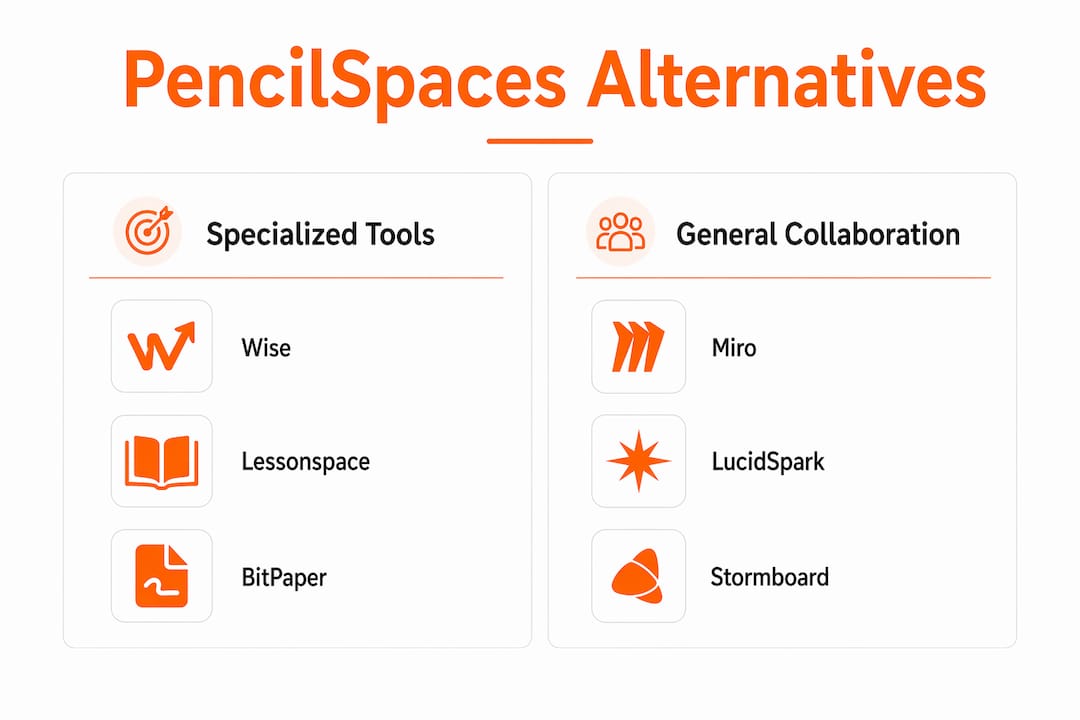
These three platforms share a common design philosophy: build for the tutor first, not the enterprise. Wise integrates scheduling, video, and a persistent whiteboard into one interface, so independent tutors can manage their entire workflow without switching apps. Lessonspace goes further on the classroom side, offering participant controls and session data that carry over between lessons, which is genuinely useful when you are teaching the same student week after week. BitPaper keeps things even simpler: a low-latency drawing surface with video support and nothing else to distract from the lesson itself.

Class for Web and WizIQ: when you need institutional scale
Class for Web, formerly Blackboard Collaborate, was rebuilt for the post-pandemic classroom and now supports breakout rooms, screen sharing, and deep LMS integrations at institutional scale. WizIQ adds ecommerce and attendance tracking on top of its virtual classroom, which matters for educators who sell courses directly to students. Both tools carry more complexity than a solo tutor needs, but for a school or training organization managing dozens of instructors, that complexity pays off.

Miro, LucidSpark, and Stormboard: general collaboration boards adapted for education
None of these three were built specifically for teaching, and that shows in their feature sets. Miro’s template library is genuinely impressive for project-based learning and design thinking exercises, but it does not offer student access controls or session persistence in the way a tutoring platform does. LucidSpark integrates well with tools like Google Drive and Slack, making it a natural fit for educators already living in those ecosystems. Stormboard’s sticky-note-and-reporting combination works well for structured brainstorming but is a poor substitute for a live lesson environment.
Google Classroom, Moodle, Blackboard, and Docebo: LMS platforms, not virtual classrooms
This distinction matters. Virtual classrooms focus on live sessions, while LMS platforms manage course administration, enrollment, and grading. Google Classroom is free and works beautifully for assignment workflows in Google Workspace schools, but it has no built-in live whiteboard. Moodle is the go-to for institutions that want full control over their platform without licensing costs, though it requires technical resources to set up and maintain. Blackboard and Docebo serve large organizations with reporting and compliance needs that go well beyond what most individual educators require.
Engagement-first tools: Wooclap, Kahoot!, and Livestorm
Wooclap and Kahoot! are not whiteboard replacements. They are engagement layers you add on top of a lesson. Wooclap’s real-time polls and quizzes work well inside a live session to check comprehension, while Kahoot! turns review sessions into competitive games that students genuinely enjoy. Livestorm sits in a different lane: it is a webinar platform with engagement analytics, better suited for distance learning events and large-group sessions than for one-on-one tutoring.
Content creation tools: Explain Everything, EduCreations, and Adobe Captivate
If your primary need is creating lesson content rather than running live sessions, these three deserve attention. Explain Everything’s multimedia whiteboard lets teachers record annotated walkthroughs on a tablet, which students can replay at their own pace. EduCreations simplifies that process further, making it easy to record while annotating without a steep learning curve. Adobe Captivate is in a different category entirely: it is an authoring tool for building SCORM-compliant interactive courses, aimed at instructional designers rather than classroom teachers.
LearnCube and Skillshare: niche platforms with specific audiences
LearnCube was designed specifically for language tutors, and that focus shows in its whiteboard and lesson-recording tools. If you teach languages, it is worth a close look. Skillshare, on the other hand, is a content marketplace rather than a teaching platform. Educators can publish video courses and reach a large audience, but there is no live whiteboard, no real-time session, and no direct student management.
How to choose the right PencilSpaces.com alternative for your teaching needs
The right platform depends on what you actually do in a session, not on which tool has the longest feature list. Start by answering three questions: Do you need live video alongside the whiteboard? Do you teach the same students repeatedly and need session history? Do your students join from mobile devices or shared school computers?
Key selection criteria
- Session persistence: Platforms like Lessonspace and Wise save whiteboard content between sessions, so you can pick up exactly where you left off. This is a decisive feature for ongoing tutoring relationships.
- Ease of use for students: A single join link that opens both video and whiteboard removes the most common barrier to getting a session started. Tools that require separate logins or app downloads add friction that younger students especially find frustrating.
- Student management features: Access controls, waiting rooms, and the ability to lock a student’s board are features that matter in K-12 settings but are often absent from general collaboration tools.
- Pricing model: Many platforms offer a free tier that works for light use. Zoho Meeting, Whiteboard.fi, and Google Classroom all have genuinely usable free options. Paid plans for tutoring-focused tools like Lessonspace and BitPaper are typically priced per tutor rather than per student, which keeps costs predictable.
- LMS integration: If your school or organization already uses Google Classroom, Moodle, or Blackboard, choose a virtual classroom tool that connects to it rather than running a parallel system.
- Device and browser compatibility: Most modern platforms run in a browser without downloads, but tablet and stylus support varies widely. Explain Everything and BitPaper both handle tablet drawing well; Stormboard and Miro are better on desktop.
All-in-one versus specialized tools
General collaboration tools like Miro, Zoom, and Microsoft Teams can cover the basics, but they typically require extra configuration to replicate what a purpose-built virtual classroom does out of the box. An all-in-one platform that tries to serve corporate teams, educators, and designers simultaneously often ends up with feature bloat that slows down the experience for students. Specialized platforms tend to load faster, have cleaner interfaces, and include education-specific controls that general tools simply do not prioritize.
That said, all-in-one is not always wrong. If you already pay for Zoom and only need occasional whiteboard use, Zoom Whiteboard is a perfectly reasonable choice. The key is matching the tool to the actual frequency and complexity of your teaching sessions.
Practical tips for trialing platforms
- Run a full mock session before committing, testing join flow, whiteboard latency, and session save behavior.
- Check whether the free tier limits the number of participants or session length, since those caps often hit at the worst moment.
- Test on the devices your students actually use, not just your own laptop.
- Ask whether the platform stores session data and where, particularly if you teach minors and need to comply with FERPA or COPPA.
Pro Tip: Prioritize platforms that unify video and whiteboard in a single persistent session link. When students join one URL and find both tools ready, you spend the first five minutes teaching instead of troubleshooting.
Specialized virtual classroom platforms versus general collaboration tools in 2026
The virtual classroom market divides into two distinct camps, and understanding that split saves educators from buying the wrong tool. Specialized tutoring platforms are built around the live session as the core unit: everything from the join flow to the whiteboard to the session history is designed for a teacher and one or more students. General collaboration tools are built around the meeting or the project, with education treated as one use case among many.
What specialized platforms do better
- Student access controls (waiting rooms, board locking, participant removal) are standard features, not add-ons.
- Whiteboard tools are optimized for stylus and tablet input, which matters for math and language tutoring.
- Session persistence means the board state from last Tuesday is still there when the student logs in on Thursday.
- Setup is faster. Smaller, tutor-focused platforms consistently offer quicker onboarding than enterprise-grade systems.
- Pricing is structured for individual educators, not IT departments.
Where general tools have the edge
- Miro and LucidSpark offer template libraries and visual planning tools that go far beyond what any tutoring platform provides.
- Zoom and Zoho Meeting have more reliable video infrastructure at scale, which matters for large group sessions or webinars.
- Google Classroom and Moodle handle course administration, grading, and enrollment in ways that live-session tools never will.
- Corporate platforms like Docebo and Blackboard come with compliance reporting and analytics that institutions require.
The practical takeaway: if your primary activity is live, one-on-one or small-group teaching, a specialized platform will serve you better than a general collaboration tool. If you run large webinars, manage course catalogs, or need enterprise reporting, the general or LMS category is the right starting point.
Many highly rated alternatives in the corporate training space lack features that K-12 and tutoring educators depend on, including student-mode views, access controls, and reliable drawing tools on tablets. Checking for those specifics before signing up avoids a frustrating discovery after the fact.
Statistic callout: According to Tracxn market data, Pencil Spaces operates in a field of 133 active competitors, reflecting just how crowded the virtual classroom space has become. That volume makes careful evaluation more important, not less.
Key takeaways on choosing alternatives to PencilSpaces.com
Selecting the right platform comes down to clarity about your teaching context. A few focused questions cut through the noise faster than any feature comparison.
- Match the tool to your session type. Live one-on-one tutoring calls for a different platform than a 200-person webinar or a self-paced course catalog.
- Prioritize session persistence if you teach ongoing students. Platforms that save whiteboard states between sessions, such as Lessonspace and Wise, reduce prep time and maintain instructional continuity.
- Verify student-facing features before committing. Access controls, waiting rooms, and single-link join flows matter more to students than any feature on the teacher’s side.
- Test the free tier on real student devices. Most platforms offer a free or trial version; use it on the hardware your students actually have, not just your own setup.
- Separate live classroom tools from LMS platforms. Google Classroom, Moodle, and Blackboard manage courses and assignments; they do not replace a live whiteboard-and-video environment.
- Avoid feature bloat for simple use cases. A solo tutor doing three sessions a day does not need enterprise analytics or SCORM authoring. Simpler tools like BitPaper or Whiteboard.fi often outperform complex platforms in day-to-day teaching.
What virtual classroom tools actually get right (and wrong) in 2026
The conventional wisdom in edtech says that more features equal a better platform. After reviewing the full range of pencilspaces.com alternatives, that framing is worth questioning. The platforms educators return to consistently are not the ones with the longest feature lists. They are the ones that get the session start right: one link, video and whiteboard together, no downloads, no confusion.
Session persistence is the feature that separates genuinely useful tutoring tools from everything else. When a student returns for their third lesson and the board from the previous session is still there, the teacher can spend the first two minutes reviewing rather than reconstructing. That sounds minor until you are running eight sessions a day. Lessonspace and Wise both handle this well; most general collaboration tools do not address it at all.
There is also a real risk in choosing a platform that was designed for corporate training and then adapted for education. Those tools often lack the student-mode controls that protect younger learners and the drawing precision that makes math and science tutoring work on a tablet. The absence of those features rarely shows up in a feature comparison table, but it becomes obvious the first time a student accidentally deletes the board or a stylus input registers with a half-second delay.
The platforms that serve educators best in 2026 are the ones that made a deliberate choice about their audience early and stuck to it. That is not a criticism of Miro or Zoom. They are excellent tools for their intended users. But an educator choosing a virtual classroom platform should look for one that was built with a teacher and a student in mind, not a product manager and a designer.
Onlinewhiteboard offers a simpler path to visual teaching
If the platforms above feel like more than you need, Onlinewhiteboard takes a different approach. It is a clean, fast digital canvas that opens in any browser without downloads or account setup, making it one of the most friction-free ways to add a collaborative whiteboard to any teaching session. Where dedicated virtual classroom tools bundle video, scheduling, and LMS integrations into a single product, Onlinewhiteboard focuses on doing one thing exceptionally well: giving teachers and students a shared visual space that just works. For educators who already have a video call running in Zoom or Google Meet and simply need a reliable whiteboard alongside it, Onlinewhiteboard fits that gap cleanly. You can explore more about how it compares to other interactive whiteboard tools for teaching teams, or go straight to the canvas and start a session in seconds.
Key Takeaways
The most effective PencilSpaces.com alternatives for educators are purpose-built virtual classroom tools that unify video and whiteboard in a single persistent session, rather than general collaboration platforms adapted for teaching.
| Point | Details |
|---|---|
| Specialized platforms win for tutors | Tools like Lessonspace, Wise, and BitPaper are built for live teaching and include student controls that general tools lack. |
| Session persistence is decisive | Platforms that save whiteboard content between sessions reduce prep time and improve lesson continuity for ongoing students. |
| LMS tools serve a different need | Google Classroom, Moodle, and Blackboard manage courses and assignments; they do not replace a live whiteboard-and-video environment. |
| Free tiers exist across most categories | Zoho Meeting, Whiteboard.fi, Google Classroom, and Miro all offer usable free options worth testing before purchasing. |
| Onlinewhiteboard suits educators who need simplicity | For teachers who already have video covered, Onlinewhiteboard provides a fast, no-download collaborative canvas that works alongside any meeting tool. |