Affinity mapping, also called the KJ method after its originator Jiro Kawakita, is a fast, team-based way to turn dozens of notes into named themes you can act on. Use it to synthesize qualitative research, sort brainstorm output, or build consensus. It is quicker and more visual than thematic analysis, and it runs well on a remote tool like OnlineWhiteboard.co.
TL;DR:
- Use affinity mapping for roughly 20 to more than 200 unstructured observations; skip it when notes are few or categories are already fixed.
- Choose thematic analysis when stakeholders need an audit trail and intercoder reliability; affinity mapping favors a rapid, visual workshop.
- Keep sorting silent for 20 to 40 minutes, then spend 10 to 20 minutes naming clusters before combining, voting, and assigning owners.
- Write one observable idea per note, split oversized clusters, and preserve notes that fit multiple themes as cross cutting items rather than forcing a fit.
- For remote sessions, set permissions and cursor norms before the call, use shared cursors or breakout rooms, and export the board before participants leave.
Table of Contents
- What is affinity mapping and where does it come from?
- When should you use affinity mapping?
- What materials and setup do you need?
- How do you run an affinity mapping session step by step?
- How do you turn clusters into action?
- What facilitation tips prevent wasted workshops?
- Why we lean toward remote affinity mapping
- Try an affinity mapping board with us
- FAQ
- Sources
What is affinity mapping and where does it come from?
Affinity mapping is a bottom-up synthesis technique. Instead of starting with categories, your team starts with raw notes and lets the themes emerge from the similarities it sees. Jiro Kawakita devised the method in the 1960s, and teams still use it to group ideas from brainstorming and contextual inquiry into natural relationships.
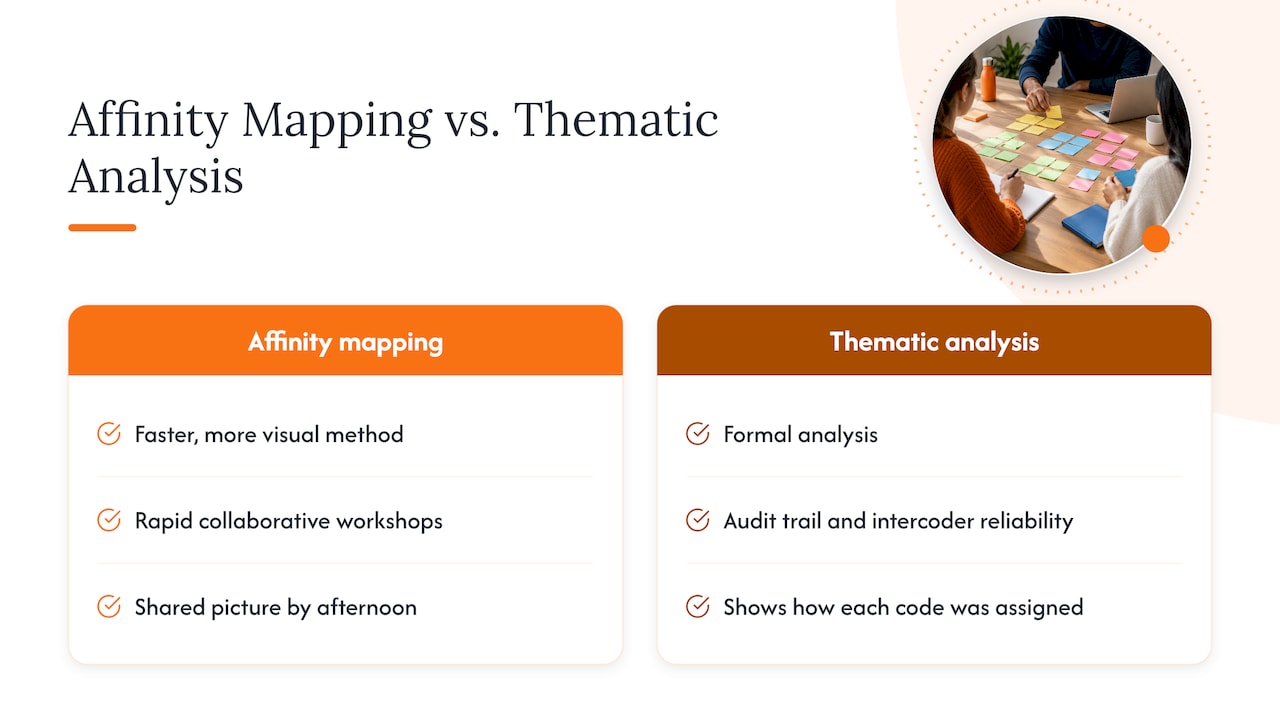
It helps to know how it differs from its more formal cousin. Experts describe affinity mapping as a faster, more visual relative of thematic analysis. It is built for rapid, collaborative workshops. Thematic analysis is the better choice when you need an audit trail and intercoder reliability. If your stakeholders want to see exactly how every code was assigned, choose the formal route. If you need a shared picture of the data by the end of an afternoon, choose affinity mapping.
When should you use affinity mapping?
The technique shines when you face a pile of unstructured observations and need to find the shape of it. Typical exercises involve anywhere from 20 to more than 200 items, which is too many to hold in your head and too few to justify heavy tooling.
Good fits include:
- Synthesizing notes from user interviews or usability sessions
- Clustering ideas after a brainstorm
- Sorting open-ended survey responses
- Aligning stakeholders who each hold a different piece of the story
Skip it when your data set is tiny, because a handful of notes can be sorted in a conversation. Skip it too when the categories are already known, since sorting items into fixed buckets is a different exercise. Affinity mapping is an early-stage, inductive tool, and it works best when paired with follow-on methods such as fishbone or five whys when you need causal analysis.
What materials and setup do you need?
Preparation decides whether the session feels smooth or chaotic. Here is the short checklist we use.
| Setup | What you need |
|---|---|
| In person | Sticky notes, markers, a large wall or whiteboard, a phone to photograph the final map |
| Digital | Virtual sticky notes, board permissions set before the call, a clear room layout, an export plan and saved versions |
Assign roles before anyone sits down. You need a facilitator who keeps time and prompts, a note-keeper who captures decisions, and participants who sort. For digital sessions, set cursor and editing norms up front. Our guide to browser whiteboard etiquette covers permissions and session habits in detail, and our guide to online whiteboard tools for teams helps you compare remote setups.
How do you run an affinity mapping session step by step?
The flow below fits a workshop. Nielsen Norman Group describes the same core arc: generate notes, organize them into clusters, then prioritize with votes. Before the session, condense your raw material so every card holds one concrete idea.
- Post and orient. Place all notes on the wall or board. Let everyone read them without discussion.
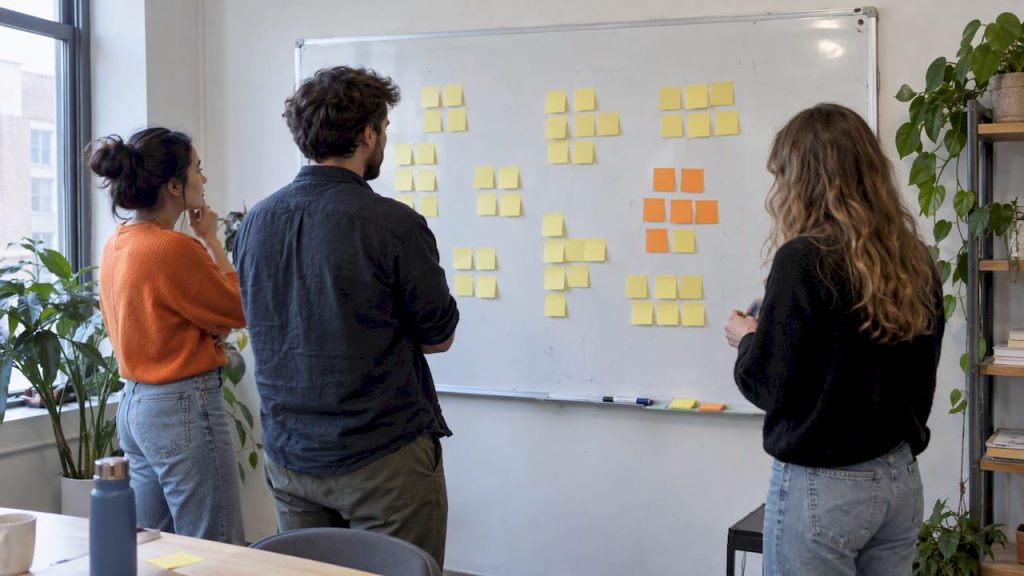
- Group silently (20–40 minutes). Participants move notes next to ones that feel related, with no talking. Silence stops the loudest voice from anchoring the room.
- Name the clusters (10–20 minutes). Now talk. Write a header card for each group that states the theme as a short sentence, not a single word.
- Build supergroups. Combine related clusters into larger themes and arrange the diagram so the relationships are visible.
- Prioritize and assign. Use dot voting or an impact and effort grid, then attach an owner to each top theme.
For a fully remote session, use breakout rooms for large groups, rely on shared cursors so people can see each other sort, and export the board before anyone logs off.
Pro Tip: Give the silent step a visible timer. People stay quiet far more willingly when they can see exactly when the talking starts.
How do you turn clusters into action?
A finished map is only useful if it changes what your team does next. NN/g recommends prioritizing both clusters and next steps, so decide quickly what the map is telling you to do.
- Use dot voting to surface the clusters that matter most to the group.
- Plot clusters on an impact and effort matrix to separate quick wins from long bets.
- Rewrite each cluster label as a hypothesis, a user story, or a small experiment.
- Assign an owner to every priority and store screenshots and exported notes beside the decision.
The goal is a short list of committed follow-ups, not a beautiful poster.
What facilitation tips prevent wasted workshops?
Most failed sessions share the same few causes, and all of them are fixable.
Write concrete, observable notes. “Users were confused by checkout” sorts poorly, while “Participants could not find the promo code field” sorts well. Keep the first sort silent and use prompts sparingly, so you guide without steering. When a cluster grows huge, split it. When a note fits several themes, capture it as a cross-cutting item rather than forcing a home. Timebox every phase, and photograph or export the board the moment you finish, because the wall will not survive the cleanup.
For more session ideas you can adapt, our digital classroom brainstorm activities show how virtual exercises run in practice.
Pro Tip: If two people keep moving the same note back and forth, stop and write a second copy. Both placements are telling you something.
Why we lean toward remote affinity mapping
In-person workshops have a real creative buzz, and a wall full of paper is hard to beat for energy. Still, our recommendation leans remote. Remote sessions let quieter people contribute, scale to larger groups, and make capture trivial because the export is already done. A low-friction, no-install board like OnlineWhiteboard.co supports virtual sticky notes, real-time collaboration, and exports, which removes most setup excuses.
— A
Try an affinity mapping board with us
We built our online whiteboard so you can run this exact workshop without downloads or setup. Add virtual sticky notes, share an instant-access link with your team, sort together in real time, and export the final map when you finish. Open a board at Onlinewhiteboard, drop in your notes, and run your first silent sort today.
FAQ
What is the point of an affinity diagram?
An affinity diagram turns a large pile of unstructured notes into themes a team can act on. It helps you see patterns, align on what the data says, and decide what to do next.
What is the KJ analysis technique?
The KJ technique is another name for affinity diagramming. Jiro Kawakita devised it in the 1960s to group ideas into natural relationships, name each group, and combine groups into supergroups.
What is the difference between card sorting and affinity mapping?
Affinity mapping groups your own team’s observations or ideas into emergent themes during a workshop. Card sorting usually asks research participants to organize items, often to learn how users expect content to be structured. The mechanics look similar, but the purpose and participants differ.
Which situations benefit from affinity diagrams?
Use them when you have many unstructured notes and no predefined categories. Interview synthesis, brainstorm clustering, open-ended survey responses, and stakeholder alignment workshops are all strong fits. A reusable template makes the process easy to repeat.
Sources
- Groups
- “Affinity Diagram: How to Organize Ideas (Steps + Examples)”
- Affinity Diagramming for Sorting UX Findings and Ideas – NN/G