Virtual tutoring tool comparison factors are the specific capabilities and operational standards that determine whether an online learning platform actually improves student outcomes or simply looks good in a demo. The best platforms balance engagement features, session-level reporting, curriculum alignment, and privacy compliance in ways that serve both educators and parents. Tools like MagicSchool, Tutorbase, and Paper each approach these criteria differently, and understanding those differences is what separates a smart selection from an expensive mistake. This guide breaks down every factor worth evaluating before you commit to a platform.
1. What engagement and interaction features should you prioritize?
Engagement is the most visible comparison factor, and it is also the most frequently misunderstood. Many platforms lead with video conferencing and call it interactive. True interactivity means students are doing something every few minutes, not just watching.

Effective online tutoring requires student activity every 3 to 5 minutes, with collaborative whiteboards, multi-cursor support, and screen sharing as the core features that make this possible. That frequency matters because passive video sessions produce passive learners. When a student can draw, annotate, or solve a problem on a shared canvas in real time, their retention improves measurably.
Key engagement features to evaluate when you compare online tutoring platforms:
- Multi-cursor whiteboard support: Both tutor and student should be able to write simultaneously without lag.
- Screen sharing with annotation: Tutors need to mark up documents or equations directly on screen.
- Built-in chat and quizzing: Quick-check questions mid-session keep attention from drifting.
- Low-latency audio and video sync: A half-second delay breaks the natural rhythm of explanation and response.
- Device compatibility: Chromebook and browser compatibility is non-negotiable for school-issued devices.
Avoid platforms that open the whiteboard in a separate window or tab. That friction interrupts session flow and increases the chance students disengage entirely.
Pro Tip: Prioritize tools that embed the whiteboard directly into the main session interface. Any platform requiring students to switch windows mid-lesson will see higher dropout rates during the session itself.
2. How do data reporting and session tracking impact tool selection?
Reporting is where many platforms that look strong on engagement fall apart. For schools and tutoring organizations receiving federal or state funding, session-level data is not optional. It is a compliance requirement.
Outcome-focused platforms provide session-level attendance logs with tutor, student, and session identifiers built in. Consumer marketplace tools typically do not. That gap creates significant administrative labor and audit risk for any organization accountable to a funding body.
Here is what to verify during your platform evaluation:
- Session ID matching: Confirm the platform links each session record to a specific student ID and tutor ID automatically.
- Attendance export format: Ask whether exports are manual CSV files, middleware connectors, or native integrations with your existing systems.
- Zoom API integration: Platforms like Tutorbase offer automated attendance retrieval from Zoom via API, matching emails to rosters for billing with no manual re-entry.
- Audit trail depth: Check whether the platform logs session duration, join and leave timestamps, and any technical interruptions.
- Billing tie-in: Session data should feed directly into invoicing to eliminate reconciliation errors between attendance records and payment.
When session IDs and roster identities are not unified, attendance and progress reporting break down. Disputes between tutors, administrators, and funders become common, and the administrative cost compounds quickly.
Pro Tip: Ask vendors to demonstrate a live attendance export before signing any contract. If the demo requires manual steps or a third-party tool, factor that labor cost into your total cost of ownership.
3. Why is curriculum alignment and standards mapping essential?
Curriculum alignment is the factor most often skipped during platform demos, and it is the one most likely to undermine learning gains over time. A platform can have excellent engagement features and still teach content in the wrong sequence.
Curriculum alignment with state and district standards ensures tools teach in the correct order without skipping prerequisites, which directly improves K-12 tutoring effectiveness. Misaligned sequencing means a student might practice quadratic equations before mastering linear functions. Good engagement in the wrong order produces frustration, not progress.
When evaluating alignment as one of your criteria for tutoring software evaluation, look for:
- Documented data flows: The platform should show exactly what student performance data it collects and how that data maps to learning objectives.
- Standards tagging: Sessions or content modules should be tagged to specific state or Common Core standards so administrators can report instructional coverage.
- Prerequisite mapping: The platform should either enforce or recommend prerequisite completion before advancing a student to the next topic.
- Tutor credential metadata: Platforms should record tutor qualifications alongside session data so administrators can verify instructional quality at scale.
Generic AI tutors without alignment documentation are a particular risk. They may generate plausible-sounding explanations that contradict the sequence a student’s classroom teacher is following. That misalignment creates confusion rather than reinforcement.
4. What privacy and safety features must you consider?
Privacy is the gating factor for institutional approval. A platform with outstanding features will not clear procurement in most school districts if it cannot demonstrate FERPA and COPPA compliance with documented operational safeguards.
“Operational safeguards beyond privacy policies are critical in procurement decisions.” — Kahoot Trust Center
Reading a privacy policy is not sufficient. You need to evaluate the actual artifacts: Data Processing Agreements (DPAs), subprocessor lists, and deletion timelines. Platforms must have clear data retention and deletion policies, encryption standards, and DPAs that limit subprocessor access to what is strictly necessary for educational delivery.
MagicSchool provides a strong reference model here. The platform limits student data collection to the minimum necessary, deletes or returns data within 60 days post-contract, and provides written deletion certification. That level of specificity is what procurement teams need to approve a tool for district-wide use.
Key privacy features to verify before finalizing any platform selection:
- COPPA and FERPA compliance documentation: Not just a checkbox, but a signed DPA with specific obligations.
- No commercial use of student data: Confirm the platform does not use student activity for advertising, profiling, or product improvement without explicit consent.
- Encryption in transit and at rest: Standard for any platform handling student records.
- Access controls: Role-based permissions so tutors see only their assigned students’ data.
- Defined deletion timelines: Know exactly when and how student data is removed after a contract ends.
5. How does ease of use and operational integration influence adoption?
A platform that tutors find confusing will be used inconsistently, and inconsistent use produces inconsistent outcomes. Platforms with complicated setup deter tutor adoption, while intuitive interfaces with minimal configuration increase consistent use and effectiveness. This is one of the most underweighted virtual tutoring features to consider during procurement.
Operational integration matters just as much as the interface itself. A tutoring platform that does not connect with your existing scheduling system, LMS, or billing software creates duplicate data entry and reconciliation errors. Implementation complexity often drives selection, and platforms requiring less setup see better tutor adoption and sustained use over time. That pattern holds whether you are running a five-tutor operation or a district-wide program.
Device compatibility is a practical extension of this factor. If your students primarily use school-issued Chromebooks or older Android tablets, a platform optimized for high-end desktop browsers will produce session drops and frustration. Test the platform on the actual devices your students use before committing. Scalability also deserves attention early. Free and freemium whiteboard tools often impose user caps, storage limits, and branding restrictions that become costly as tutoring teams grow. Paid or enterprise plans with volume licensing and dedicated support remove those friction points before they become operational problems.
Pro Tip: Run a two-week pilot with the device types your students actually use, not the devices your IT team prefers. Compatibility issues discovered post-rollout cost significantly more to fix than those caught during a structured pilot.
Key takeaways
Selecting the right virtual tutoring tool requires evaluating engagement depth, reporting accuracy, curriculum alignment, privacy compliance, and operational ease as a unified set of criteria rather than isolated features.
| Point | Details |
|---|---|
| Engagement requires active participation | Prioritize platforms with embedded whiteboards and multi-cursor support for student activity every 3 to 5 minutes. |
| Reporting must be session-level | Verify that platforms export attendance with tutor, student, and session identifiers for compliance and billing. |
| Curriculum alignment prevents learning gaps | Confirm standards tagging and prerequisite mapping before deploying any AI or adaptive tutoring tool. |
| Privacy is a procurement gating factor | Require signed DPAs, documented deletion timelines, and COPPA and FERPA compliance before approval. |
| Ease of use drives consistent adoption | Choose platforms with minimal setup and device compatibility matched to your actual student population. |
What I have learned from watching platforms get chosen for the wrong reasons
Most platform selection processes I have observed prioritize the demo over the documentation. A tool that looks polished in a 30-minute walkthrough often reveals its weaknesses in the third week of actual use, when attendance exports fail to match billing records or a privacy audit surfaces an unsigned DPA.
The factor that consistently gets underweighted is operational integration. Educators and administrators tend to focus on what students will experience, which is understandable. But if tutors cannot log sessions without friction, or if administrators spend hours reconciling attendance data manually, the platform’s pedagogical strengths become irrelevant. The distinction between scheduling-focused and outcome-focused platforms is real, and it affects every downstream decision about reporting, billing, and compliance.
Privacy deserves more weight than most selection committees give it. I have seen strong platforms stall in procurement for months because the vendor could not produce a signed DPA or a clear subprocessor list. Those are not bureaucratic obstacles. They are signals about how seriously a vendor treats student data. If a vendor is slow to produce privacy documentation, that slowness reflects their operational culture, not just their legal team’s backlog.
My practical recommendation is to run a structured pilot that tests three things simultaneously: engagement quality with real students on real devices, attendance export accuracy against a known roster, and the time it takes your administrative staff to complete one full billing cycle. Those three tests will surface more useful information than any feature comparison spreadsheet.
— A
See Onlinewhiteboard in action for your tutoring sessions
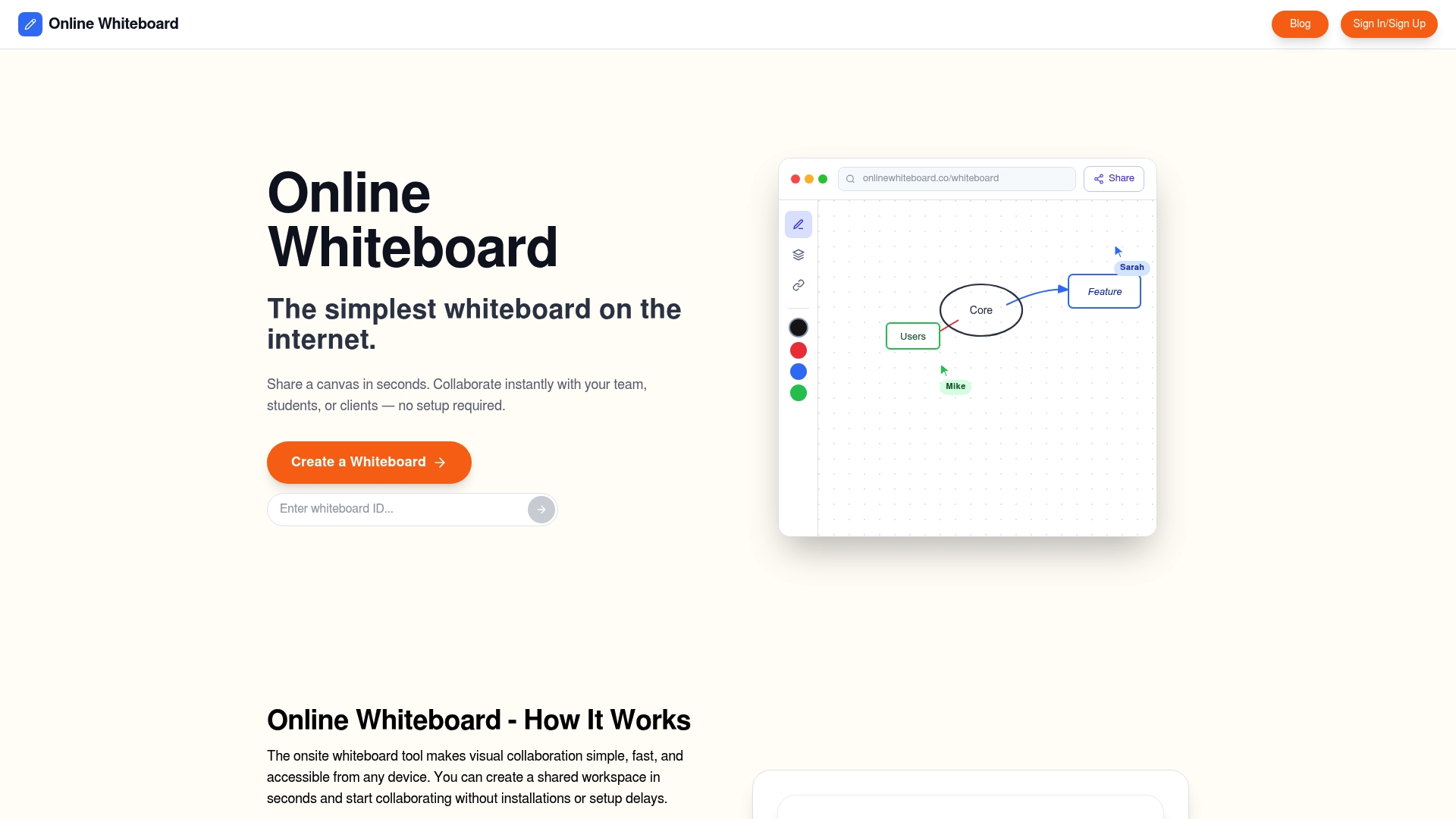
Onlinewhiteboard delivers exactly what the engagement factor demands: a real-time collaborative whiteboard with multi-cursor support, intuitive drawing and annotation tools, and zero software downloads required. It works directly in the browser, which means full compatibility with Chromebooks and school-issued devices without IT configuration. Sessions start in seconds, keeping tutor and student focused on learning rather than setup. For tutoring organizations evaluating the best virtual tutoring tools, Onlinewhiteboard provides a clean, fast canvas that fits naturally into existing session workflows. Try it free and see how visual collaboration changes the quality of your online sessions.
FAQ
What are the most important virtual tutoring tool comparison factors?
The most critical factors are engagement features, session-level reporting, curriculum alignment, privacy compliance, and ease of operational integration. Evaluating all five together produces a more accurate picture of platform suitability than assessing any single feature in isolation.
How do I verify a tutoring platform’s privacy compliance?
Request a signed Data Processing Agreement, a subprocessor list, and documented data deletion timelines rather than relying on a published privacy policy alone. Platforms like MagicSchool provide written deletion certification and limit student data to educational use only.
Why does curriculum alignment matter when comparing tutoring platforms?
Misaligned sequencing causes students to encounter content before they have the prerequisite knowledge to understand it, which undermines learning gains regardless of how engaging the platform is. Look for platforms that document standards mapping and enforce prerequisite completion.
What reporting features should a tutoring platform include?
Platforms should export session-level attendance with matched tutor, student, and session identifiers. Automated integrations, such as Tutorbase’s Zoom API connection, eliminate manual CSV work and reduce billing reconciliation errors significantly.
How does ease of use affect tutoring platform adoption?
Platforms with complicated setup or multi-window workflows see lower and less consistent tutor adoption. Simpler interfaces with minimal configuration and direct device compatibility produce more reliable session quality and better long-term outcomes.