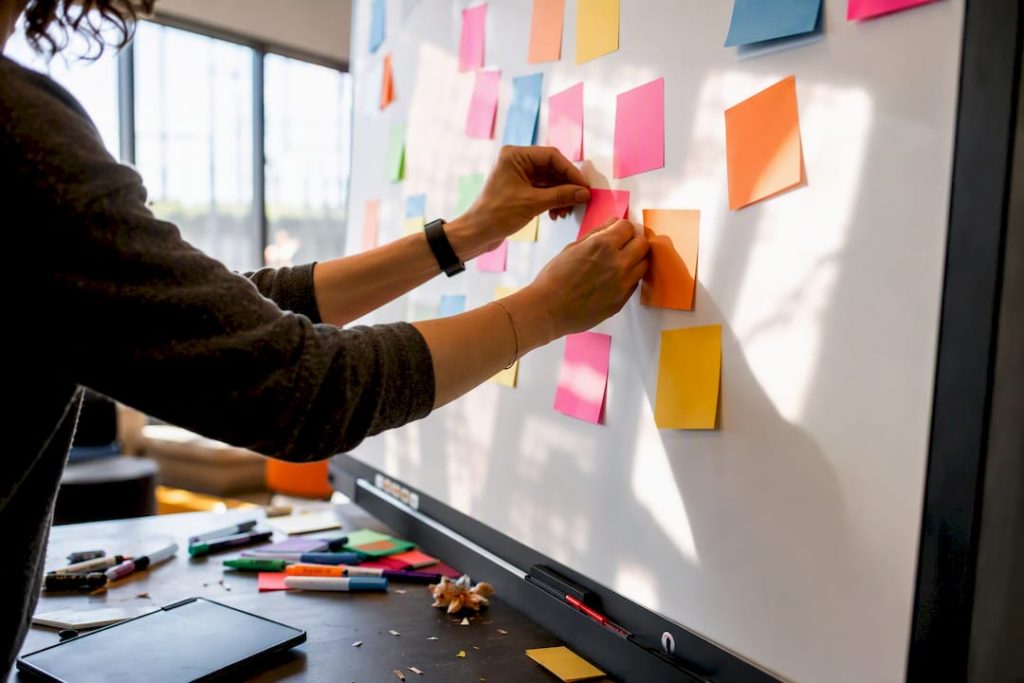
Great retro board ideas fall into five buckets: classic frameworks (Start-Stop-Continue, 4Ls, Mad-Sad-Glad), quick 15-minute formats, themed and playful boards, remote-friendly async setups, and futurespective-style forward-looking boards. Start with a classic if your team is new to retros, a themed board like Sailboat if engagement has stalled, and a tool like OnlineWhiteboard.co if you need real-time voting and sticky notes. Detailed templates and step-by-step setup notes follow below.
TL;DR:
- Classic formats like Start-Stop-Continue and 4Ls are reliable but should be rotated regularly to prevent feedback fatigue among teams.
- Themed boards such as Sailboat, Rock Band, or Pop-Culture Retro help reduce conversational barriers and increase engagement, especially in distributed teams.
- Quick retros like Mad-Sad-Glad or Lightning Rounds offer efficient options for when time is limited or teams need rapid feedback.
- Forward-looking formats like Prospective Boards or Celebrations focus on future success and learning from past experiments, suitable before major planning cycles.
- Digital tools like OnlineWhiteboard.co facilitate real-time collaboration, voting, and easy archiving, making it simple to implement various retro ideas without setup delays.
Table of Contents
- 12 Retro Board Ideas Worth Trying This Sprint
- Retro Board Ideas by Category: Classic, Quick, Themed, and Futurespective
- How to Build a Retrospective Whiteboard Step by Step
- Facilitation Tips and Prompts That Get Honest Feedback
- From Sticky Notes to Tracked Action Items
- Running These Templates in OnlineWhiteboard.co
- A Facilitator’s Note on Formats That Actually Stick
- Try These Retro Templates in OnlineWhiteboard.co
- Sources
12 Retro Board Ideas Worth Trying This Sprint
Scrum Masters juggling a busy sprint calendar rarely have time to design a retro from scratch. This shortlist mixes fast formats, proven classics, and a few playful options so you can pick one in under a minute and start prepping.
- Start-Stop-Continue — Three columns capturing what to begin, halt, and keep doing. Use it when your team needs a low-friction reset after a rocky sprint.
- 4Ls (Liked, Learned, Lacked, Longed For) — A reflective format that separates emotional wins from knowledge gaps. Best for retros following a major release or milestone.
- Mad-Sad-Glad — Emotion-first columns that surface frustration before it festers. Use it after a sprint with visible team tension or burnout signs.
- Sailboat Retro — A metaphor board with wind (helpers), anchors (blockers), rocks (risks), and an island (goal). Ideal for teams that respond better to visuals than text.
- Lean Coffee — An agenda-free format where the team votes on discussion topics in real time. Use it when you want organic conversation instead of a fixed template.
- Celebration Grid — Plots actions by outcome (success, failure) and intent (planned, unplanned) to normalize learning from mistakes. Best for teams building a blameless culture.
- Went Well / To Improve / Action Items — The simplest three-column format for time-strapped teams. Use it for a fast 15 to 20-minute retro between demos.
- Rock Band Retro — Roles like “the drummer” (kept the beat) and “the lead singer” (took charge) reframe feedback playfully. Use it for teams that respond well to humor.
- Speedboat / Anchor — A close cousin of the Sailboat, simplified to speed versus drag. Best for smaller teams that want the metaphor without extra visual complexity.
- Timeline Retro — Plots events chronologically across the sprint with emoji or color markers for mood. Use it after a chaotic sprint with multiple turning points.
- Appreciation Round — A dedicated column or board just for peer recognition. Use it quarterly to reinforce psychological safety and morale.
- Async Sticky Wall — A preloaded board with instructions and a deadline, no live meeting required. Best for distributed teams across three or more time zones.
Each of these scales from a five-person squad to a cross-functional group of twenty, though the timeboxes and facilitation load will shift. The next section breaks down setup details, sample prompts, and facilitation notes for the ideas that deserve deeper treatment.
Retro Board Ideas by Category: Classic, Quick, Themed, and Futurespective
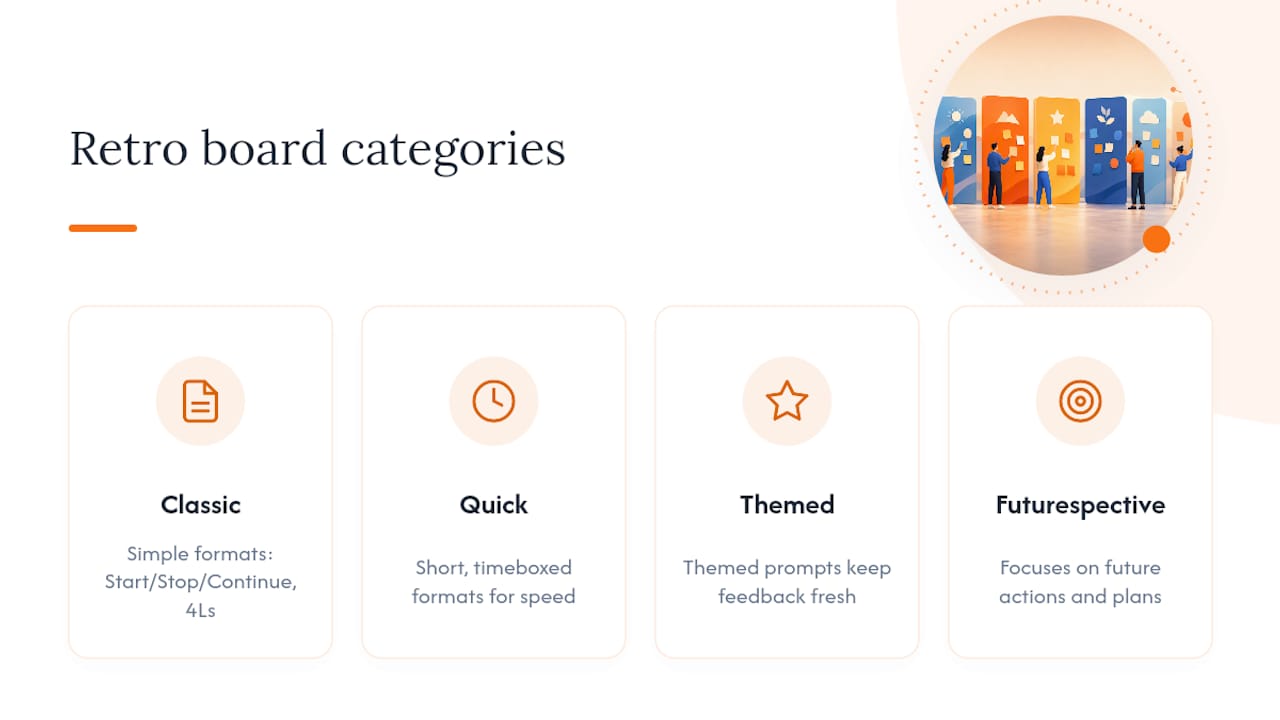
Not every retro needs the same structure. Rotating between categories keeps feedback fresh and prevents what one retrospective research group calls “retro fatigue,” where teams recycle the same format so often that responses turn generic and low-effort. Classic formats like Start-Stop-Continue, 4Ls, and Went Well/To Improve/Action Items remain reliable foundations precisely because they’re simple, but pairing them with themed or quick alternatives keeps engagement high over a multi-sprint cadence.
Classic templates
Start-Stop-Continue
Set up three columns labeled Start, Stop, and Continue. Give the team 5 to 7 minutes of silent sticky-note writing, then 5 minutes to cluster similar notes, then a dot-voting round to surface the top three items per column.
- Timebox: 30 to 40 minutes total
- Sample prompt: “What’s one thing we should stop doing that’s quietly costing us time?”
- Facilitation tip: Require at least one note per column from every participant before clustering begins, so quieter voices aren’t drowned out by the loudest talker.
4Ls (Liked, Learned, Lacked, Longed For)
Four columns instead of three, this format works best after a longer cycle: a release, a quarter, or a major incident. “Lacked” tends to surface process gaps, while “Longed For” often reveals unmet tooling or support needs.
- Timebox: 45 minutes
- Sample prompt: “What did you learn this sprint that you wish you’d known on day one?”
- Facilitation tip: Read every “Lacked” note aloud before discussion so the group hears patterns rather than reacting to notes one at a time.
Went Well / To Improve / Action Items
The most common format on the market for a reason: it maps directly onto continuous improvement without extra metaphor to explain. It’s the format to reach for when half your team is new to retrospectives.
- Timebox: 20 to 25 minutes
- Sample prompt: “What’s one thing from this sprint we should never repeat?”
- Facilitation tip: Cap “To Improve” discussion at 10 minutes so the retro doesn’t drift into a venting session with no action items produced.
Quick formats (15 to 30 minutes)
Mad-Sad-Glad
This format leads with emotion, which surfaces issues that a purely process-focused board misses. Column order matters: starting with “Mad” gives frustration an outlet before the conversation moves toward gratitude.
- Timebox: 15 to 20 minutes
- Sample prompt: “What made you glad to be part of this team this sprint?”
- Facilitation tip: Watch for one person dominating the “Mad” column; redirect with, “Let’s hear from someone who hasn’t shared yet.”
Went Well Lightning Round
A single-column, rapid-fire format for sprints that genuinely need no more than a temperature check. Each person adds one sticky note, reads it aloud in under 20 seconds, and the group moves on.
- Timebox: 10 to 15 minutes
- Sample prompt: “In one sentence, how did this sprint feel?”
- Facilitation tip: Use a visible countdown timer so the pace stays snappy and nobody over-explains.
3-Column Speed Retro (Went Well / To Improve / Action Items, condensed)
A tightly timed version of the classic format built for teams with a packed calendar. Silent generation runs 5 to 7 minutes, clustering takes 5 minutes, and voting plus picking one action takes the remaining 5 to 8 minutes, for roughly 15 to 20 minutes total.
- Timebox: 15 to 20 minutes
- Sample prompt: “If we could fix exactly one thing before next sprint, what would it be?”
- Facilitation tip: Limit the outcome to a single action item. Trying to fix three things in a 15-minute retro guarantees none of them get done.
Themed and playful boards
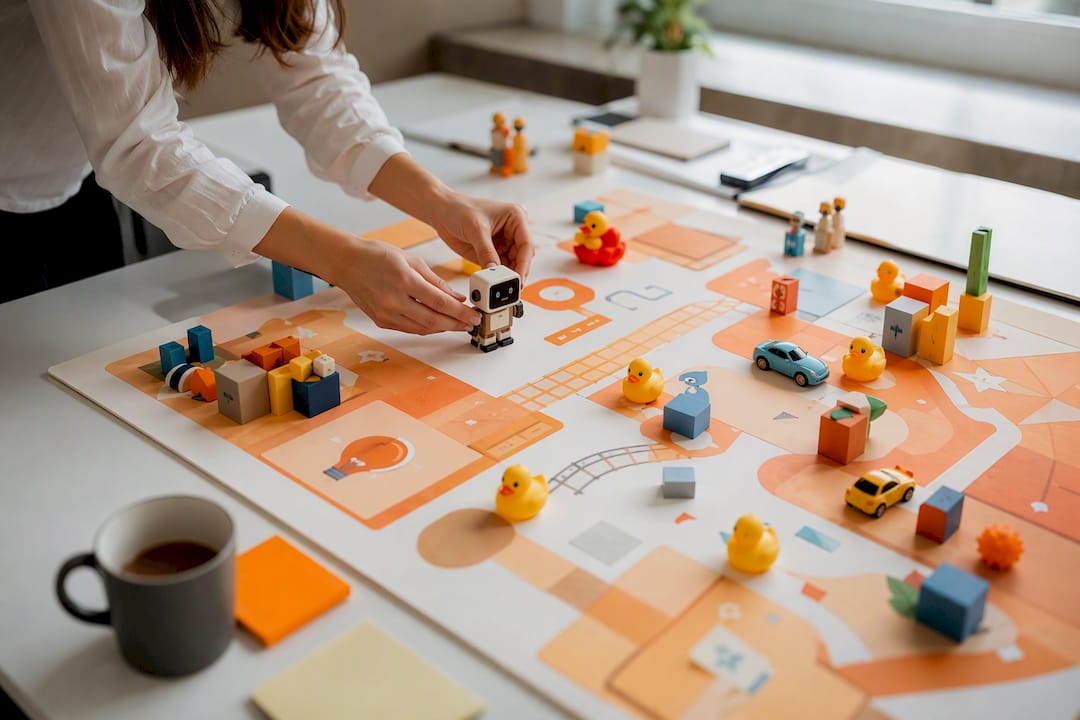
Themed retros work because familiar cultural references lower the conversational barrier that keeps quieter team members from speaking up in a plain, text-heavy board. The metaphor gives people permission to be playful about a genuinely difficult topic, like a blocked task or an interpersonal friction point.
Sailboat Retro
Draw a sailboat, an island, wind lines, an anchor, and rocks beneath the waterline. Wind represents what’s propelling the team forward, the anchor represents what’s holding it back, rocks represent risks on the horizon, and the island is the sprint or release goal.
- Timebox: 40 to 50 minutes
- Sample prompt: “What’s the biggest rock we’re sailing toward that nobody’s mentioned yet?”
- Facilitation tip: Populate one example sticky note in each zone before the meeting starts. It shows the level of specificity you’re looking for and reduces the awkward blank-canvas pause.
Rock Band Retro
Assign metaphorical roles: the drummer kept the rhythm (process discipline), the lead guitarist took a solo (went above and beyond), the roadie fixed things behind the scenes (unsung support work). Teams write sticky notes under whichever “instrument” fits the story they want to tell.
- Timebox: 30 minutes
- Sample prompt: “Who was this sprint’s roadie, and what did they quietly fix?”
- Facilitation tip: Rotate the metaphor set (movie genres, sports teams, cooking shows) every quarter so the theme doesn’t become predictable.
Pop-Culture Retro Boards
Franchise-themed boards, like a superhero universe or a well-known movie studio’s catalog, map familiar characters or scenes onto retro categories. One documented example built around a major studio’s film catalog used character traits to represent team behaviors, which made the feedback categories memorable and easier to reference in later standups.
- Timebox: 40 minutes
- Sample prompt: “Which ‘character’ on our team saved the day this sprint, and how?”
- Facilitation tip: Keep the references broad enough that international or newer teammates aren’t left out of the joke. A theme that excludes half the room defeats the purpose.
Pro Tip: For distributed teams running a themed retro, prepopulate the board with labeled zones and one example sticky note before the meeting, then follow with a 10 to 15-minute synchronous session just to cluster and discuss. This gives async contributors a clear model of the detail level expected, instead of a blank canvas that people either overthink or ignore.
Futurespectives and forward-looking boards
Most retros look backward. A futurespective flips the lens: instead of “what happened,” it asks “what do we want to be true in three months, and what’s stopping us from getting there.” This format works well before a big planning cycle or when a team feels stuck rehashing the same complaints sprint after sprint.
Prospective/Futurespective Board
Set up a timeline stretching forward instead of back. Ask the team to imagine the project has succeeded wildly and work backward to identify what had to happen.
- Timebox: 45 to 60 minutes
- Sample prompt: “It’s three sprints from now and this project is a clear success. What changed?”
- Facilitation tip: Run this format once per quarter, not every sprint. Overuse dilutes its novelty and the forward-looking energy that makes it effective.
Celebration Grid
Plot recent actions on two axes: outcome (success or failure) and intent (planned or unplanned experiment). This format normalizes failure from planned experiments while still flagging unplanned mistakes worth discussing.
- Timebox: 35 minutes
- Sample prompt: “What’s one planned experiment that failed, and what did we learn from it?”
- Facilitation tip: Explicitly praise entries in the “planned experiment, failed outcome” quadrant out loud. It signals that intelligent risk-taking is safe, not punished.
How to Build a Retrospective Whiteboard Step by Step
Setting up a usable retro board takes less time than most teams expect, especially with a digital canvas that already has sticky notes and voting built in. Follow this sequence whether you’re running the retro live or leaving it open for async contributions.
- Choose your template first. Match the format to your sprint’s mood: classic if the team is new, themed if engagement has dropped, futurespective if you’re planning ahead.
- Set up your zones or columns. Label each area clearly and add a one-line description inside each zone so contributors know exactly what belongs there.
- Apply a color legend. Use one sticky note color per person, or one color per category (bug, process, praise) so patterns are visible at a glance before you even read the text.
- Configure permissions. Decide whether contributors can see each other’s notes while writing (encourages piggybacking on ideas) or whether notes stay hidden until a reveal moment (reduces anchoring bias).
- Enable voting. Dot-voting with a capped number of votes per person forces prioritization instead of a long, unfocused list of “top” items.
- Set a visible timer. A shared countdown for each phase, silent writing, clustering, voting, keeps the retro from drifting past its timebox.
- Connect integrations if available. Linking the board to a sprint backlog or task tracker means action items don’t die the moment the meeting ends.
- Export or archive the board. Save a snapshot or export before closing so the record is searchable for the next retro.
For hybrid or fully remote teams, adjust the process slightly. Preloading the board with instructions and a clear contribution deadline lets people add notes on their own schedule, followed by a short synchronous session just to cluster and vote. This works well across time zones where a live 45-minute meeting simply isn’t feasible for everyone.
Before the meeting, a short checklist prevents the most common setup failures:
- Confirm the template matches the sprint’s tone, not just whatever was used last time.
- Test that voting and sticky-note permissions are configured correctly before people join.
- Share the board link at least a few hours in advance for async contributors.
- Set an agenda in the meeting invite so people know the format ahead of time.
After the retro wraps, close the loop with a short archiving routine: export the board as an image or PDF, move action items into your task tracker, and label the board with the sprint number and date so it’s easy to find later when you’re deciding which format to rotate in next.
Facilitation Tips and Prompts That Get Honest Feedback
The format matters less than how you run the room. Silent brainstorming before discussion prevents the loudest voice from anchoring everyone else’s thinking. Clustering related notes before voting keeps the group from re-litigating the same point five times under five different sticky notes. And enforcing the timebox, even when the conversation is good, protects the team’s trust that a retro won’t run long every single time.
Rotate who facilitates every few sprints. A Scrum Master who always runs the retro becomes a filter the team unconsciously performs for, and rotating facilitation surfaces a wider range of question styles and follow-up instincts.
Here are starter questions grouped by what you’re trying to learn:
Inspect the process
- “What slowed us down this sprint that we could remove entirely?”
- “Where did we spend time on something that turned out not to matter?”
- “What’s one process step that felt like pure overhead?”
Inspect the team
- “Who helped you unblock something this sprint, and did you thank them?”
- “Where did communication break down between us and another team?”
- “What’s something you needed help with but didn’t ask for?”
Celebrate wins
- “What’s a small win that didn’t get enough recognition?”
- “What’s something you’re proud of that nobody else saw happen?”
Unblock and plan forward
- “What’s the one blocker that, if solved, would make next sprint noticeably easier?”
- “What’s an experiment we could try for just one sprint to test a fix?”
- “If you could change one thing about how we plan sprints, what would it be?”
Pro Tip: Retro fatigue creeps in fast when the same three questions get asked every two weeks. Keep a running “experiment backlog” of process changes to test for exactly two sprints each, then swap in a new format entirely. This gives you a fresh format roughly every month, which keeps responses specific instead of recycled.
From Sticky Notes to Tracked Action Items
A retro that generates great insight but no follow-through is worse than no retro at all. Teams only see the value of a retrospective when they can trace a direct line between something said in the meeting and a real change to how the team works.
Build every action item around five fields:
- What: the specific change being tested, not a vague intention.
- Why: the problem this action addresses, tied back to the retro note that raised it.
- Owner: one named person, never “the team.”
- Metric: how you’ll know if it worked (fewer blocked tickets, shorter review time, fewer interruptions).
- Due date: ideally within the next sprint or two, not “eventually.”
If your board doesn’t connect directly to a sprint backlog or task tracker, add a simple “Review Next Retro” card as a placeholder zone. It keeps unresolved items visible instead of letting them quietly vanish once the board closes.
A workable follow-up cadence looks like this: check in on action items at the start of the next sprint’s planning session, then do a fuller review at the retro two sprints later. Treat each action as a small experiment with a defined metric rather than a permanent policy change. Two-sprint check-ins give you enough data to know whether something’s actually working before you commit to it long-term.
Running These Templates in OnlineWhiteboard.co
A Sailboat retro takes about five minutes to set up in Onlinewhiteboard: drop in the boat, island, and rock shapes, then invite the team to add sticky notes to each zone.
- Real-time sticky notes let remote contributors add ideas simultaneously without waiting their turn.
- Built-in voting narrows a crowded board down to the top three action items in under two minutes.
- A visible shared timer keeps a 20-minute Start-Stop-Continue run from spilling into the next meeting.
- One-click export archives the finished board before you close it, ready for next sprint’s comparison.
A Facilitator’s Note on Formats That Actually Stick
The biggest mistake I see teams make isn’t picking the wrong template. It’s picking one template and never touching it again. A team that runs Went Well/To Improve/Action Items for eighteen straight sprints isn’t running a retrospective anymore. They’re filling out a form.
Rotation matters more than most Scrum Masters give it credit for, and it’s not about novelty for its own sake. A themed board like Sailboat or Rock Band changes the emotional register of the conversation. People who go quiet during a plain three-column retro will happily argue about who the “drummer” was. That’s not a gimmick. It’s a different door into the same honesty.
The other lesson worth repeating: an action item that isn’t visible somewhere the team looks every day is an action item that dies. Track it on the same board, or a linked one, where the retro happened. Out of sight is out of the sprint.
— A
Try These Retro Templates in OnlineWhiteboard.co
Sticky-note apps and static slide decks get you through a retro, but they rarely keep the follow-through visible once the meeting ends. Onlinewhiteboard gives your team one continuous canvas instead: real-time collaboration so remote and in-office teammates add notes simultaneously, built-in sticky notes and dot-voting to cluster and prioritize without a separate app, and one-click export to archive every board for side-by-side comparison next sprint.
You don’t need to build a Sailboat or Start-Stop-Continue layout from scratch. Open a free online whiteboard, drop in your zones, and invite the team with a link. No downloads, no account required to get started, and the board is ready before your next standup ends.
Sources
For teams that want to keep exploring formats beyond this list, a few resources are worth bookmarking:
- Retro fatigue & fresh retro format ideas — Echometer
- Unlock fun & productivity: Introducing the Warner Bros Retro Board — DEV Community