
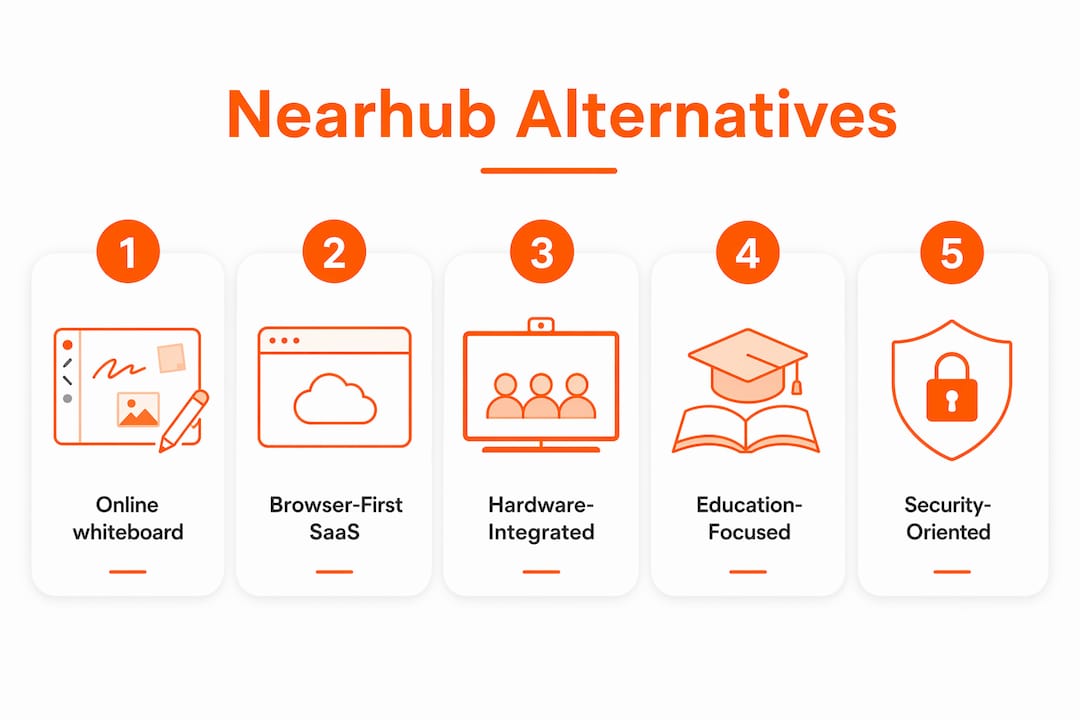
For teams and teachers who need a fast, open, and affordable digital whiteboard, Onlinewhiteboard is the top recommended Nearhub.us alternative. It runs entirely in the browser, requires no installation, and gets a classroom or remote team collaborating in minutes. Here is a quick shortlist by category:
- Browser-first open whiteboards (e.g., Onlinewhiteboard, Miro, FigJam): Free tiers available; instant access via any device; strong Microsoft 365 and Google Workspace integration.
- Hardware-integrated open platforms (e.g., Microsoft Whiteboard on Surface Hub): Best for large conference rooms with built-in A/V; higher upfront cost; OPS/Windows upgrade path.
- Education-first boards (e.g., Google Jamboard successor tools, Mural): Classroom controls, student management, and roster features; often priced per seat.
- Lightweight brainstorming tools (e.g., Limnu): Minimal setup, low cost, suited for small teams or solo ideation.
All four categories offer free tiers or trials. The key differentiators are integration depth with your existing tools, education-specific controls, and whether you need physical hardware at all.
Table of Contents
- How the top nearhub.us alternatives compare across features
- Why Onlinewhiteboard is our top pick among these alternatives
- How to pick the right whiteboard alternative for your team or classroom
- Which alternative fits your specific use case?
- How we evaluated these alternatives
- What customer support looks like across these categories
- Key Takeaways
- Why the browser-first approach makes sense for most teams
- Onlinewhiteboard: free tier and team plans worth trying
- Sources and useful links
How the top nearhub.us alternatives compare across features
The table below maps each alternative category to the dimensions that matter most to buyers evaluating nearhub competitors.
| Category | Best For | Free Tier | Core Collaboration | Integrations | Education Features | Security | Hardware/OS Openness |
|---|---|---|---|---|---|---|---|
| Browser-first SaaS (Onlinewhiteboard, Miro, FigJam) | Remote teams, teachers, product managers | Yes | Real-time cursors, templates, voting, exports | Microsoft 365, Google Workspace, Slack, Zoom, Figma | Templates, sharing controls | SSO/SAML on paid plans | Web, mobile, no hardware lock-in |
| Hardware + open OS displays (Microsoft Whiteboard / Surface Hub) | Large rooms, hybrid meetings | Limited | Real-time sync, video conferencing built-in | Microsoft 365, Teams-native | Basic classroom controls | SAML, data residency options | Windows-based; OPS expandable |
| Education-first platforms (Mural, Google Jamboard) | K-12 and higher ed classrooms | Yes (limited) | Collaborative canvases, breakout rooms | Google Workspace, LMS tools | Roster controls, student management | FERPA-aligned options | Web and tablet; no hardware |
| Lightweight brainstorming (Limnu) | Small teams, quick sketching | Yes | Real-time drawing, basic sharing | Limited | Minimal | Basic encryption | Web and mobile only |
Pricing shapes vary significantly. Browser-first SaaS tools typically offer a free tier and charge per seat or per team on paid plans. Hardware-integrated systems carry a substantial upfront hardware cost, and total cost of ownership frequently exceeds the sticker price once you add stands, cameras, and subscription fees for cloud collaboration features. Education-first platforms often price per classroom or per institution.
Pros and cons by category:
- Browser-first SaaS: Low TCO, instant onboarding, cross-device access. Limited offline capability; advanced features gated behind paid plans.
- Hardware + open OS: Superior A/V quality for large rooms; Windows OPS slots extend device lifecycles. High upfront cost; less flexible for distributed teams.
- Education-first platforms: Purpose-built classroom controls. Can feel over-engineered for product teams; pricing scales steeply with institution size.
- Lightweight brainstorming: Fastest setup, lowest cost. Thin integration ecosystem; not suited for complex workflows.
Why Onlinewhiteboard is our top pick among these alternatives
Onlinewhiteboard earns the top spot for most teams and teachers looking at nearhub.us replacement options because it combines fast onboarding, strong collaboration depth, and low total cost. There is nothing to install. Share a link and your team or class is live on a shared canvas in seconds.
Core features that matter:
- Real-time cursors, drawing, and diagramming across all devices
- Templates for brainstorming, lesson planning, and project mapping
- Voting and annotation tools for structured sessions
- Export options for notes and boards
- Infinite zoom canvas with mobile support
- No-download access for students, guests, and remote participants
Onlinewhiteboard connects with Microsoft 365, Google Workspace, Slack, and Zoom, covering the integrations most US teams and schools already rely on. For product teams, the Figma-friendly workflow and shape libraries make it a practical daily driver. For teachers, the clean canvas and instant sharing remove the friction that derails remote lessons.
Where hardware-integrated systems still make sense: if you run a large conference room or lecture hall and need a built-in 4K AI camera and a dense mic array without separate peripherals, a hardware board with an OPS/Windows slot is worth the investment. For everyone else, the browser-first path is faster and cheaper.
Pro Tip: Start with Onlinewhiteboard’s free tier to validate your workflow before committing to any paid plan. Most teams discover within a week whether they need advanced team management or whether the free canvas covers their daily needs.
Try the free online whiteboard to get started without a credit card.
How to pick the right whiteboard alternative for your team or classroom
The single most important rule: prioritize OS openness and integration compatibility first. A tool that cannot connect to your existing Microsoft 365 or Google Workspace environment will create friction every day, regardless of how good its canvas is. Closed integrations are the most common reason organizations regret their whiteboard choice.
Decision checklist:
- Team size and scale: Free tiers suit individuals and small groups; larger teams need admin controls and user management.
- Primary use case: Teaching requires classroom controls; product design needs Figma integration and shape libraries; async ideation needs good export and comment tools.
- Required integrations: List your must-have tools (Teams, Slack, Zoom, Google Meet) and verify native support before signing.
- Hardware preferences: Do you need a physical display in a room, or is browser access sufficient?
- Security and compliance: K-12 schools need FERPA alignment; enterprises often require SAML/SSO and data residency options.
- TCO expectations: Add accessory costs, subscription fees, and expected replacement cycles to any hardware sticker price before comparing.
Questions to ask vendors:
- Does the platform support OPS/Windows modules for future upgrades?
- Is SAML/SSO included on the plan we need, or is it an add-on?
- Where is our data stored, and can we choose a US-based data region?
- What are the camera field-of-view and mic pickup range specs?
- Does the mobile app support offline editing?
- Are classroom management and student roster features included?
Red flags to avoid:
- Closed app stores that block third-party software installs
- Hidden accessory costs (stands, cameras, compute modules) not shown in base pricing
- SSO available only on enterprise tiers with opaque pricing
- Limited export formats (PDF only, no image or CSV)
- No public pricing page
Pro Tip: When evaluating hardware boards for a classroom or large room, ask the vendor for the mic array element count and stated pickup range. Higher element counts with beamforming DSP typically deliver usable audio beyond 6–8 meters without extra microphones, which matters in rooms deeper than a standard huddle space.
Which alternative fits your specific use case?
| Use Case | Recommended Category | Must-Have Features | Typical Pricing |
|---|---|---|---|
| Remote teaching | Browser-first SaaS | Classroom controls, student sharing, templates | Free tier available; paid from ~$10/seat/month |
| Product design workshops | Browser-first SaaS | Figma integration, shape libraries, voting | Free tier; team plans vary by seat count |
| Lightweight brainstorming | Lightweight SaaS | Real-time drawing, quick sharing, low friction | Free or low-cost plans |
| Deployed huddle rooms | Hardware + open OS | Built-in camera/mic, OPS slot, Teams/Zoom native | Hardware priced in a broad range plus software subscription |

For remote teaching, browser-first tools win on accessibility. Students join via a link, no account required, and teachers retain control of the canvas. For product teams, the priority shifts to Figma compatibility and structured templates. For huddle rooms, the calculus changes: hybrid-first collaboration increasingly demands integrated A/V, and a hardware board with an open OS and OPS slot delivers that without forcing a full replacement when software needs change.
The practical shortcut: if your team is distributed and device-agnostic, choose browser-first SaaS. If you are outfitting a physical room used daily for video calls, invest in hardware with an open ecosystem.
How we evaluated these alternatives
Our evaluation covered eight core dimensions: OS openness and integration compatibility, collaboration feature depth, platform support (web, desktop, mobile, offline), education-specific controls, security and compliance, TCO, hardware upgrade path, and customer support quality. We drew on vendor documentation, product specifications, and industry analysis of the whiteboard and collaboration tool market.
What we weighted most:
- Integration openness with Microsoft 365 and Google Workspace
- Free tier availability and honest pricing transparency
- Education feature depth for teachers and tutors
- TCO including hidden accessory and subscription costs
- Security controls (SSO, data residency, encryption)
We excluded vendor marketing claims as sole evidence. Where a vendor’s own comparison page was the only source for a spec, we noted it as vendor-reported. Publisher experience with browser-first tools informed our framing, and we are transparent that Onlinewhiteboard is our own product.
What customer support looks like across these categories
Support quality varies sharply between categories. Browser-first SaaS tools typically offer live chat, email support, and self-serve knowledge bases. Onlinewhiteboard provides documentation and direct support channels suited to teachers and small teams who need fast answers, not enterprise ticketing queues. Miro and Mural offer tiered support, with priority response reserved for paid plans.
Hardware-integrated platforms tend to bundle support into warranty and service contracts. Response times for hardware issues can run longer than software-only tools, and on-site support often carries an additional cost. For schools and teams without dedicated IT staff, that gap matters. A browser-first tool with responsive chat support is often the lower-risk choice for educators managing their own tech stack.
Key Takeaways
Onlinewhiteboard is the fastest, lowest-cost path to open, cross-device collaboration for most teams and teachers evaluating nearhub.us alternatives.
| Point | Details |
|---|---|
| Browser-first wins for most teams | No install, instant sharing, and free tiers make browser-first SaaS the lowest-friction starting point. |
| Prioritize integration openness | Verify Microsoft 365 and Google Workspace compatibility before committing to any tool or hardware. |
| Hardware boards suit large rooms | OPS/Windows displays with built-in A/V are worth the cost only for dedicated conference or classroom rooms. |
| Watch total cost of ownership | Add accessory costs, subscriptions, and replacement cycles to any hardware sticker price before comparing. |
| Onlinewhiteboard is the recommended pick | Free tier available; real-time collaboration, templates, and exports with no download required. |
Why the browser-first approach makes sense for most teams
The hardware-integrated whiteboard market is compelling on paper: one device, built-in camera, built-in mic, no peripheral juggling. But for the majority of teams and teachers we see using these tools, the hardware is overkill. Most collaboration happens across distributed devices, not in a single room. A browser-first tool that works on any laptop, tablet, or phone covers that reality better than a $4,000 display in one location.
That said, we are not dismissive of hardware. Large lecture halls, executive boardrooms, and dedicated huddle rooms with daily video calls genuinely benefit from integrated 4K cameras and dense mic arrays. The mistake is buying hardware for a use case that a $10-per-seat SaaS subscription handles just as well. When the room is the bottleneck, invest in the room. When the team is distributed, invest in the software.
Onlinewhiteboard: free tier and team plans worth trying
Onlinewhiteboard’s free tier gives teachers and small teams a full collaborative canvas with real-time drawing, templates, and instant link sharing. No credit card, no download, no waiting. It is the fastest way to validate whether a browser-first whiteboard fits your workflow before spending anything.
Team plans unlock advanced features: team management, expanded template libraries, increased storage, and priority support. For schools running remote lessons or product teams coordinating across time zones, the upgrade pays for itself quickly in time saved on setup and sharing friction.
Start your free whiteboard today and see why it is the recommended starting point for teams moving beyond Nearhub’s ecosystem.
Sources and useful links
- NearHub competitor landscape — Tracxn
- Hybrid-first collaboration trends — NearHub vs. Vibe Board
- TCO and hidden accessory costs — NearHub vs. Vibe Board comparison
- OS openness and upgrade path — Vibe vs. NearHub 2026
- Mic array and A/V specs — NearHub vs. Surface Hub
- Best online collaborative whiteboard platforms in 2026
- Online whiteboard tools for teams: 2026 guide
- Digital chalkboard tools for teachers