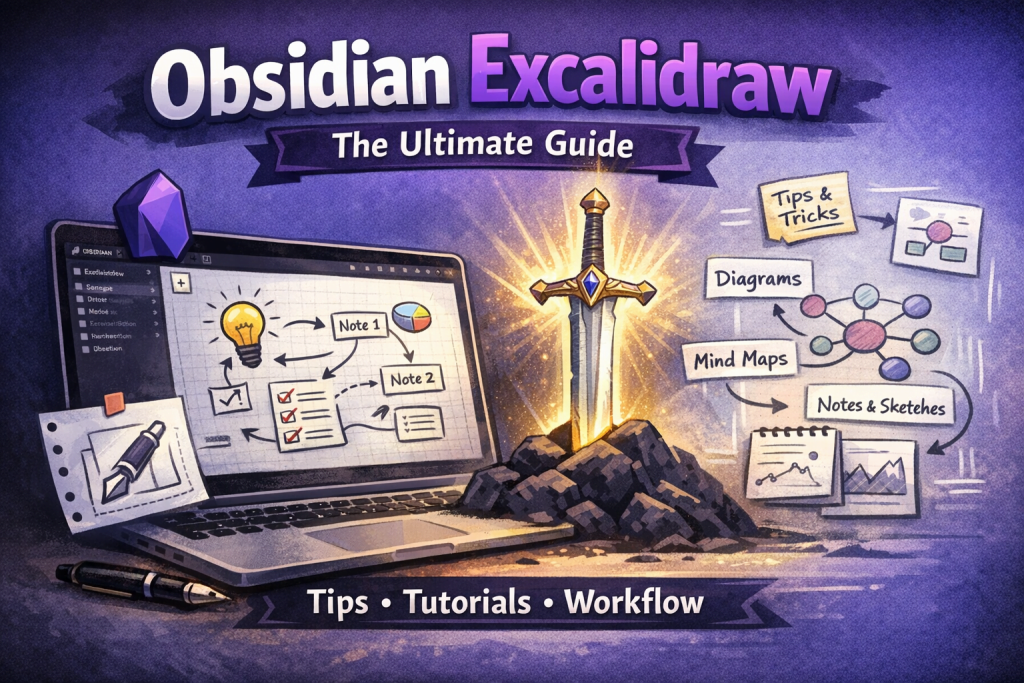
Introduction to Obsidian Excalidraw
Obsidian Excalidraw has quickly become one of the most powerful tools for visual thinkers who use Obsidian. By integrating Excalidraw directly into Obsidian, this plugin allows users to combine diagramming, sketching, and structured note-taking in a single workflow.
Unlike traditional note-taking methods that rely heavily on text, Obsidian Excalidraw enables a visual-first approach, helping users better understand, organize, and retain information.
With Obsidian Excalidraw, you can:
- Create visual notes directly inside your Obsidian vault, eliminating the need to switch between multiple tools or platforms
- Combine diagrams with written notes, allowing for deeper explanations and better context
- Link visual elements to other notes, creating a highly interconnected knowledge system
- Build mind maps and concept maps, helping you organize complex ideas more effectively
- Improve comprehension and retention, as visual information is easier for the brain to process and remember
This makes Obsidian Excalidraw an essential plugin for students, professionals, and knowledge workers.
What is Obsidian Excalidraw?
Obsidian Excalidraw is a community plugin that integrates Excalidraw’s drawing capabilities into Obsidian, enabling users to create interactive, visual notes.
With Obsidian Excalidraw, you can:
- Draw diagrams and sketches directly within Obsidian, making it easy to visualize ideas without leaving your workspace
- Create interactive drawings with clickable elements, allowing you to link parts of a diagram to other notes
- Use an infinite canvas, giving you unlimited space to expand your ideas
- Store drawings locally, ensuring full control over your data and long-term accessibility
- Integrate visual notes into your knowledge management system, making them part of your overall workflow
Why Obsidian Excalidraw is So Popular
The rise of Obsidian Excalidraw is closely tied to the growing demand for visual knowledge management.
1. Combines Visual Thinking and Note-Taking
- Allows users to process information visually and textually at the same time, improving both understanding and retention
- Transforms complex ideas into diagrams and visual structures, making them easier to analyze and communicate
- Obsidian Excalidraw Encourages active engagement with information, which leads to deeper learning
- Supports creative thinking, as drawing often unlocks new perspectives and insights
2. Deep Integration with Obsidian
- Works seamlessly within Obsidian, ensuring a consistent and smooth user experience
- Leverages Obsidian’s powerful linking system, allowing visual notes to connect with text notes
- Obsidian Excalidraw maintains a unified knowledge base, where all information is stored and interconnected
- Supports offline usage, ensuring access to your notes anytime, anywhere
3. Flexible and Powerful Workflow
- Provides an infinite canvas for unrestricted creativity, allowing users to expand ideas without limitations
- Supports both structured diagrams and freeform sketches, making it suitable for a wide range of use cases
- Obsidian Excalidraw adapts to different workflows, including studying, planning, brainstorming, and project management
- Encourages experimentation and iteration, helping users refine their ideas over time
Key Features of Obsidian Excalidraw
✏️ Freehand Drawing
- Draw naturally using a mouse, stylus, or trackpad, making it accessible to all users regardless of device
- Experience smooth and responsive pen strokes, ensuring a seamless and enjoyable drawing experience
- With Obsidian Excalidraw you can quickly sketch ideas during brainstorming sessions, capturing thoughts as they come
- Use freehand drawing for rough drafts and ideation, where flexibility is more important than precision
🔗 Linking Notes Within Drawings
- Link specific elements in your drawings to Obsidian notes, creating interactive diagrams
- Navigate seamlessly between visual and textual content, improving workflow efficiency
- With Obsidian Excalidraw you can build a connected knowledge graph, where relationships between ideas are clearly visible
- Enhance context and understanding, as each visual element can be tied to detailed explanations
🧠 Visual Knowledge Management
- Organize complex information visually, making it easier to understand and analyze
- Use diagrams to represent relationships between ideas, improving clarity
- Create concept maps and mental models, helping you structure your knowledge effectively
- With Obsidian Excalidraw you can improve long-term retention, as visual representations are easier to remember
📂 File-Based Storage
- Save drawings as files within your Obsidian vault, ensuring full control over your data
- Organize visual notes alongside text notes, maintaining a consistent structure
- Easily search and retrieve drawings, improving accessibility
- Ensure compatibility with backups and syncing solutions, protecting your data
🔄 Bidirectional Linking
- With Obsidian Excalidraw you can connect drawings and notes seamlessly, creating a unified knowledge system
- Navigate between related ideas quickly, improving efficiency
- Maintain context across different types of content, ensuring nothing is lost
- Support advanced workflows like Zettelkasten, enhancing knowledge management
🎨 Infinite Canvas and Customization
- Use an infinite canvas to expand ideas freely, without worrying about space limitations
- Add shapes, arrows, text, and images, creating diverse visual representations
- Organize ideas spatially, making relationships easier to understand
- Customize layouts to fit your workflow, whether simple or complex
How to Use Obsidian Excalidraw Effectively
Create Visual Notes
- Replace long text notes with diagrams, making information easier to digest
- Use visuals to summarize complex topics, improving clarity
- Combine sketches with annotations, adding depth to your notes
- Organize ideas spatially, making them easier to navigate and understand
Use Obsidian Excalidraw to Build Mind Maps
- Start with a central idea and expand outward, creating a structured map of related concepts
- Use branches and connections to show relationships, improving comprehension
- Incorporate colors and shapes, making the map visually engaging
- Continuously refine and expand your maps, building a comprehensive knowledge system
Combine Text and Visuals
- Use Obsidian Excalidraw to embed text within drawings for context, ensuring clarity
- Link to detailed notes for deeper explanations, maintaining structure
- Use visuals to complement written content, improving understanding
- Create hybrid notes that combine the strengths of both formats, enhancing usability
Benefits of Using Obsidian Excalidraw
Better Understanding
- Simplifies complex ideas through visual representation, making them easier to grasp
- Highlights relationships between concepts, improving clarity
- Encourages active learning, leading to deeper comprehension
Improved Memory
- With Obsidian Excalidraw visual notes are easier to remember than text alone, enhancing retention
- Combining visuals and text reinforces learning, making information stick
- Spatial organization helps with recall, allowing you to remember where ideas are located
Enhanced Creativity
- Freeform drawing encourages idea exploration, leading to new insights
- Obsidian Excalidraw no rigid structure allows flexible thinking, supporting creativity
- Visual brainstorming generates more ideas, improving productivity
All-in-One Workflow
- Eliminates the need for multiple tools, simplifying your workflow
- Keeps all information in one place, improving organization
- Combines visual and textual note-taking, creating a powerful knowledge system
Best Use Cases for Obsidian Excalidraw
- Students: Create visual study notes, concept maps, and summaries
- Professionals: Plan projects, design systems, and brainstorm ideas
- Content creators: Outline content, map ideas, and organize workflows
- Developers: Visualize system architecture and workflows
FAQs About Obsidian Excalidraw
What is Obsidian Excalidraw?
Obsidian Excalidraw is a plugin that integrates drawing and diagramming capabilities into Obsidian, allowing users to create visual notes alongside text notes.
Is Obsidian Excalidraw free to use?
Yes, both Obsidian and Excalidraw are free, and the Obsidian Excalidraw plugin is also free.
How do I install Obsidian Excalidraw?
You can install Obsidian Excalidraw by enabling community plugins in Obsidian and searching for “Excalidraw” in the plugin marketplace.
Is Obsidian Excalidraw good for students?
Yes, Obsidian Excalidraw is excellent for students because it helps with:
- Visual learning
- Concept mapping
- Better memory retention
Can I link notes in Obsidian Excalidraw?
Yes, you can link elements within drawings to other notes, creating a connected knowledge system.
What are the main benefits of Obsidian Excalidraw?
The main benefits include:
- Visual note-taking
- Better understanding of complex ideas
- Improved memory retention
- Enhanced creativity
- All-in-one workflow
Final Thoughts on Obsidian Excalidraw
Obsidian Excalidraw is more than just a plugin—it’s a complete system for visual thinking and knowledge management.
By combining:
- Visual diagrams
- Text-based notes
- Powerful linking
it creates a workflow that is:
- More intuitive
- More engaging
- More effective
If you’re serious about improving your productivity and thinking process, Obsidian Excalidraw is one of the best tools you can use today.