
TL;DR:
- Onlinewhiteboard is the best simple, browser-based whiteboard alternative for most teams and educators. It offers quick setup, free access, and key collaboration features suitable for immediate use. More advanced options are better suited for larger organizations, design teams, or classrooms with specific management needs.
For most teams and educators, Onlinewhiteboard is the strongest immediate replacement for Riddey. It runs entirely in the browser, requires no installation, and puts a shared board in front of teammates in under a minute. Riddey launched as a machine-learning-augmented whiteboard with a no-tool UI and stroke-level collaboration, but its private beta origins mean feature gaps are real and users are actively searching for more mature options.
TL;DR — top alternative categories:
- Simple no-friction boards (recommended for most): fast setup, link-based sharing, export support, education-ready. Onlinewhiteboard fits here.
- Enterprise visual platforms: deep integrations (Slack, Teams, Microsoft 365), SSO, and admin controls for large orgs.
- Design-focused boards: tight Figma integration, vector fidelity, and prototyping workflows for product design teams.
- Education-first boards: classroom templates, student management, and facilitation tools (voting, timers) built for teachers.
Table of Contents
- How do the best Riddey.com alternatives compare on features?
- What does each alternative category do best?
- How do you choose the right alternative to Riddey?
- How to try alternatives and move your boards off Riddey
- Which alternative should you actually choose?
- What do you actually get for free vs. paid?
- What do users say about these alternatives?
- How good is customer support across these categories?
- How do security and privacy features compare?
- Key Takeaways
- The case for keeping it simple when you switch
- Onlinewhiteboard: the recommended starting point
- Useful sources and official pages
How do the best Riddey.com alternatives compare on features?
The table below maps each alternative category against the dimensions that matter most when you’re replacing Riddey. Feature data draws from core whiteboard evaluation criteria including infinite canvas, templates, sticky notes, voting, and timers.
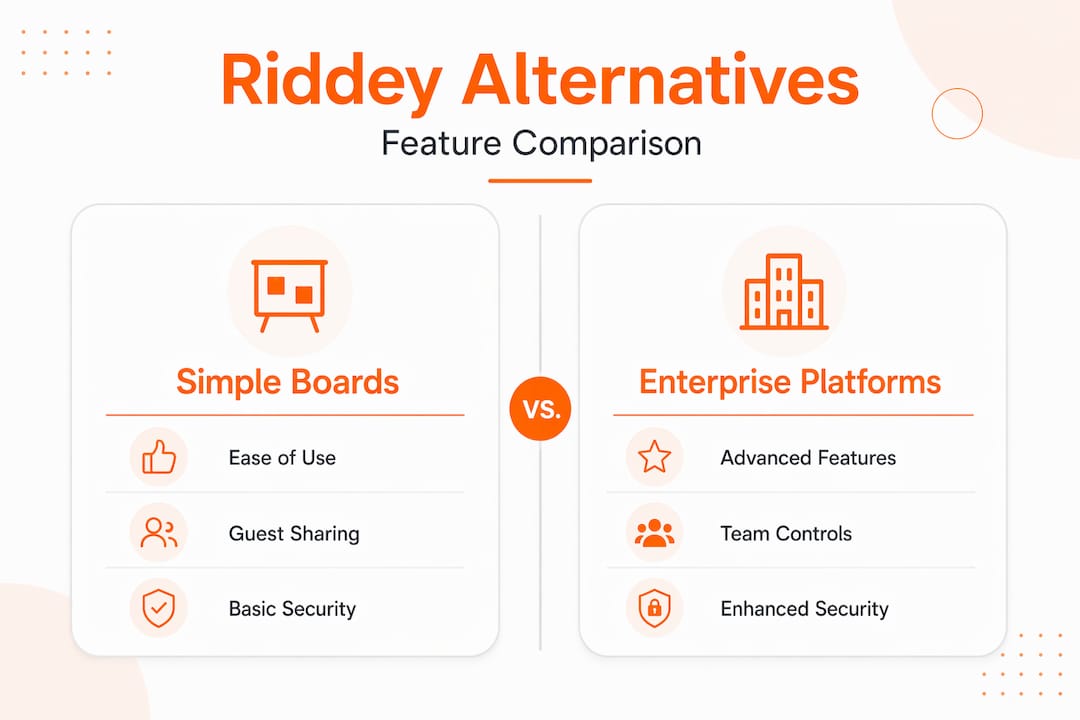
| Category | Best For | Free Tier | Paid Starting Price | Infinite Canvas | Templates | Sticky Notes / Voting / Timers | Integrations | Platform | SSO / Admin | Education Features |
|---|---|---|---|---|---|---|---|---|---|---|
| Simple no-friction boards | Teams, educators, quick meetings | Yes | Low monthly cost | Yes | Yes | Yes / Yes / Yes | Google Workspace, basic Slack | Web, iOS, Android | Basic | Classroom templates, guest access |
| Enterprise visual platforms | Large orgs, cross-functional teams | Limited | Mid-to-high monthly | Yes | Extensive | Yes / Yes / Yes | Slack, Teams, Figma, Microsoft 365 | Web, iOS, Android, desktop | SSO + full admin | Limited |
| Design-focused boards | Product designers, UX teams | Limited | Mid monthly | Yes | Design-specific | Yes / Limited / Limited | Figma, Slack, Jira | Web, desktop | SSO (paid tiers) | Minimal |
| Education-first boards | Teachers, tutors, K–12 | Yes | Low monthly | Yes | Classroom-specific | Yes / Yes / Yes | Google Workspace, LMS tools | Web, iOS, Android | Basic | Full: student mgmt, facilitation |
Quick reading cues:
- Team size match: Simple no-friction boards suit small teams; enterprise platforms pay off for larger organizations where admin controls and audit logs matter.
- Red flags by category: Enterprise platforms can lock boards behind paywalls on free tiers. Design-focused boards often lack student management entirely. Education-first boards may not support the diagramming depth product teams need. Simple boards sometimes cap storage or board count on free plans.
What does each alternative category do best?
Simple no-friction boards
This is where Onlinewhiteboard lives, and it’s the right starting point for most people searching for riddey.com alternatives.
- Best for: remote teams, teachers, tutors, product managers who need a board running in seconds.
- Key strengths: browser-first access with no download, link-based sharing, drawing and diagramming tools, export support, and mobile-friendly layouts.
- Limitations: lighter on enterprise admin controls; not built for complex multi-layer design workflows.
- Pricing shape: free tier available; paid plans unlock advanced storage, team management, and premium features.
- Trust signal: guest access and link-based sharing reduce onboarding friction significantly, which matters when you’re pulling in a colleague or student on short notice.
Enterprise visual platforms
Tools like Miro and Mural belong here. They’re built for organizations running large-scale workshops, OKR planning, and cross-functional design sprints.
- Best for: companies with 50+ collaborators, dedicated IT governance, and complex integration stacks.
- Key strengths: extensive template libraries, deep integrations with Slack, Teams, and Microsoft 365, full SSO, and granular admin controls.
- Limitations: steeper learning curve, higher cost per seat, and free tiers that restrict board access or export.
- Pricing shape: limited free tier; paid plans scale by seat count and can get expensive quickly for small teams.
Design-focused boards
FigJam (Figma’s whiteboard layer) is the clearest example. These tools prioritize vector fidelity and handoff to design files.
- Best for: UX designers and product teams already inside the Figma ecosystem.
- Key strengths: native Figma integration, component-level fidelity, and clean handoff to prototypes.
- Limitations: weak classroom features, limited facilitation tools (voting and timers are secondary), and less useful outside design contexts.
- Pricing shape: often bundled with a Figma subscription; standalone free access is limited.
Education-first boards
These platforms put classroom templates, student access controls, and facilitation tools at the center. They’re what separates a lightweight whiteboard from a genuine teaching tool.
- Best for: K–12 teachers, tutors, and instructors running structured remote lessons.
- Key strengths: pre-built classroom activities, student management, voting, and timer features built for facilitation.
- Limitations: diagramming depth is usually limited; not suited for product roadmapping or design work.
- Pricing shape: free tiers are common; paid plans add student seats and advanced classroom management.
Pro Tip: During any 10-minute trial, test the export function and the sharing link before you evaluate anything else. Teams most often discover a tool mismatch the first time they try to share or export a board, so testing export fidelity early is the single most predictive trial task.
How do you choose the right alternative to Riddey?
Prioritize tools that match your top two needs: real-time sketch fidelity, a strong template library, or fast sharing and export. Everything else is secondary.
Evaluation checklist — ask these during your trial:
- Can you export vector diagrams or high-resolution PNGs without a paid plan?
- Does the free tier preserve boards for the whole team, or does it expire?
- Is SSO available, and at which pricing tier does it unlock?
- How many simultaneous users can edit before performance degrades?
- Does the mobile app support full editing, or is it view-only?
- Are classroom templates or student access controls included?
Red flags that should rule a tool out immediately:
- No export options at all (you’re locked in with no escape route).
- Mobile support is view-only (a real problem for educators and field teams).
- Data residency or deletion policies are not publicly documented.
- Free tier boards disappear after a set number of days with no warning.
Quick prioritization matrix — score each tool 1–3 on your top needs:
- Sharing speed (can a guest join in under 60 seconds?)
- Export fidelity (PNG, PDF, or vector available?)
- Template relevance (classroom, product, or workshop templates?)
- Integration fit (does it connect to the tools your team already uses?)
- Admin controls (do you need SSO or audit logs?)
Add the scores. Any tool below 10 out of 15 is a poor fit for your workflow. Verify each red flag in a 15-minute demo by attempting the action yourself rather than asking the vendor.
How to try alternatives and move your boards off Riddey
Trial plan:
- Create a free account on your shortlisted tool and open a blank board.
- Invite one colleague via a guest link and run a 10-minute live sketch session together.
- Test a template import: load a workshop or classroom template and check whether it renders correctly.
- Simulate real load: open the board with 10+ simultaneous cursors and zoom in and out on a large canvas to test latency under load.
- Test an integration: connect Slack or Google Workspace and confirm notifications or embeds work.
- Export the board as a PDF and a PNG and check fidelity on both.
Migration tips:
- If direct vector export from Riddey isn’t available, export high-resolution PNGs for presentations, recreate layered diagrams in the new tool for any living assets, and save original boards as PDFs for project records.
- Archive Riddey boards before closing your account; some platforms delete data within 30 days of account cancellation.
- For common migration blockers like file-format mismatches or lost layer fidelity, recreating key diagrams natively in the new tool is faster than trying to force an incompatible import.
Troubleshooting checklist:
- File-format mismatch: export as PNG or PDF as an interim step.
- Lost layer fidelity: flatten layers before export; recreate complex diagrams natively.
- Large-board performance: split oversized boards into linked smaller canvases.
Which alternative should you actually choose?
Onlinewhiteboard is the right pick for most teams and educators. It’s browser-first, free to start, and covers the core use cases: drawing, diagramming, sharing, and exporting without any installation. For digital classroom brainstorm activities, it includes classroom templates and guest access that teachers can use immediately.
Three exceptions where a different category fits better:
- Large enterprise orgs (50+ users): an enterprise visual platform with full SSO, audit logs, and Microsoft 365 integration will serve IT governance requirements that a lightweight board can’t meet.
- Product design teams inside Figma: a design-focused board with native Figma handoff removes a friction point that general whiteboards can’t eliminate.
- Structured K–12 classrooms needing student management: an education-first platform with built-in student controls and LMS integration may be worth the added complexity.
Use-case map:
- Educators and tutors: Onlinewhiteboard, for its classroom templates, guest access, and zero-install entry.
- Small product teams: Onlinewhiteboard or a lightweight board with Slack integration.
- Enterprise product design orgs: a design-focused or enterprise platform, depending on whether Figma integration or admin controls are the priority.
- Remote workshop facilitators: Onlinewhiteboard covers voting, timers, and sticky notes for most facilitation needs.
Platforms that minimize account setup friction through guest access and link-based sharing consistently reduce onboarding time, which is why browser-first tools convert trial users faster than download-required alternatives.

What do you actually get for free vs. paid?
Free tiers across all four categories exist, but they vary significantly in what they preserve. Simple no-friction boards and education-first platforms tend to offer the most usable free experience: you can create boards, invite guests, and export without paying. Enterprise and design-focused platforms often restrict the number of active boards, remove export options, or limit collaborator seats on free plans.
Paid plans typically unlock: unlimited boards, advanced export formats (vector, high-res PDF), SSO, team admin controls, priority support, and larger storage. For small teams, the free tier of a simple board is often sufficient for months. For enterprise teams, the SSO and audit-log requirements alone justify a paid plan from day one.
Trial advice: run your full workflow on the free tier for at least one real project before upgrading. If you hit a wall (export blocked, board expired, guest access limited), that’s the signal to upgrade or switch categories entirely.
What do users say about these alternatives?
Reputation patterns across alternative whiteboard roundups show consistent themes. Simple no-friction boards earn praise for fast setup and clean interfaces, with the most common complaint being limited storage on free plans. Enterprise platforms receive strong marks for template depth and integrations, but users frequently cite cost and onboarding complexity as friction points. Design-focused boards are loved by designers and criticized by everyone else for being too narrow. Education-first platforms get high marks from teachers for facilitation features, with occasional complaints about limited diagramming tools.
The pattern that stands out: users who switch from a lightweight tool to an enterprise platform often report they’re paying for features they never use. Matching the category to your actual team size and workflow prevents that mismatch.
How good is customer support across these categories?
Support quality follows pricing tiers more than it follows category. Free-tier users across all categories typically get community forums, help documentation, and email ticketing with multi-day response times. Paid plans generally add live chat, and enterprise plans add dedicated account managers or priority phone support.
For educators and small teams, the quality of self-serve documentation matters more than live support, since most questions arise during setup and can be answered by a well-written help center. Enterprise buyers should verify SLA response times and whether a dedicated CSM is included before signing an annual contract. Simple no-friction boards like Onlinewhiteboard keep support needs low by design: fewer features mean fewer things to troubleshoot.
How do security and privacy features compare?
Security depth scales with pricing tier and category. Enterprise visual platforms typically offer the most complete stack: SSO (SAML 2.0), role-based access controls, audit logs, data residency options, and SOC 2 Type II compliance. Design-focused boards often match this on SSO and access controls, since they serve the same enterprise buyer.
Simple no-friction boards and education-first platforms cover the basics: HTTPS encryption in transit, password-protected boards, and guest-link controls. SSO is usually available on paid or enterprise tiers. For educators handling student data, FERPA compliance and the ability to restrict student access to specific boards are the two features to verify before committing.
Before signing any plan, confirm three things: where your data is stored, how long it’s retained after account cancellation, and whether you can export and delete all board data on request. Any vendor that can’t answer those three questions clearly is a risk.
Key Takeaways
Onlinewhiteboard is the fastest, lowest-friction replacement for Riddey for most teams and educators, with browser-first access, free-tier boards, and classroom-ready features that cover the majority of real-world use cases.
| Point | Details |
|---|---|
| Start with the right category | Match your team size and top two needs before comparing individual tools. |
| Test export and sharing first | Export fidelity and guest-link sharing are the most predictive trial tasks — run them in the first 10 minutes. |
| Free tiers vary widely | Simple and education-first boards offer the most usable free experience; enterprise platforms restrict more on free plans. |
| Security scales with tier | Confirm data residency, retention policy, and export rights before committing to any paid plan. |
| Onlinewhiteboard for most teams | Browser-first, no install, free to start, with classroom templates and sharing built in from day one. |
The case for keeping it simple when you switch
The conventional wisdom says to evaluate every feature before choosing a whiteboard tool. In practice, that approach leads teams to over-buy. Most Riddey users are leaving because the product is still maturing, not because they need a more complex tool. They need something that works reliably today.
The category that consistently delivers that is the simple no-friction board. Not because it wins every feature comparison, but because it removes the friction that causes teams to abandon tools in the first place: no download, no account wall for guests, no export locked behind a paywall. Enterprise platforms are genuinely powerful, but a team of eight doesn’t need audit logs and SAML 2.0. A teacher running a remote class doesn’t need a Figma integration.
The smarter move is to start with the lightest tool that covers your real workflow, run one actual project on it, and only upgrade to a heavier category if you hit a specific, documented limitation. Most teams never do.
Onlinewhiteboard: the recommended starting point
If you want the fastest path away from Riddey, Onlinewhiteboard is where to start. It runs in any browser, requires no software download, and lets you share a live board with a guest link in seconds. That combination of speed and zero-install access is exactly what most teams and educators need when they’re moving off a tool that hasn’t fully shipped.
Three things to do in your first 10 minutes:
- Open a blank board and sketch a quick diagram or brainstorm map to test drawing fidelity.
- Invite a colleague or student via a guest link and confirm they can join without creating an account.
- Export the board as a PDF or PNG and check that the output matches what you see on screen.
For team pricing or premium features, check the plans page directly on the site. No long-form demo required.
Useful sources and official pages
- Onlinewhiteboard — free browser-based whiteboard: the primary trial and signup destination.
- Online Whiteboard Tools for Teams: 2026 Guide: comparison criteria, integration guidance, and trial checklist.
- Best Online Collaborative Whiteboard Platform in 2026: core feature evaluation framework and performance testing recommendations.
- Digital Classroom Brainstorm Activities: 2026 Guide: education-focused feature guidance for teachers evaluating replacements.
- Top 6 Webwhiteboard Alternatives 2026: tradeoff analysis between lightweight and full-featured boards.
- Top 3 Notebookcast.com Alternatives 2026: migration tips and export/import guidance.
- Chalkboard Digital: Best Tools and Tips for 2026: facilitation tactics and what to test during a short pilot.