
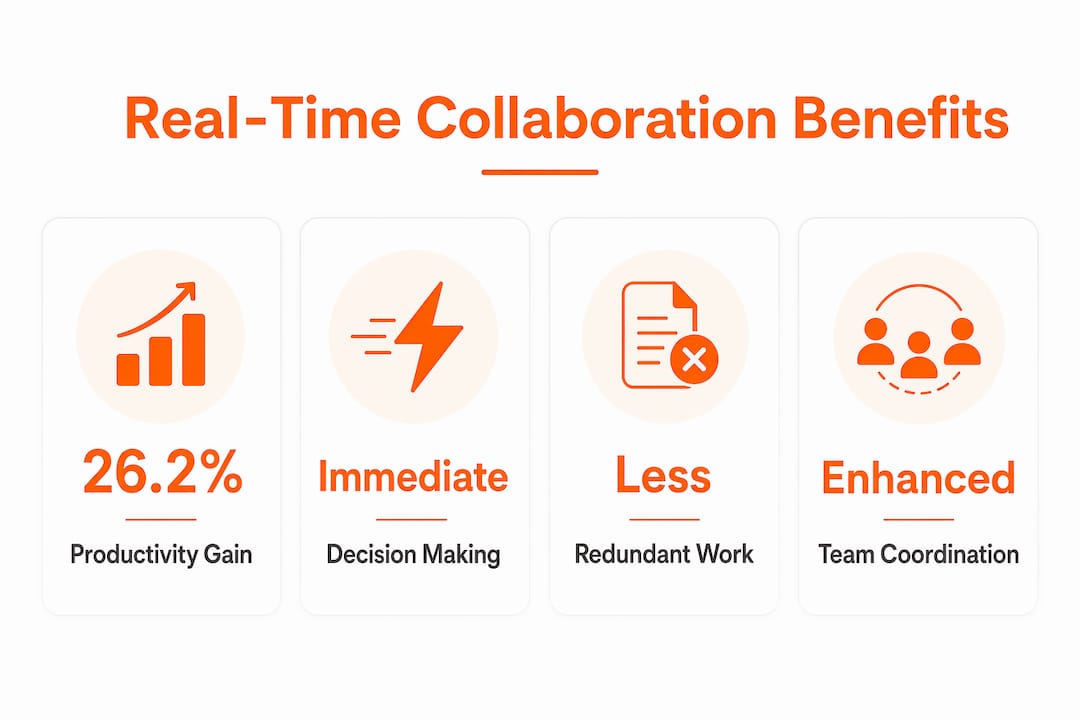
Real-time collaboration is defined as the practice of remote team members working simultaneously through digital tools to coordinate, decide, and create together without delay. Understanding why real time collaboration matters remotely is no longer optional for distributed teams. A 2026 PLOS ONE study found that targeted knowledge transfer between teammates produced up to a 26.2% productivity gain for new hires, with no increase in communication volume required. Platforms like Slack, cloud-based whiteboards, and shared document editors have replaced slow email threads as the primary infrastructure for this kind of coordinated, synchronous work.
Why does real time collaboration matter for remote productivity?
Remote teams that adopt live collaboration tools close the gap between asking a question and getting an answer. That gap, known as decision latency, is one of the most expensive inefficiencies in distributed work. Faster group decisions replace slow email feedback loops and reduce the time projects spend waiting for approvals or direction.
The productivity benefits of live collaboration are measurable and specific:
- Knowledge transfer speed: The 26.2% productivity gain observed in remote teams with experienced members came from targeted, real-time guidance rather than more meetings or messages. Quality of interaction matters far more than quantity.
- Reduced rework: A 2026 MDPI study on cloud-based BIM tools showed that real-time model sharing and centralized issue tracking cut inefficiencies and improved decision-making during remote design coordination meetings.
- Shorter meeting cycles: A Webskyne 2026 case study with distributed engineering teams found that adopting a unified real-time platform lowered meeting times by roughly 60% and cut project delivery times by 35%. That is not a marginal gain. It represents a structural shift in how work moves through a team.
- Labor productivity growth: Digital collaboration and automation technologies together contributed up to 1 percentage point of annual labor productivity growth, according to a 2026 MDPI analysis. This confirms that the impact of live collaboration tools extends beyond individual teams to organizational performance.
The cumulative effect is a team that spends less time waiting, less time repeating work, and more time executing. For remote leaders, these numbers translate directly into faster delivery cycles and lower coordination costs.
What challenges and misconceptions surround real-time collaboration?
Real-time collaboration tools do not automatically produce better teamwork. The most common mistake is treating them as a replacement for process design rather than a support for it. Teams that use Slack or shared whiteboards for constant status updates quickly experience notification overload, fragmented attention, and the illusion of productivity without the substance.
57% of firms cite collaboration as their top challenge in remote work, and a University of Birmingham study found those problems trace back to management capabilities, not the remote model itself. This is a critical distinction. Buying better tools without improving how teams coordinate is like upgrading a car’s engine without fixing the steering.
Common pitfalls to avoid include:
- Continuous synchronization traps: Reserving real-time tools for active coordination moments, not passive status broadcasting, prevents cognitive overload and keeps synchronous sessions meaningful.
- Unclear role ownership: When multiple people can edit the same document or board simultaneously, without clear ownership rules, decisions stall and confusion multiplies.
- Fragmented tool stacks: Using five different platforms for chat, files, tasks, and video without integration creates context-switching overhead that erases the efficiency gains collaboration tools are supposed to deliver.
Pro Tip: Audit your team’s tool usage monthly. If more than 30% of Slack messages are status updates that could live in a project tracker, your real-time channels are being misused.
The importance of remote collaboration lies not in the tools themselves but in the organizational discipline to use them at the right moments. Process governance and role clarity are prerequisites, not afterthoughts.
How do specific real-time collaboration technologies improve remote workflows?
The most effective real-time collaboration setups combine synchronous interaction with a single authoritative workspace that everyone accesses and updates together. Maintaining one shared workspace eliminates version conflicts and reduces the coordination overhead that plagues teams working across multiple file versions or disconnected tools.

Here is how the leading tool categories compare in supporting remote teamwork:
| Tool type | Primary strength | Best used for |
|---|---|---|
| Messaging platforms (e.g., Slack) | Fast, group-based decisions and threaded context | Replacing email for approvals and quick alignment |
| Online whiteboards | Visual, simultaneous ideation and planning | Brainstorming, roadmapping, and workshop facilitation |
| Cloud document editors | Concurrent editing with version history | Drafting, reviewing, and co-authoring written content |
| Cloud BIM and design tools (e.g., Revizto) | Centralized issue tracking and live model sharing | Engineering and design coordination across distributed teams |
Each tool type addresses a different coordination need. The teams that see the strongest results combine them deliberately rather than defaulting to one platform for everything. AI productivity tools are increasingly integrated into these stacks, automating routine handoffs and surfacing relevant context so that synchronous sessions focus on decisions rather than information retrieval.
The real-time collaboration advantages of online whiteboards deserve specific attention for remote leaders. A shared visual canvas lets distributed participants sketch, annotate, and reorganize ideas simultaneously, which mirrors the cognitive experience of an in-person whiteboard session without the geographic constraint. This matters because visual thinking accelerates alignment in ways that text-based tools cannot replicate. When a product team in three time zones needs to align on a roadmap, a live whiteboard session compresses what would otherwise be three rounds of asynchronous feedback into a single focused hour.
Centralized issue tracking within collaboration platforms also prevents the decision delays and confusion that arise when multiple people edit simultaneously without a consistency mechanism. This is especially relevant for engineering and design teams where simultaneous edits to a shared model can create conflicting states that require expensive reconciliation.
What best practices help remote teams get the most from live collaboration?
Unlocking the full benefits of real time teamwork requires intentional design, not just tool adoption. The following practices separate high-performing remote teams from those that struggle despite having access to the same technology.
- Designate synchronous sessions for coordination moments only. Reserve real-time collaboration for decisions, problem-solving, and creative alignment. Routine updates belong in asynchronous channels like project trackers or recorded video updates.
- Build shared context before live sessions. Teams where members share domain knowledge and understand each other’s roles communicate more efficiently during synchronous time. The 26.2% productivity gain from experienced teammates confirms that shared knowledge accelerates real-time interaction.
- Integrate tools rather than stacking them. Connect your messaging platform, whiteboard, and task tracker so that outputs from a live session automatically populate the right workflow. This prevents the post-meeting information loss that undermines synchronous work.
- Train for the process, not just the platform. Remote workers who understand why a tool is used at a specific point in the workflow adopt it more consistently than those who receive only technical onboarding.
- Measure coordination quality, not just adoption. Track time-to-decision and rework rates rather than login frequency. These operational indicators reveal whether live collaboration is actually reducing friction or simply adding another layer of activity.
Pro Tip: Set a “decision log” inside your shared workspace after every real-time session. A three-sentence summary of what was decided, who owns it, and the deadline eliminates the follow-up confusion that erases the time you saved by meeting live.
How remote teamwork enhances productivity ultimately depends on whether teams treat synchronous time as a scarce resource worth protecting. The teams that do consistently outperform those that treat every update as a reason to convene.
Key takeaways
Real-time collaboration drives remote team performance when it targets coordination and decision moments rather than replacing all asynchronous work with continuous synchronization.
| Point | Details |
|---|---|
| Quality over quantity | A 26.2% productivity gain came from targeted knowledge transfer, not more communication volume. |
| Operational impact is measurable | Unified real-time platforms reduced meeting times by 60% and project delivery times by 35% in engineering teams. |
| Management drives outcomes | 57% of firms cite collaboration as their top remote challenge, rooted in organizational capability rather than tool choice. |
| One authoritative workspace | Maintaining a single synchronized workspace eliminates version conflicts and reduces coordination overhead. |
| Synchronous sessions need boundaries | Reserving real-time tools for active coordination moments prevents cognitive overload and keeps collaboration meaningful. |
The case for intentional real-time collaboration
Most teams I have observed adopt real-time collaboration tools with genuine enthusiasm and then gradually drift into using them for everything, including things they were never designed to handle. The result is a team that is always “on” but rarely aligned. Notifications pile up, context gets buried in chat threads, and the promise of faster decisions gives way to a new kind of noise.
What the research confirms, and what I have seen play out repeatedly, is that the teams who get the most from live collaboration are the ones who treat synchronous time as a deliberate choice rather than a default. They ask: does this require real-time input, or can it wait for an async update? That single question changes the quality of every session they run.
The other thing worth saying plainly is that tools do not fix culture. A team with unclear ownership, low psychological safety, or poor meeting habits will reproduce those problems inside Slack or on a shared whiteboard. The technology surfaces the dysfunction faster, which can actually be useful if leaders are paying attention. But the fix is always organizational, not technical.
What I find genuinely encouraging about the 2026 research is the emphasis on targeted knowledge transfer as the real engine of remote productivity. It means you do not need more meetings or more messages. You need the right people sharing the right knowledge at the right moment. That is a design problem, and it is one that remote leaders can actually solve.
— A
Start collaborating visually with Onlinewhiteboard
Remote teams that want to put these practices into action need a workspace that supports both synchronous ideation and asynchronous planning without a complicated setup.
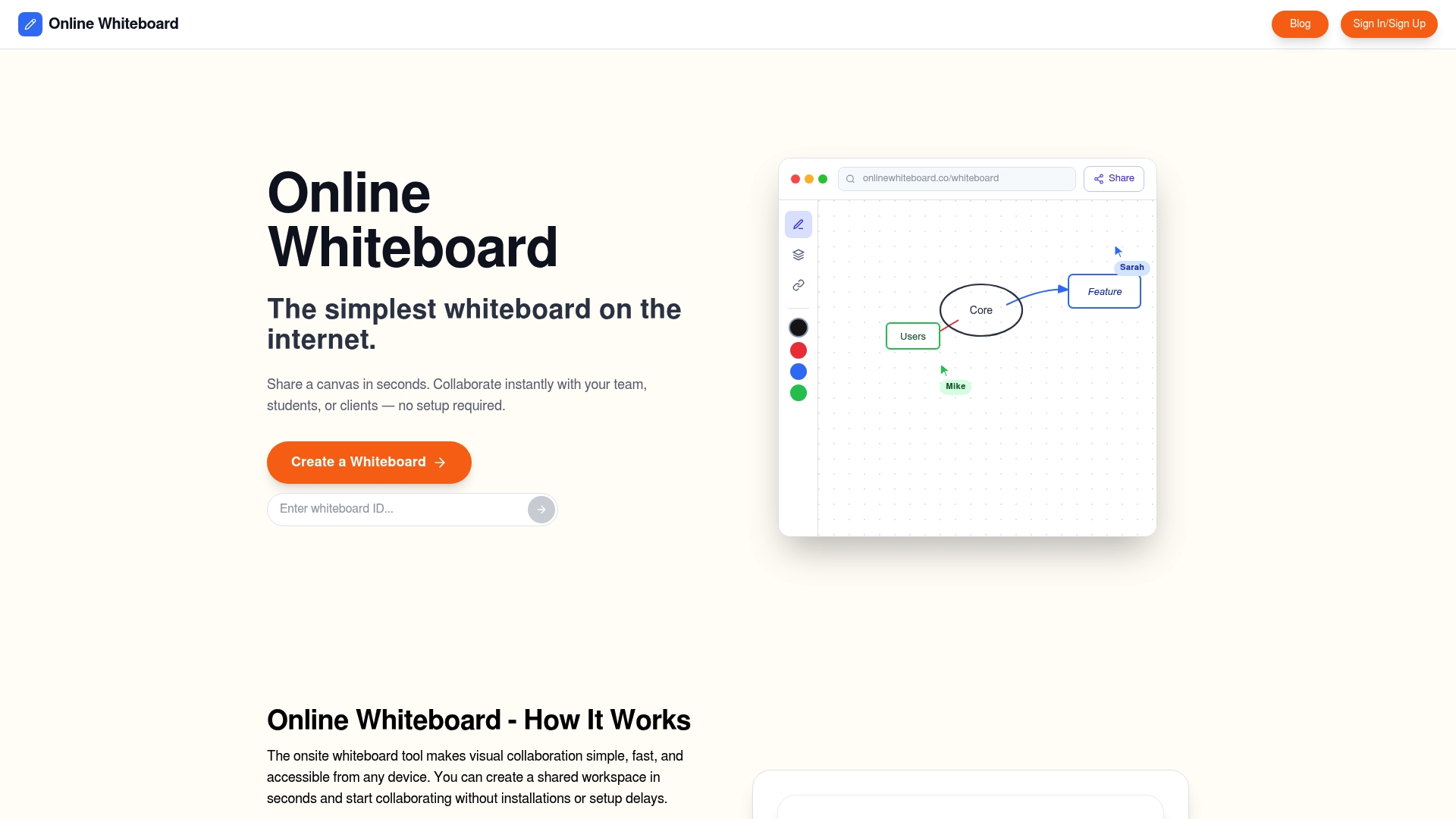
Onlinewhiteboard gives distributed teams a clean, fast digital canvas for brainstorming, roadmapping, workshop facilitation, and visual planning. No downloads, no steep learning curve. Teams can open a shared board, invite collaborators instantly, and work together in real time or leave annotated ideas for teammates in different time zones. For remote leaders who want to reduce decision latency and keep projects moving, Onlinewhiteboard is a practical starting point that connects directly to the coordination principles covered in this article.
FAQ
Why does real-time collaboration matter more than asynchronous communication?
Real-time collaboration reduces decision latency by replacing slow email feedback loops with immediate, group-based input. A 2026 Webskyne case study found this shift cut project delivery times by 35% in distributed engineering teams.
How does real-time collaboration improve remote team productivity?
Targeted, synchronous knowledge transfer produces measurable gains. A 2026 PLOS ONE study found up to a 26.2% productivity increase for new hires in remote teams with experienced members, driven by quality of interaction rather than communication volume.
What is the biggest mistake remote teams make with live collaboration tools?
The most common mistake is using real-time tools for continuous status updates rather than reserving them for active coordination and decision moments. This creates cognitive overload and reduces the effectiveness of synchronous sessions.
Do collaboration tools alone guarantee better remote teamwork?
No. A University of Birmingham study found that 57% of firms cite collaboration as their top remote challenge, with root causes traced to management capabilities and organizational processes rather than tool availability.
What metrics should remote leaders track to measure collaboration effectiveness?
Track coordination latency indicators such as time-to-decision, meeting hours per project, and rework rates rather than tool adoption statistics. These operational metrics reveal whether live collaboration is genuinely reducing friction.