
Getting a full-featured online whiteboard running instantly for ad hoc classes or team workshops is often blocked by required downloads, forced account signups, or missing features for educators. Free browser whiteboards usually skimp on privacy options, template variety, or collaboration tools that schools, product teams, and agencies need for secure, interactive sessions. This comparison covers real-time collaboration, device support, and data control across six online whiteboard apps so you can match the right option to your workflow, risk profile, and budget without wasted pilots.
Table of Contents
- Online Whiteboard
- Excalidraw
- Conceptboard
- Collaboard
- Whiteboard.chat
- Scribble Together
- Comparative Analysis of Online Whiteboard Options
Online Whiteboard
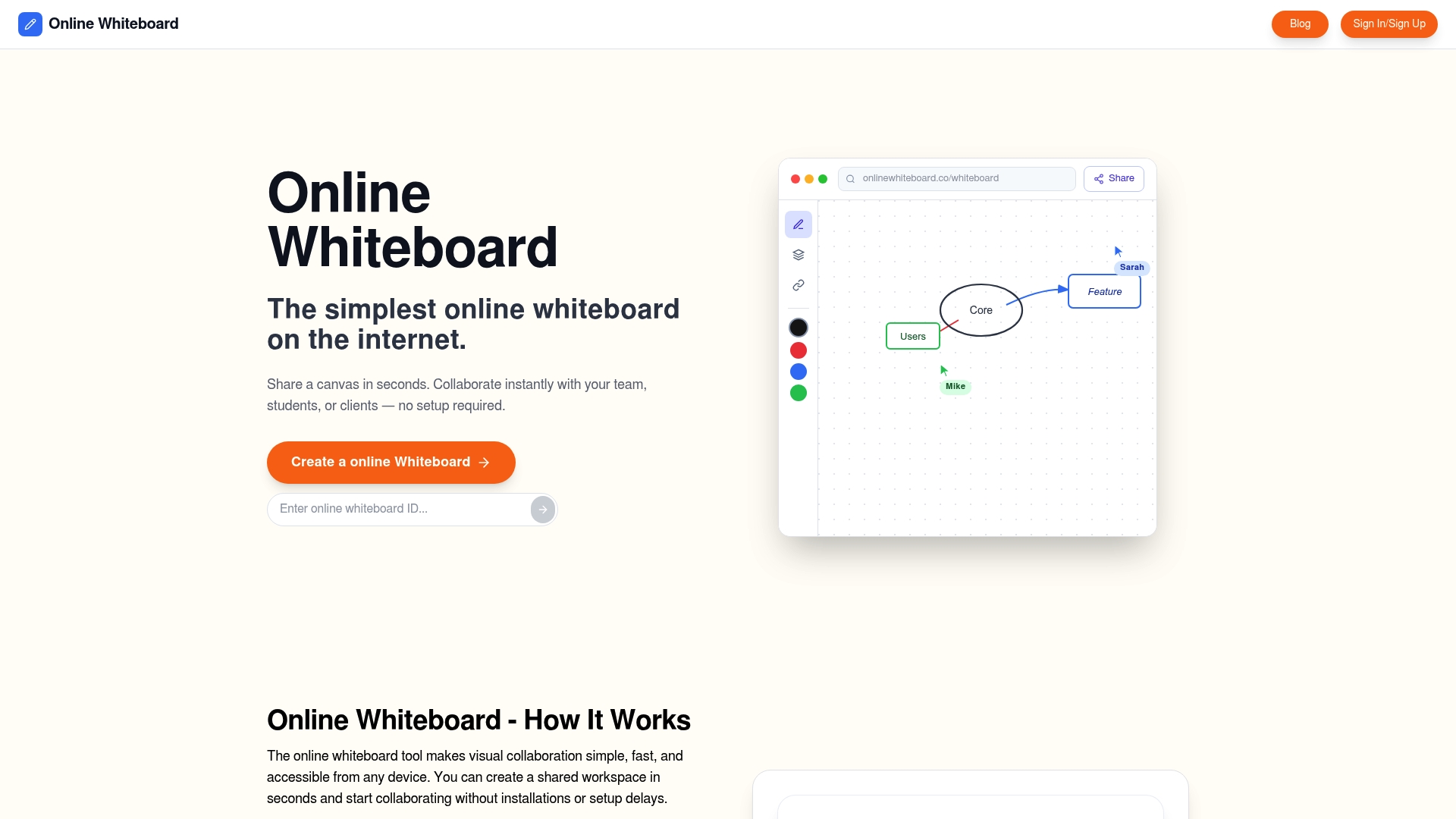
At a Glance
Share a canvas instantly with one click; collaborators join from any device without downloads, installs, or accounts. This no-setup approach is the defining convenience for teachers, remote teams, students, and product designers who need visual collaboration in seconds.
Core Features
- Create a shared whiteboard instantly with one click: Start a session and hand out a link; no account required for basic collaboration.
- Share the whiteboard link easily: Copy and paste or drop the link into chat or calendar invites and participants arrive on the same canvas.
- Collaborate in real time with multiple users: Everyone draws, types, and moves objects simultaneously for synchronous sessions.
- No downloads or installations needed: Works entirely in the browser on phones, tablets, and laptops.
- Simple drawing, writing, diagramming, and sharing tools: A clean canvas focused on quick visual communication rather than deep feature sets.
Key Differentiator
The standout trait is instant, no-setup browser collaboration that turns a link into an active canvas immediately. That single interaction removes the usual premeeting friction—no account setup, no app store detours, no compatibility checks—which speeds follow-up and lowers the barrier for ad hoc sessions.
Pros
- Very fast and simple to use. You can launch a session and have contributors drawing in under 30 seconds from any device.
- No setup or account for quick collaboration. For one-off classes or guest participants this eliminates account churn and support tickets.
- Suitable across teaching, teamwork, and brainstorming. The same canvas supports a teacher annotating slides or a product team sketching wireframes.
- Free for core features. The vendor describes core use as free, which makes the tool low-risk for trial in classrooms and small teams.
Cons
- Limited advanced tools compared to dedicated professional whiteboard apps. If you need layered diagram libraries, complex stencils, or enterprise governance, this tool may feel intentionally minimal.
Who It’s For
Teachers running remote classes, students doing group work, and small to mid teams wanting a frictionless session starter. It fits scenarios where speed and accessibility matter more than deep diagramming or long-term board management.
Unique Value Proposition
The canvas combines intuitive drawing, writing, diagramming, and sharing tools that run immediately in any browser without downloads. That combination converts setup time into session time, letting you focus on idea flow rather than connection logistics.
Real World Use Case
During a virtual sprint planning meeting a product manager pastes the board link into the meeting chat. Designers and engineers join instantly, sketch alternate layouts together, and export ideas into a tracked ticket without anyone installing software.
Website: https://onlinewhiteboard.co
Excalidraw
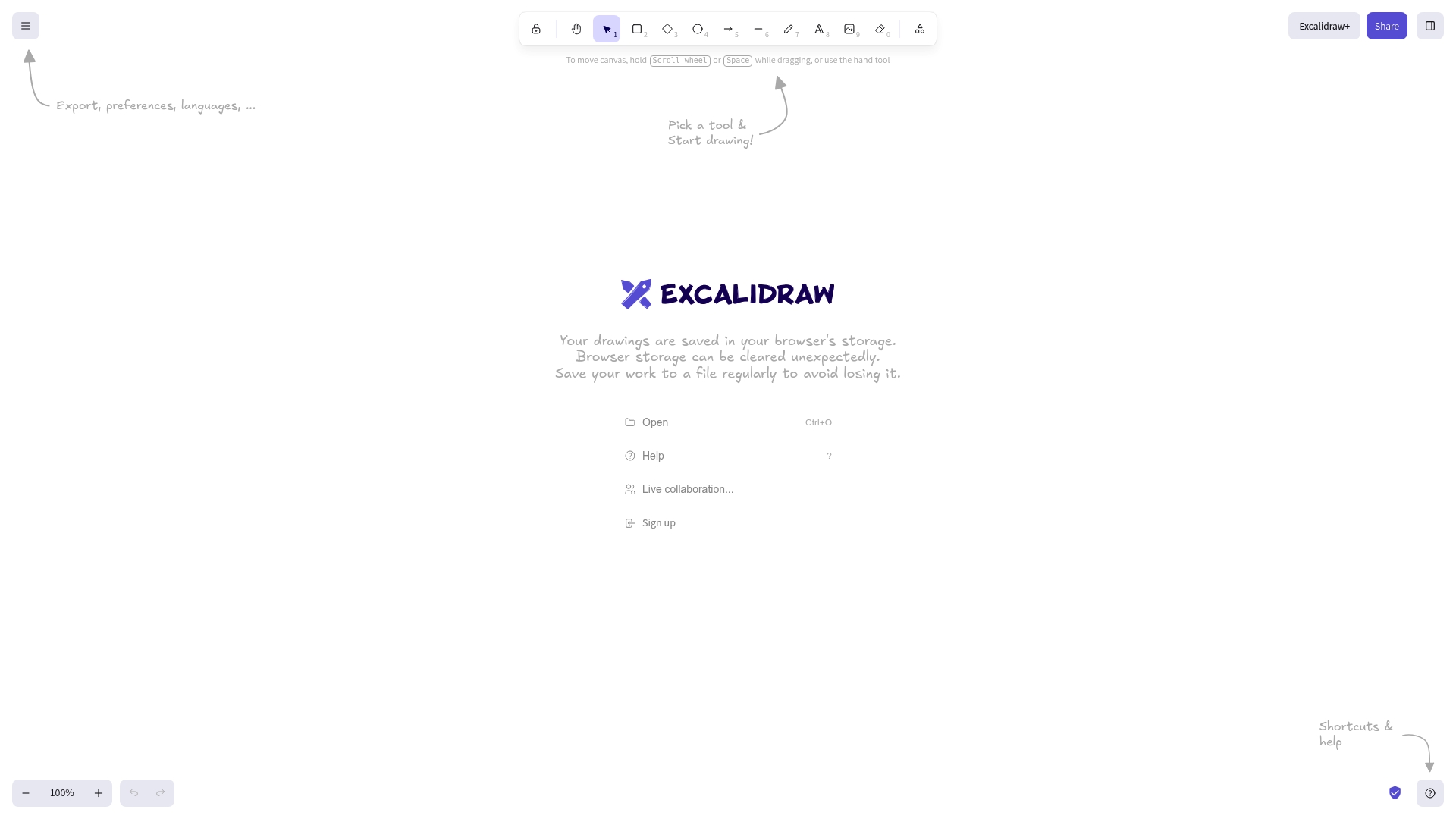
At a Glance
Excalidraw keeps drawings in the browser’s local storage, so unsaved work can disappear if a tab or browser clears storage. It is open source, lightweight, and focused on quick sketching with live collaboration and an optional premium tier called Excalidraw+ for enhanced collaboration.
Core Features
- Real-time collaboration: Multiple people can draw together with low friction and visible cursors.
- Local browser storage: Sketches stay in your browser by default which reduces backend complexity but requires manual saving for persistence.
- Export to files: Export as PNG or SVG for use in slides, docs, or handoffs.
- Simple, minimal interface that stays out of your way for fast ideation.
Key Differentiator
The product’s real edge is its combination of open-source licensing and a deliberately minimal toolset. That makes Excalidraw feel more like a sketchpad than a diagramming suite. Teams that want fast visual thinking without setup time value this design choice more than feature depth.
Pros
- Highly intuitive interface reduces friction during early ideation sessions. New participants start sketching within seconds.
- Hand-drawn aesthetic gives mockups and diagrams a quick, approachable look that eases stakeholder review.
- Fast performance even with several collaborators in a session; the canvas stays responsive and usable on modest hardware.
- Collaboration works without complex permission setups, which is ideal for classroom exercises and informal workshops.
- The open-source code base lets teams host or extend the tool if they need custom hooks or privacy controls.
Cons
- Lacks advanced diagramming features such as auto-layout, swimlanes, and rich connectors that product teams sometimes need.
- Limited templates: Few out-of-the-box templates or shape libraries compared with dedicated diagram tools.
- Support for enterprises is minimal in the base offering, so larger organizations may find on-call help spotty unless they opt for paid options.
When It May Not Fit
If you require enterprise grade storage, versioning, or governance, Excalidraw’s browser-first storage model will feel fragile. For teams that need complex flowchart behavior, strict access controls, or integrated project tracking, this tool will leave gaps in your workflow.
Who It’s For
Casual designers, students, educators, and small product teams who need a fast, accessible canvas for brainstorming and wireframing. It suits settings where speed, informality, and a sketchy visual style matter more than formal diagram precision.
Real World Use Case
A five person product team runs a 40 minute ideation session in Excalidraw to sketch alternate flows. They export the chosen sketches as PNG, paste them into a slide deck, and attach the images to their sprint ticket for developers to reference.
Website: https://excalidraw.com
Conceptboard
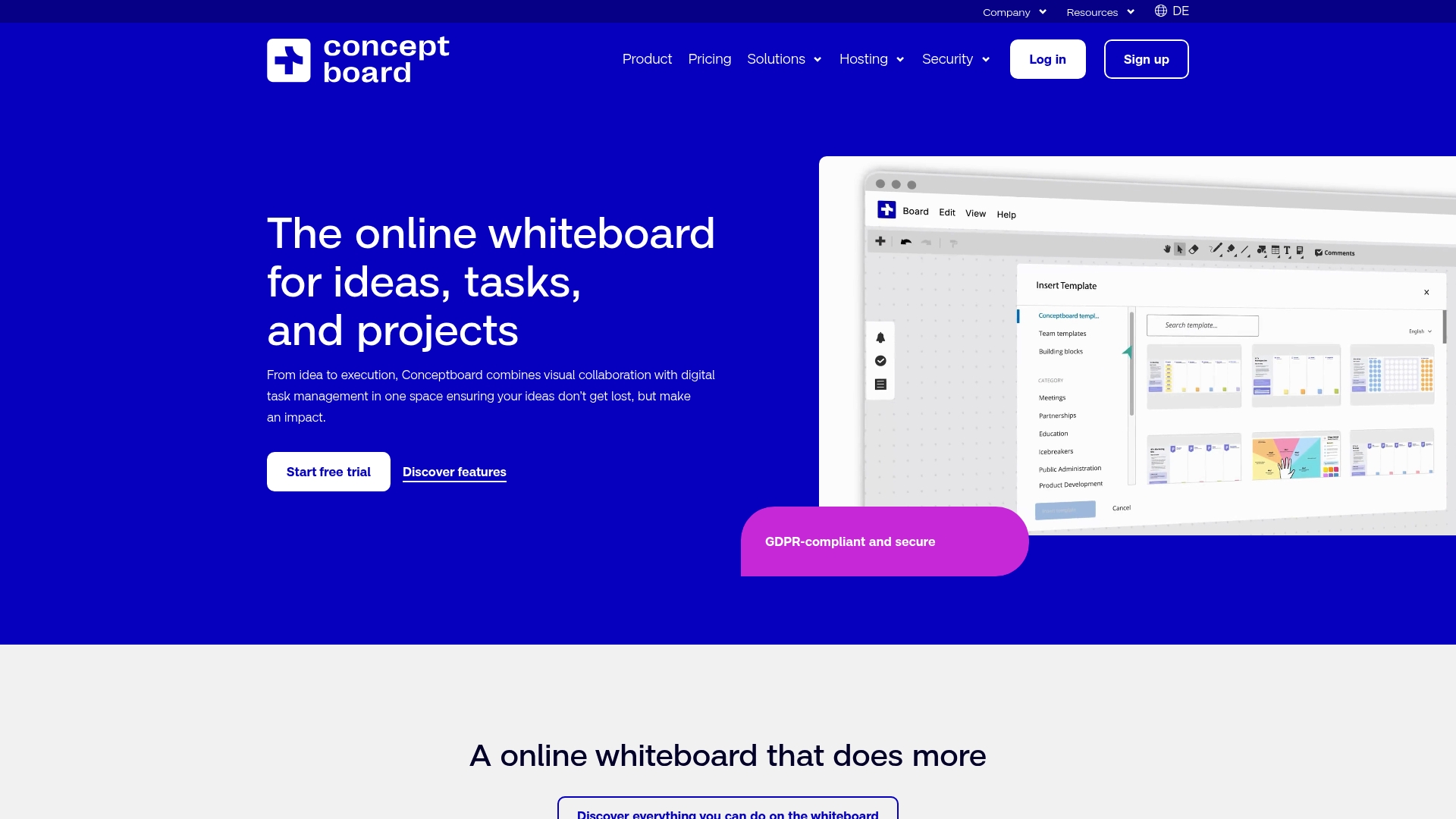
At a Glance
Tailored hosting options include cloud, dedicated server, and self-hosted deployments — Conceptboard’s marketing materials state it is GDPR-compliant, hosted in Germany, and holds ISO certifications. The product pairs visual whiteboarding with on-board task management for teams that need both canvas and workflow in one place.
Core Features
- Visual whiteboarding: Freeform boards for sketches, images, and diagrams with a library of templates for workshops and roadmaps.
- Integrated task management: Assign tasks, track responsibilities, and show progress directly on the board to keep work visible.
- Real-time and asynchronous work: Live cursors, comments, and structured workflows that support remote and hybrid meetings.
- Secure hosting options include cloud, dedicated server, and self-hosted deployments for stricter control.
Key Differentiator
What sets Conceptboard apart is that mix of board-first collaboration and built-in digital task handling, combined with the vendor’s enterprise security claims above. For teams that must keep design work in a controlled hosting environment while also tracking tasks without switching tools, that combination matters.
Pros
- Intuitive interface accelerates workshop setup and participant onboarding; boards are accessible to non-designers within minutes.
- Template library speeds recurring activities like brainstorms, retros, and planning sessions so facilitators spend less time prepping.
- Strong native communication tools such as live cursors and threaded comments reduce dependence on separate chat apps.
- Good value for small businesses and teams that want a secure, privacy-focused whiteboard without complex IT procurement.
- Works for both synchronous workshops and asynchronous follow-up, keeping artifacts and decisions on the same canvas.
Cons
- Boards can become cluttered during long projects; maintaining structure requires active housekeeping and naming conventions.
- Task management is less advanced than offerings from competitors such as Miro or MURAL, so heavy PM workflows may feel constrained.
- PDF upload and manipulation can be slow, which frustrates teams that iterate frequently on large documents.
- The sticky note tool can feel rigid and occasional glitches reduce the fluidity of live ideation sessions.
When It May Not Fit
If your team needs enterprise-grade task automation, workload balancing, or time tracking, Conceptboard’s on-board task features will likely fall short. Large programs with dozens of concurrent boards may find the canvas management overhead grows quickly, and heavy PDF workflows will feel sluggish.
Notable Integrations
- Microsoft Teams
- Google Drive
- Dropbox
- One Drive
- Atlassian Confluence
- Webex
Who It’s For
Small to medium organizations, product and design teams, and privacy-conscious groups that want a single place for visual collaboration and light task tracking. If you manage regulated data or prefer European hosting, Conceptboard’s hosting options and security claims are relevant.
Real World Use Case
A distributed design team runs remote brainstorming sessions on Conceptboard, uses templates for roadmapping, and tracks follow-up tasks on the same board. They link design artifacts from Google Drive and centralize meeting notes to reduce context switching between tools.
Pricing
Pricing is not published in the content. The vendor indicates pricing likely varies by organization size and by hosting choice, with different brackets for cloud, dedicated server, and self-hosted deployments.
Website: https://conceptboard.com
Collaboard
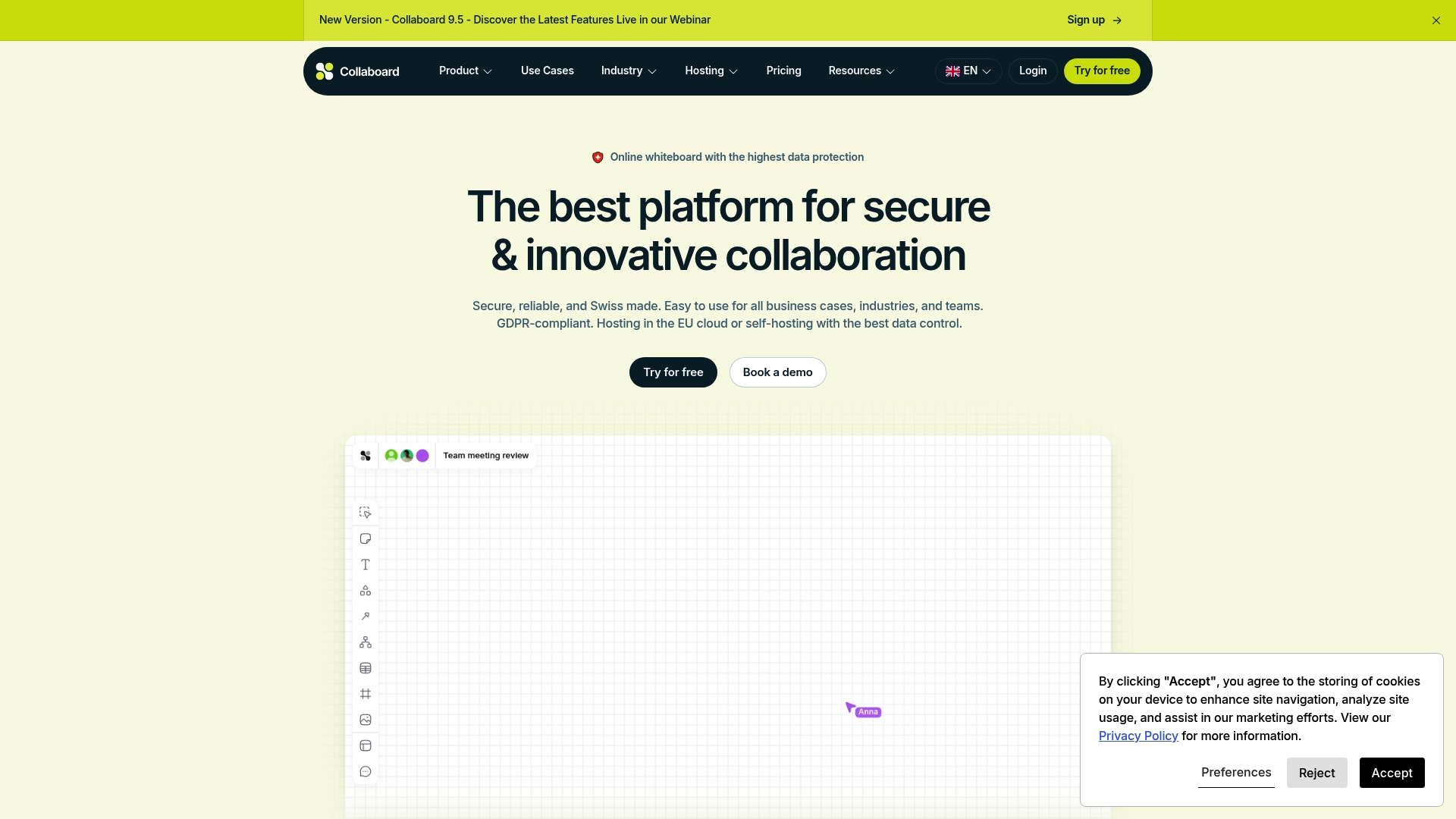
At a Glance
The vendor advertises Swiss-made, GDPR-compliant hosting with both EU cloud and self-hosting options, putting data sovereignty at the forefront. Collaboard pairs that posture with an infinite canvas and facilitator tools aimed at workshops, trainings, and agile planning.
Core Features
Collaboard provides an infinite whiteboard canvas, sticky notes, shapes, embedded documents, and multimedia support for mixed-media sessions. Real-time collaboration supports multiple simultaneous users with templates for workshops, Kanban, and retrospectives. Facilitator tools include voting, timers, lock, pin, presentation mode, and focus mode.
Key Differentiator
That hosting claim is the distinguishing element: flexible hosting plus an explicit data sovereignty focus. For organizations with strict privacy requirements, Collaboard lets IT choose EU cloud or self-hosting. The combination of facilitator features and configurable security settings narrows its appeal to regulated teams.
Pros
- Secure hosting options reduce legal friction for teams working under strict privacy rules. Self-hosting is especially useful for sensitive projects.
- Facilitator features like voting and presentation mode make workshops run cleaner and save time during hybrid sessions.
- Templates and an infinite canvas let product teams map roadmaps and run ideation without chopping ideas into multiple boards.
- Integrations with widely used tools mean you can drop Collaboard into existing meeting flows rather than forcing a new process.
Cons
- Third-party review data is sparse, so user satisfaction and reliability in varied deployments are not well documented.
- Pricing depends on hosting choices and customizations, which can make budgeting less predictable for smaller teams.
- Advanced security and enterprise deployment may require IT involvement and longer setup times compared with hosted-only rivals.
When It May Not Fit
If your team needs abundant community reviews or a large public marketplace of user templates and tips, this product’s limited third-party feedback makes evaluation harder. If you want a purely hosted, turn-key board with a single listed price, Collaboard’s self-hosting and customization path may be more than you need.
Notable Integrations
- Microsoft Teams
- Webex
- Pexip
- Rocket.Chat
- Nextcloud
- Jira
- Confluence
- MCP Server API
These integrations support meeting workflows, DevOps linking, and private file hosting without inventing new processes.
Who It’s For
Teams and organizations that require stringent data protection and want a visual collaboration tool for workshops, agile ceremonies, and presentations. Ideal for education, public sector units, and banks that need control over where data resides.
Real World Use Case
Liebherr used Collaboard for visual project planning and engineering brainstorming, leveraging secure hosting and real-time editing across distributed teams. The facilitator tools helped keep workshops focused and reduced follow-up emails after sessions.
Pricing
Pricing varies by plan and hosting choice. The vendor lists a free tier with up to three boards and paid tiers labeled basic, advanced, and enterprise that add capacity and security features. See Collaboard’s pricing page for exact figures and hosting options.
Website: https://collaboard.app
Whiteboard.chat
At a Glance
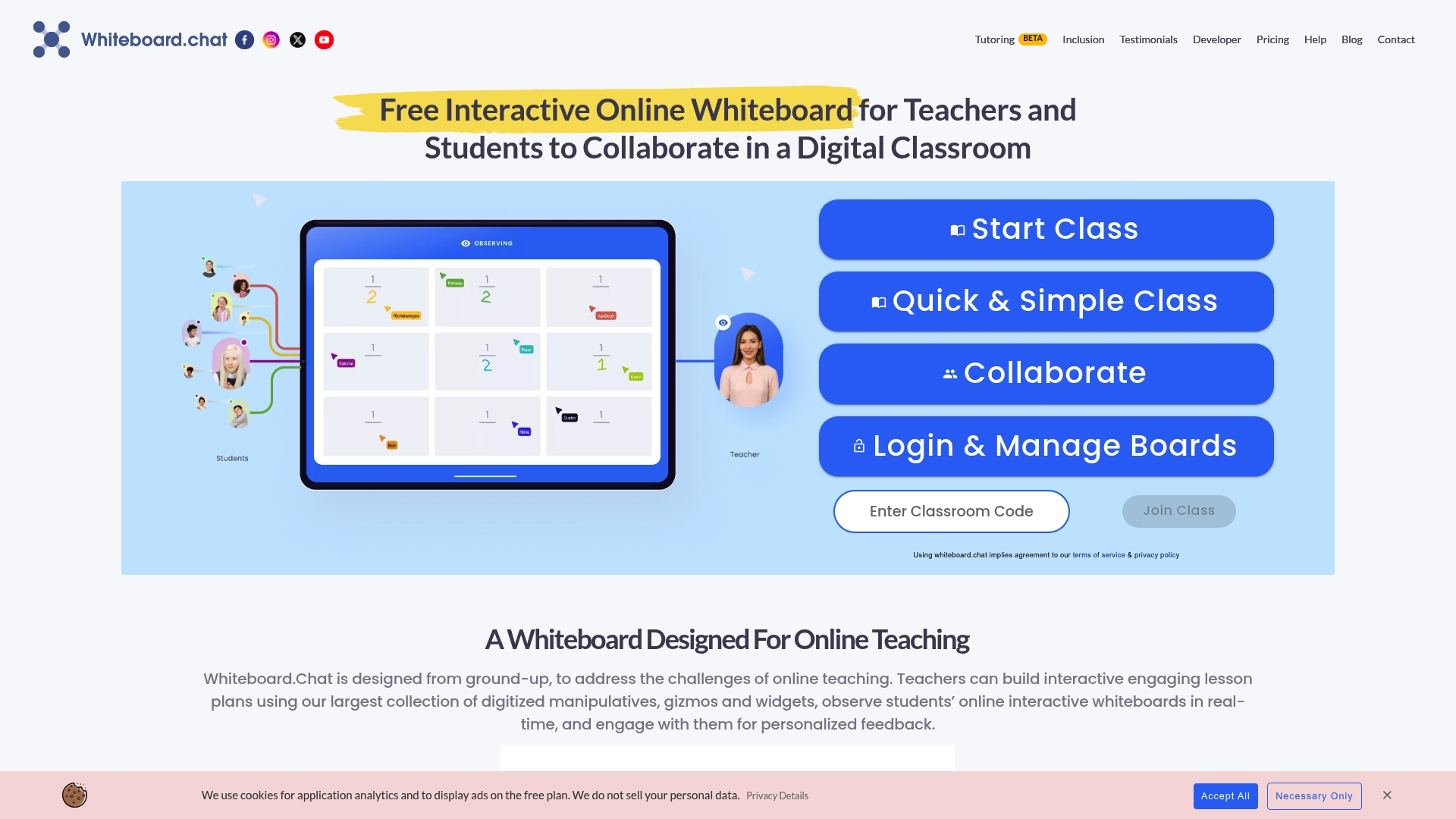
Free, web-based access without registration or installation makes Whiteboard.chat a fast onramp for teachers and students who need a whiteboard right away. The app loads quickly on low bandwidth and runs across phones, tablets, and desktops.
The teaching toolkit stacks manipulatives, widgets, and accessibility features so a lesson can be interactive within minutes.
Core Features
Key capabilities geared toward classroom use:
- Real-time collaborative whiteboard that lets multiple students draw, type, and interact simultaneously.
- Large library of digitized manipulatives and widgets for math, diagrams, and classroom activities.
- Embedding support via iframe so you can place a board inside an LMS or a class site.
- Accessibility toolset, including read-aloud, speech-to-text, and handwriting recognition for diverse learners.
- Integration hooks with common education platforms to keep class workflows connected.
Key Differentiator
The product focuses squarely on classroom teaching by combining an extensive set of interactive tools with direct connections to learning platforms. That focus means teachers can build manipulatives-driven lessons and push boards into classes rather than adapting a general-purpose whiteboard to school workflows. The value is the teaching-first feature mix and the ready LMS links.
Pros
- No licensing cost for core use. Schools and individual teachers can run live classes and activities without immediate budget approvals.
- Fast load times on slow connections; the board remains responsive even on constrained networks.
- Lightweight performance across devices keeps students on task instead of troubleshooting apps or installs.
- Solid compatibility with popular education workflows thanks to built-in links to classroom systems and meeting tools.
- Accessibility features improve participation for students who need read-aloud or handwriting recognition support.
Cons
- Hotkeys are numerous and not intuitive, which raises the learning curve for newcomers and less tech confident teachers.
- The template gallery is limited and tends toward generic layouts rather than ready-to-run lesson plans.
- The interface looks utilitarian; teachers who prefer polished visual design may find the UI dated.
- Board admin privacy controls are minimal, so district IT teams that require strict access rules may need additional protections.
When It May Not Fit
If your program depends on a polished template library or a strong admin privacy model, Whiteboard.chat will feel narrow. Teams that need fine-grained board permissions, audit logs, or branded lesson templates will likely need a different solution or an add-on for compliance and consistency.
Notable Integrations
Works with mainstream education and meeting tools out of the box.
- Microsoft Teams
- Google Classroom
- Webex
- OneNote
These integrations let you link boards to class rosters or launch sessions directly from meeting links.
Who It’s For
Educators and students who need a free, accessible whiteboard that works immediately in remote lessons. Ideal for K–12 teachers, tutoring programs, and district pilots that prioritize low friction, cross-device access and classroom-friendly interactive tools.
Real World Use Case
A middle school math teacher builds a manipulatives-driven lesson, shares the board link in Google Classroom, and watches students solve problems in real time. The teacher uses read-aloud for struggling readers and handwriting recognition to capture student work without manual transcription.
Pricing
Core functionality is free. The vendor offers optional subscription plans that add storage, extended features, and school or district-level support for institutions that need more control and capacity.
Website: https://whiteboard.chat
Scribble Together
At a Glance
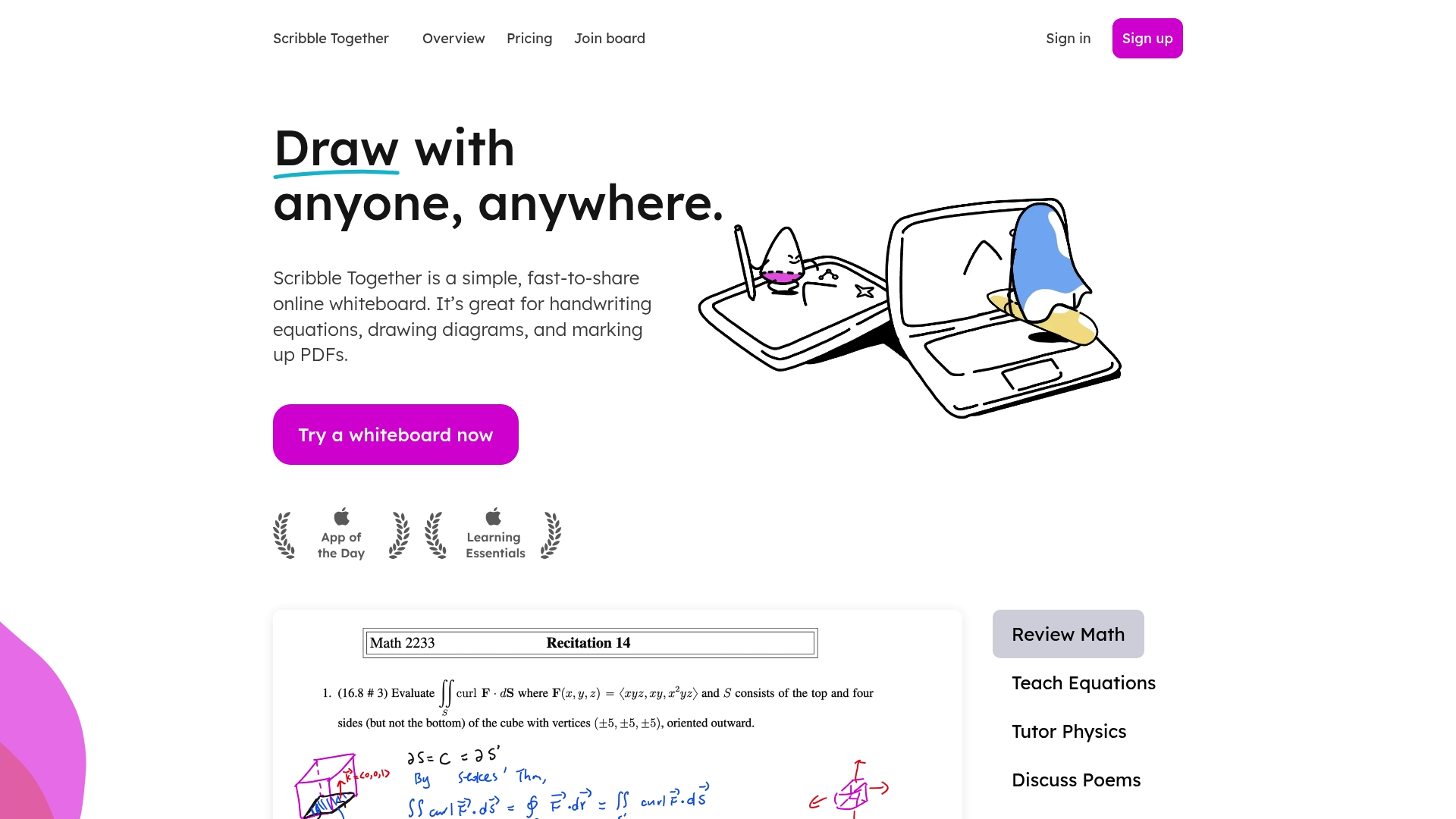
Temporary share codes let guests join and edit boards without creating accounts, making one-off tutoring sessions and drop-in study groups frictionless for participants.
The app supports iPad, Android, Windows, Mac, and Chromebooks and offers smooth stylus handwriting that many tutors prefer.
Core Features
- PDF annotation with import and mark up so instructors can work directly on worksheets and readings.
- Unlimited whiteboards and infinite canvas for long problem sets, branching notes, or layered sketches.
- Real-time collaboration for multiple members plus sharing via links or temporary codes so groups connect fast across devices.
- Multiple paper backgrounds including grid, lined, dotted, and music staff to match class needs.
Key Differentiator
Scribble Together’s standout mechanic is instant access for guests through link or temporary code, removing the friction of account creation for students and parents.
That low barrier to entry combines with strong PDF handling and a polished Apple Pencil experience to keep live lessons focused on content rather than setup.
Pros
- Simple sharing works in practice. Sending a temporary code during a video call gets students into the same board within seconds.
- The PDF annotation tool replaces awkward screen sharing for many tutors, letting instructors write directly on source material while students follow along.
- Stylus support is excellent on iPad and feels natural with Apple Pencil, so handwriting and equations remain legible and precise.
- Cross-device compatibility reduces excuses. Members on Chromebooks or Android tablets join the same session as desktop participants without feature loss.
- Unlimited boards remove housekeeping. Teachers can create a board per lesson or per student without worrying about space.
Cons
- User reviews list no major flaws, which suggests healthy ease of use but leaves little public reporting on edge cases.
- The public material provides limited detail on deeper editing tools, so advanced visual workflows may be constrained.
- There is little evidence of integrations with LMS or classroom systems, which means manual file handling for gradebooks or class rosters.
Who It’s For
Educators, tutors, and students who need quick, low friction whiteboard sessions where attendees can join without accounts. It fits small classroom groups, one-on-one tutors, and study cohorts rather than large institutional deployments.
Real World Use Case
A math tutor opens a problem set PDF, invites a student using a temporary code, and annotates each step with the Apple Pencil on iPad while the student watches and responds in real time. Boards are saved for later review.
Website: https://scribbletogether.com
Comparative Analysis of Online Whiteboard Options
In selecting an online whiteboard for your needs, several factors determine which product suits specific workflows and requirements. This analysis reviews the key distinctions among the featured tools to guide your decision-making.
Accessibility and Onboarding Speed
Onlinewhiteboard.co excels in simplicity and instant usability. By not requiring installations or accounts, it ensures engagement for both organizers and participants. However, Excalidraw, while also lightweight, requires manual save management, which can introduce some friction in unsupervised environments. When setup speed is critical, onlinewhiteboard.co proves advantageous.
Specialized Features for Targeted Use Cases
For enterprise clients prioritizing security and data compliance, Collaboard offers customizable hosting options to adhere to stringent privacy regulations. This feature surpasses the general-purpose hosting approaches of the other platforms, providing added reassurance for regulated industries. Similarly, education-focused tools like Whiteboard.chat, with its tailored teaching aids such as manipulatives and accessibility features, address scenarios not served by tools designed for general use.
Best Fit Recommendations
- For users seeking a straightforward, no-setup collaboration tool: Onlinewhiteboard.co simplifies sessions, enabling immediate participation across devices.
- For privacy-focused teams requiring flexible hosting configurations: Collaboard provides adaptable hosting environments that cater to compliance needs effectively.
- For educators needing tailored interactive classroom tools: Whiteboard.chat’s specialized manipulatives and accessibility options support engaging and inclusive teaching sessions.
- For creative professionals preferring a sketch-first approach: Excalidraw’s hand-drawn aesthetic and open-source flexibility fuel intuitive ideation initiatives.
Our Pick
Onlinewhiteboard.co’s defining feature is its instant browser-based usability without requiring participant accounts or installations. This allows organizers to initiate and manage collaborative sessions efficiently while minimizing setup barriers. For teams prioritizing these aspects, onlinewhiteboard.co emerges as a reliable choice. However, if your needs shift towards advanced integrations or highly specialized functionalities, tools like Collaboard or Whiteboard.chat may better align with those demands.
Online Whiteboard Tools Comparison
Choosing the right online whiteboarding tool depends on your need for instant collaboration, security, ease of use, and feature set. Below you’ll find a concise comparison of top solutions in this category, designed to help you identify the best fit for your team.
| Product Name | Key Differentiator | Best for | Pricing | Notable Limitation |
|---|---|---|---|---|
| Onlinewhiteboard | Instant browser-based collaboration, no setup | Educators and small-medium teams | Free for core use | Minimal advanced visual tools |
| Excalidraw | Open-source, lightweight drawing environment | Students and lightweight team ideation | Free | Lacks advanced templates and diagramming tools |
| Conceptboard | Task integration with GDPR-compliant hosting | Privacy-conscious design and task teams | Not disclosed | Boards require active management |
| Collaboard | Secure hosting for regulated data environments | Organizations with strict data controls | Not disclosed | Pricing varies, limited user feedback |
| Whiteboard.chat | Classroom-ready tools with manipulatives and LMS integration | Teachers needing interactive + accessible boards | Free | Limited templates for pre-built lessons |
| Scribble Together | Instant access with smooth stylus annotation | Tutors and small groups | Not disclosed | Lacks detailed LMS integrations |
Choose Onlinewhiteboard for Fast, No-Setup Visual Collaboration
The article highlights how many webwhiteboard alternatives struggle with setup friction, complicated installations, or limited accessibility. If you want a truly instant online whiteboard experience where collaborators join from any device with no downloads or accounts, Onlinewhiteboard is designed just for that. It solves the key pain point of seamless, real-time teamwork and teaching without delays or tech headaches.
What makes Onlinewhiteboard stand out?
- One-click sharing with instant sessions
- Works across phones, tablets, and desktops in any browser
- Simple, intuitive drawing and diagramming tools focused on idea flow
Explore Onlinewhiteboard now and start creating visual plans together in seconds. Importantly, you can launch a session and have collaborators drawing in under 30 seconds without any setup. Try it free today and turn your ideas into visual collaboration that just works.
Frequently Asked Questions
How does Onlinewhiteboard facilitate quick collaboration?
Onlinewhiteboard allows users to create a shared whiteboard instantly with one click. Its no-setup approach enables collaborators to join from any device without downloads or accounts, making it ideal for teachers, remote teams, and students who need visual collaboration in seconds.
What is the difference between Conceptboard and Onlinewhiteboard?
Conceptboard provides integrated task management along with visual whiteboarding, which can enhance workflow for teams needing both functionalities. In contrast, Onlinewhiteboard focuses on providing a simplistic and rapid collaborative experience, ideal for one-off classes or ad-hoc meetings without account setup.
Which platform offers the best features for educators?
Onlinewhiteboard stands out for its simple, user-friendly interface which allows educators to start sessions quickly and without installation. With features like real-time collaboration and easy link sharing, educators can efficiently utilize it in remote classes or group work.
Can I use Excalidraw for complex diagramming needs?
Excalidraw is highly intuitive and provides a hand-drawn aesthetic which is great for sketching but lacks advanced diagramming features that some teams require. For users needing a more extensive feature set, Onlinewhiteboard may be the better choice for quick, streamlined collaboration.
How does Scribble Together support tutoring sessions?
Scribble Together allows users to share temporary codes, enabling guests to join and edit whiteboards without account creation. This offers a low-friction environment perfect for educators and tutors conducting one-on-one sessions or small group study activities.