
What are the top visual collaboration alternatives to withalleo.com?
The strongest withalleo.com alternatives in 2026 are Google Workspace, Microsoft Teams, Slack, Notion, monday.com, Asana, Bitrix24, MangoApps, Webex, and Onlinewhiteboard. Each addresses a different gap: some replace Alleo’s structured hybrid environment, others cover brainstorming, project tracking, or real-time communication. Alleo itself is a specialized platform, embedded within Microsoft Teams to aggregate live media, sticky notes, and interactive content into a branded collaborative canvas. That specificity means no single substitute does everything Alleo does, but the right combination of tools can cover every need.
Here is a quick-scan breakdown of each option:
- Google Workspace: Integrated suite covering Docs, Sheets, Meet, and Drive. Best for teams that need document collaboration and video meetings in one place. Strong on real-time co-editing; lighter on visual ideation.
- Asana: Task and workflow management with multiple project views. Best for project-driven teams tracking deliverables. Pros: clear task ownership, timeline views. Cons: not a visual canvas tool.
- monday.com: Customizable dashboards and automation. Best for teams managing complex, visual workflows. Pros: flexible board layouts, strong automation. Cons: can feel heavy for smaller teams.
- Bitrix24: All-in-one suite combining CRM, project management, and communication. Best for businesses that want collaboration and customer management in one platform. Pros: broad feature set, free tier available. Cons: steep learning curve.
- MangoApps: Social intranet with knowledge management and employee engagement tools. Best for enterprises building internal communities. Pros: strong social features, module-based setup. Cons: less suited to fast-paced creative sessions.
- Slack: Real-time messaging with an extensive app ecosystem. Best for teams that live in chat. Pros: fast communication, thousands of integrations. Cons: not a visual workspace.
- Microsoft Teams: Unified communication platform native to Microsoft 365. Best for organizations already on Microsoft tools. Pros: native integration with Office apps, video calls, and channels. Cons: can feel cluttered for non-Microsoft shops.
- Webex: Enterprise-grade video conferencing and team collaboration. Best for organizations prioritizing secure, high-quality meetings. Pros: advanced meeting controls, strong security. Cons: higher cost at scale.
- Notion: Flexible workspace for notes, databases, and documentation. Best for teams managing knowledge and project docs together. Pros: highly customizable pages, good for async work. Cons: no real-time drawing or whiteboard canvas.
- Onlinewhiteboard: Clean digital canvas for visual brainstorming and real-time collaboration. Best for teams and educators who need a fast, no-setup whiteboard. Pros: intuitive drawing and sharing, no download required. Cons: lighter on project management features than full suites.
Table of Contents
- Detailed feature and pricing comparison of top withalleo.com alternatives
- How to select the ideal withalleo.com alternative for your team
- Why collaboration equity matters when switching from withalleo.com
- Key Takeaways
- The feature checklist is not the whole story
- Onlinewhiteboard gives your team a visual canvas without the setup
Detailed feature and pricing comparison of top withalleo.com alternatives
Choosing among these platforms gets easier when you line them up against the dimensions that actually affect daily work. Pricing models and support options vary widely, and most leading alternatives offer free trials or demo access, so teams can test before committing.

| Tool | Best For | Key Features | Pricing | Integrations | User-Friendliness | Customer Support |
|---|---|---|---|---|---|---|
| Google Workspace | Integrated doc and meeting collaboration | Docs, Sheets, Meet, Drive, Gmail | — | Slack, Zoom, Salesforce, many apps | Very high | Email, chat, business tier support |
| Asana | Project and task management | Tasks, timelines, portfolios, rules | Free tier; paid plans available | Slack, Teams, Jira, Zoom, many integrations | High | Email, help center; priority support on higher tiers |
| monday.com | Visual workflow management | Dashboards, automations, Gantt, forms | Free tier; paid plans available | Jira, Slack, Teams, Zoom, Salesforce | High | Chat and email support |
| Bitrix24 | CRM plus collaboration | CRM, tasks, chat, video, intranet | Free tier; paid plans available | Slack, Zoom, Google Drive, many integrations | Moderate | Email, phone, live chat |
| MangoApps | Enterprise social intranet | Feeds, wikis, messaging, modules | Custom pricing | Microsoft 365, Slack, Jira, HRIS | Moderate | Dedicated account support |
| Slack | Fast team communication | Channels, threads, huddles, clips | Free tier; paid plans available | Teams, Zoom, Jira, Salesforce, multiple integrations | Very high | Email, help center; paid plan support |
| Microsoft Teams | Microsoft 365 ecosystem | Chat, video, channels, file sharing | Included in M365; standalone free tier | Office 365, Jira, Zoom, many apps | High | Microsoft support portal, enterprise support |
| Webex | Secure enterprise meetings | Video, messaging, webinars, devices | Free tier; paid plans available | Salesforce, Jira, Slack, Teams | Moderate | Phone and chat support on paid plans |
| Notion | Knowledge and doc management | Pages, databases, wikis, AI assist | Free tier; paid from $10/user/month | Slack, Jira, GitHub, Zapier | High | Email; priority support on Business tier |
| Onlinewhiteboard.co | Visual brainstorming and teaching | Drawing, diagramming, sticky notes, sharing | Free to use | Browser-based; no plugin required | Very high | Online support |
A few patterns stand out across this group. Integration depth with tools like Slack, Zoom, Jira, and Microsoft Teams is a consistent differentiator, especially for teams that cannot afford workflow disruption during a switch. Platforms like Slack and monday.com lead on raw integration count, while Microsoft Teams wins on depth of native Microsoft tool connections.
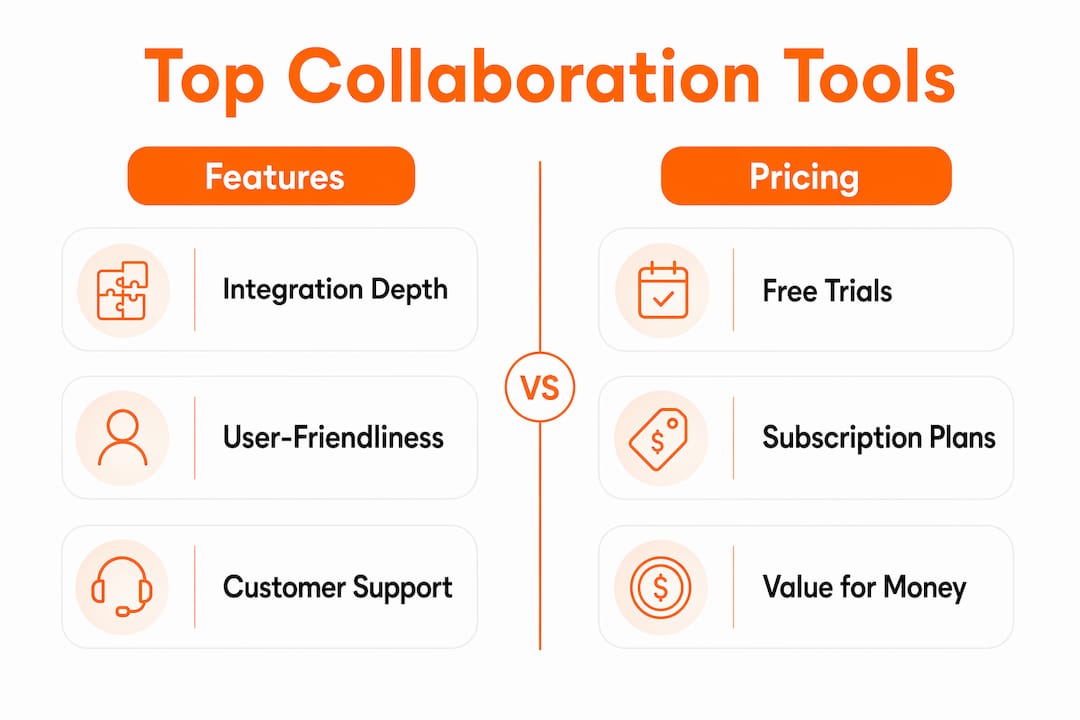
Pricing follows a tiered model across nearly every option, with free tiers available for Google Workspace (limited), Asana, monday.com, Bitrix24, Slack, Microsoft Teams, Webex, and Notion. Tiered pricing aligns with team size and feature needs, so a 10-person startup and a 500-person enterprise will land on very different cost structures even within the same platform. MangoApps uses custom pricing, which suits large enterprises but makes quick comparisons harder.
Trust signals worth checking before you commit:
- Platform certifications: Look for SOC 2, ISO 27001, or FedRAMP compliance depending on your industry.
- Update cadence: Platforms like Notion and monday.com ship product updates frequently, which signals active development and responsiveness to user feedback.
- Customer support quality: User reviews consistently flag support responsiveness and update frequency as top satisfaction drivers, ahead of feature lists.
Pro Tip: Before signing a paid plan, run a two-week free trial with your actual team workflow, not a demo scenario. Real usage surfaces friction that polished demos never show.
How to select the ideal withalleo.com alternative for your team
The right choice depends on what Alleo was actually doing for your team. Alleo’s core strength is aggregating live media and data into a branded hybrid environment inside Microsoft Teams, which is a more specific job than general brainstorming. Teams replacing that capability need to think carefully about which gap they are actually filling.
Start with these criteria:
- Team size: Smaller teams often get more value from lighter tools like Onlinewhiteboard or Notion. Larger organizations with complex workflows tend to need the governance and admin controls in Microsoft Teams, MangoApps, or Webex.
- Industry use case: Regulated industries (finance, healthcare, government) should prioritize platforms with strong compliance certifications. Creative and product teams usually favor visual-first tools.
- Required integrations: Map your current stack first. If your team runs on Jira and Zoom, a platform with native connections to both saves hours of setup. Effective integrations with Slack, Zoom, Jira, and Microsoft Teams are the most commonly cited workflow requirements.
- Usability: A tool your team actually opens daily beats a feature-rich one they avoid. Prioritize a short onboarding curve, especially for hybrid teams with mixed technical comfort.
- Support quality: Ask vendors directly: what is the average response time for support tickets? Is there a dedicated account manager at your tier?
Questions worth asking vendors before you commit:
- Does the platform support both in-room and remote participants equally in live sessions?
- What is the roadmap for the next 12 months, and how are user requests incorporated?
- How does the platform handle data residency and security compliance for your industry?
- What does migration from your current tool look like, and is onboarding support included?
Most leading alternatives offer free trials or demos, so there is little reason to skip hands-on evaluation. Deployment model matters too: cloud-only platforms like Notion and Onlinewhiteboard require no IT setup, while enterprise platforms like MangoApps or Webex may involve longer procurement cycles.
Pro Tip: Assess collaboration equity during your trial. Run one session with half the team remote and half in a conference room. If the remote participants feel like observers rather than contributors, the tool is not the right fit for hybrid work.

Why collaboration equity matters when switching from withalleo.com
Collaboration equity is the degree to which every participant, whether remote or in the room, gets an equal visual and interactive experience during a session. It is one of the most commonly overlooked factors when teams switch from a purpose-built hybrid platform like Alleo to a general-purpose tool.
Alleo was designed specifically to bridge the gap between physical and digital participants by embedding an interactive canvas directly into Microsoft Teams calls. When teams move to tools that were not built with that hybrid parity in mind, remote participants often end up watching rather than contributing. That shift quietly erodes engagement and, over time, the quality of collaborative output.
Key factors that affect collaboration equity across the alternatives in this list:
- Visual access: Can every participant see and interact with the same canvas in real time, regardless of device or location?
- Participation symmetry: Do in-room participants have an advantage because they can gesture at a physical screen while remote users cannot?
- Async continuity: Can team members who missed a live session catch up meaningfully through recorded or persistent content?
- Device flexibility: Does the platform work equally well on mobile, tablet, and desktop without a degraded experience?
Tools like Microsoft Teams and Webex invest heavily in meeting equity features, including front-row layouts and noise suppression, that help level the experience. Onlinewhiteboard addresses the visual side directly: its browser-based canvas gives every participant the same drawing and annotation tools regardless of where they are sitting. Notion and Asana, by contrast, are strong for async collaboration but do not offer live visual parity in the same way.
The practical implication: if your team runs regular hybrid workshops or visual planning sessions, weight collaboration equity as heavily as feature count when evaluating your options.
Key Takeaways
The best withalleo.com alternatives in 2026 vary significantly by use case, and the right pick depends on whether you need a visual canvas, a project tracker, a communication hub, or a combination of all three.
| Point | Details |
|---|---|
| Match tool to Alleo’s actual job | Alleo aggregates live media in Microsoft Teams; replacements should address that specific hybrid gap. |
| Free trials are widely available | Most leading alternatives offer free tiers or trial periods, making hands-on evaluation straightforward. |
| Integrations drive workflow continuity | Connections to Slack, Zoom, Jira, and Microsoft Teams are the most critical integration requirements for most teams. |
| Collaboration equity is often overlooked | Hybrid teams should test remote and in-room parity before committing to any platform. |
| Onlinewhiteboard suits visual-first teams | For teams prioritizing fast, no-setup visual collaboration, Onlinewhiteboard offers a clean canvas with no download required. |
The feature checklist is not the whole story
There is a pattern worth naming directly: most teams evaluating withalleo.com substitutes spend the bulk of their time comparing feature lists and pricing tiers, then discover six months later that the real problem was something else entirely. The tool they chose works fine for individual tasks but falls apart the moment a hybrid team tries to run a live planning session together.
Alleo’s differentiation was never just the infinite canvas. It was the deliberate design around media aggregation and branded hybrid environments inside Microsoft Teams, a combination that most general-purpose tools do not attempt. Teams that replace it with a standard whiteboard tool often find they have solved the brainstorming problem but lost the structured, media-rich session format that made Alleo worth using in the first place.
The smarter evaluation question is not “which tool has the most features?” It is “which tool keeps every participant equally engaged when half the room is on a laptop in another city?” That question cuts through the noise faster than any feature matrix. Platforms with strong async continuity, like Notion, and those with live visual equity, like Onlinewhiteboard, serve different but equally real needs. Knowing which one your team actually has is the whole game.
The other underrated factor is vendor trajectory. A platform that ships updates frequently and responds to user feedback is a fundamentally different long-term bet than one that has been static for two years. Check the changelog before you check the pricing page.
Onlinewhiteboard gives your team a visual canvas without the setup
If the tools compared above feel heavier than what your team actually needs, Onlinewhiteboard is worth a direct look. It is a browser-based visual collaboration tool that opens instantly, requires no download, and gives every participant the same drawing, diagramming, and sticky-note tools on a shared canvas. For teams running workshops, teaching sessions, or quick visual planning meetings, that simplicity is the point.
Where platforms like Microsoft Teams or Webex require IT provisioning and Notion requires structured setup, Onlinewhiteboard is ready in seconds. It suits product managers sketching a roadmap, educators running a live class, or remote teams who need a shared visual space without a procurement cycle. You can explore collaborative whiteboard tools to see how it compares to other visual-first platforms, or go straight to the canvas and try it free with your team today.