
A virtual problem framing session is a structured online workshop designed to align a team around the right problem before any solution work begins. Most teams skip this step and pay for it later, building products or processes that address symptoms rather than root causes. Solving the wrong problem is worse than solving nothing at all, because it consumes resources and creates false confidence. In 2026, with AI accelerating solution generation, the precision of your problem definition has never mattered more. This guide walks product managers and team leaders through the tools, facilitation steps, and quality checks that make remote problem-solving workshops actually work.
What tools and preparation does a virtual problem framing session require?
The right tools and preparation separate a productive session from a two-hour video call that goes nowhere. Before you schedule anything, you need a clear technology stack and a preparation timeline that gives participants enough context to contribute meaningfully.
Core tools for the session:
| Tool Category | Purpose | Examples |
|---|---|---|
| Visual collaboration | Shared canvas for framing work | Onlinewhiteboard, Miro, MURAL |
| Video conferencing | Live communication and breakout rooms | Zoom, Google Meet, Microsoft Teams |
| Polling and voting | Prioritization and consensus building | Mentimeter, Slido, built-in polls |
| Timers | Pacing and attention management | Online timers, whiteboard timer features |
Preloading fully populated whiteboards with templates, timers, and instructions at least 72 hours before the session significantly improves participant readiness and session quality. This means your board should already contain the framing questions, sticky note zones, and labeled sections before anyone joins. Participants who arrive to a blank canvas spend the first 20 minutes getting oriented instead of doing the actual work.
Preparation checklist (48 to 72 hours before):
- Send a framing document that describes the problem space, relevant context, and session goals
- Conduct a tech check with all participants, especially those new to the whiteboard tool
- Assign roles: facilitator, timekeeper, note-taker, and breakout room hosts
- Pre-populate the whiteboard with all templates, instructions, and example sticky notes
- Share the agenda with time blocks so participants know what to expect
Remote facilitation works best with clearly visible artifacts and preloaded instructions, because facilitators cannot circulate as they would in physical breakout rooms. If your group exceeds eight people or your session runs longer than 60 minutes, breakout rooms are not optional. They are the mechanism that keeps every voice in the conversation.
How to facilitate a virtual problem framing session step by step
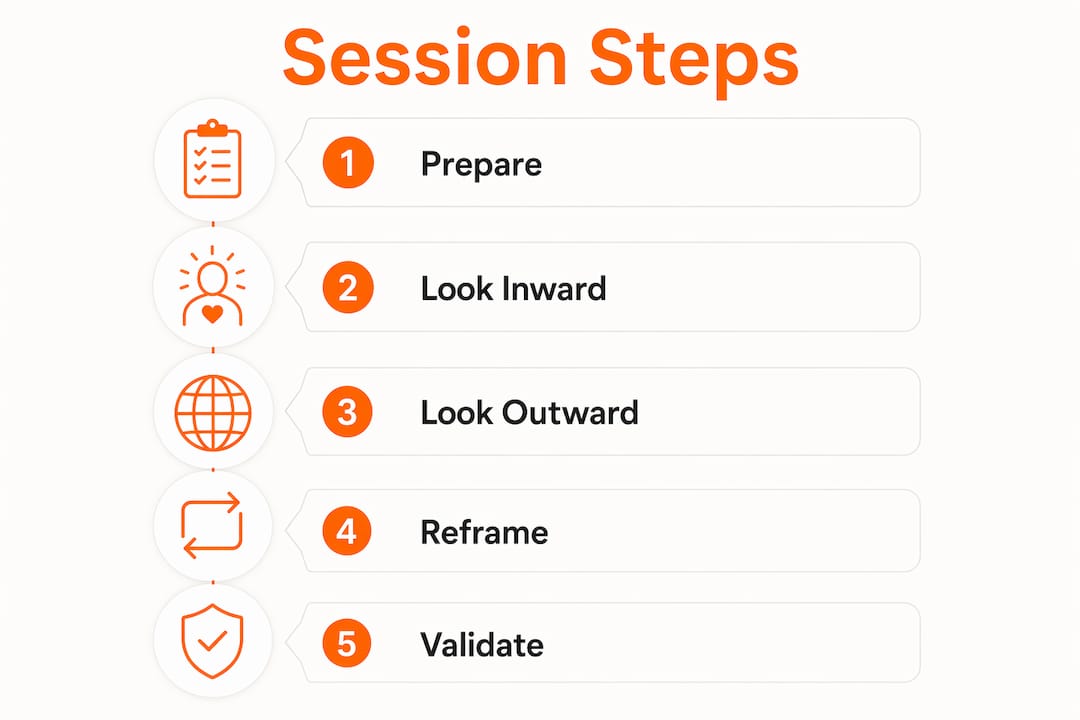
The goal of a well-run session is a clear, equity-driven problem statement paired with a “How Might We” action question that opens the solution space without prescribing answers. The MITRE Problem Framing Canvas structures this work into three phases: Look Inward, Look Outward, and Reframe. Each phase builds on the last, moving the team from assumptions to evidence to a refined problem statement.
Phase 1: Look Inward (15 to 20 minutes)
- Open with a welcome ritual: state the purpose, walk through the agenda, set norms, and run a quick check-in question. Strong opening rituals reduce uncertainty and reset participant attention after whatever meeting came before yours.
- Ask each participant to write their current understanding of the problem on a sticky note, silently and independently. Silent brainstorming prevents the loudest voice from anchoring everyone else.
- Cluster the sticky notes by theme and identify where assumptions differ. These gaps are your most valuable data.
Phase 2: Look Outward (20 to 25 minutes)
- Introduce structured questions: Who is affected? Where does the problem appear? Why does it matter now? Who benefits from the current situation?
- Send participants into breakout rooms of three to four people to discuss one question each. Pre-set written instructions inside each breakout room so groups do not wait for the facilitator to explain.
- Bring groups back and debrief findings on the shared canvas. The facilitator synthesizes themes without editorializing.
Phase 3: Reframe (15 to 20 minutes)
- Draft two or three candidate problem statements as a group, using the format: “How might we [action] for [who] so that [outcome]?”
- Vote on the strongest framing using dot voting or a polling tool.
- Document the chosen statement, the assumptions it rests on, and the validation steps needed before moving to solution generation.
Pro Tip: Schedule a micro-break every 12 minutes, lasting 45 to 90 seconds. Ask participants to stand, stretch, or look away from the screen. Announce the break clearly so no one assumes a technical problem. These brief resets counter attention fatigue in concept-heavy sessions and keep energy levels consistent through the full workshop.
Visible visual scaffolds such as agenda maps, decision trees, and labeled templates reduce repetition and orientation issues. Place the current agenda step in a visible corner of the whiteboard so participants always know where they are in the session.

How do you ensure quality and equity in problem framing?
Quality in problem framing means the team has interrogated its assumptions, not just documented them. Equity means the framing reflects the experience of people most affected by the problem, not just the people in the room.
The MITRE Canvas approach asks explicitly: who benefits from the current situation, and who is left out? Equity-driven framing surfaces silenced voices and political dynamics that standard problem statements ignore. A product manager framing a customer onboarding problem, for example, might discover that the current friction actually benefits the sales team’s renewal metrics. That insight changes the entire solution direction.
Treat every element of your problem statement as a hypothesis, not a fact. The Aha! problem framing approach recommends clustering themes and agreeing on validation steps such as customer interviews, data reviews, or field observations before the session closes. This prevents the team from leaving with a polished problem statement that has never been tested against reality.
Practices that improve framing quality:
- Use inclusive language in questions: “Who experiences this differently?” rather than “Who has this problem?”
- Explicitly invite dissent: “What would have to be true for this framing to be wrong?”
- Assign a devil’s advocate role to one participant whose job is to challenge every assumption
- Document minority viewpoints alongside the consensus framing so they are not lost
“Leaders often solve wrong problems because they don’t frame the right problem first. Effective framing is the key to impactful solutions.” — Thomas Wedell-Wedellsborg
Separating problem definition from solution generation with strict output boundaries is the single most effective discipline in a framing session. The moment someone says “we could just build X,” redirect them: “That’s a solution. Let’s stay in the problem space for now.” This boundary is not pedantic. It is what makes the final problem statement worth acting on.
What are the most common pitfalls in virtual problem framing?
Even well-prepared sessions fail when facilitators underestimate how differently remote dynamics play out compared to in-person workshops. The problems are predictable, which means they are also preventable.
Pitfall 1: Skipping preparation. Sending a calendar invite without a framing document or pre-populated board guarantees a slow start. Participants arrive without context, and the first 20 minutes become orientation rather than work.
Pitfall 2: Jumping to solutions. This is the most common failure mode. One participant proposes a fix, others react to it, and the session becomes a solution debate before the problem is defined. The facilitator must enforce the boundary between framing and solutioning explicitly and repeatedly.
Pitfall 3: Dominating voices. In virtual settings, session rhythm should alternate high-attention and low-attention moments with explicit silence cues to prevent the loudest voices from setting the frame for everyone else. Silent individual work before group discussion is the most reliable fix.
Pitfall 4: Unclear breakout instructions. When participants enter a breakout room and do not know what to do, they either go off-topic or wait. Pre-written instructions visible inside the breakout space solve this completely.
Pitfall 5: Neglecting diverse perspectives. A framing session that only includes senior stakeholders produces a problem statement that reflects senior stakeholder assumptions. Include frontline workers, customers, or end users wherever possible, even as observers or pre-session interviewees.
Pro Tip: If you notice the group converging too quickly on a single framing, introduce the question: “What problem would a skeptic say we’re actually solving?” This single prompt reliably surfaces hidden assumptions and broadens the frame before the team locks in.
Key takeaways
A virtual problem framing session succeeds when preparation, structured facilitation, and equity-driven questioning work together to produce a validated, actionable problem statement before any solution work begins.
| Point | Details |
|---|---|
| Prepare 72 hours ahead | Send framing documents and pre-populate the whiteboard before the session to maximize working time. |
| Use the three-phase structure | Follow Look Inward, Look Outward, and Reframe phases to move from assumptions to a validated problem statement. |
| Enforce the framing boundary | Separate problem definition from solution generation strictly to preserve session quality and output value. |
| Build in micro-breaks | Schedule 45 to 90 second breaks every 12 minutes to counter attention fatigue in concept-heavy virtual sessions. |
| Apply equity-driven questions | Ask who benefits and who is left out to surface political dynamics and hidden assumptions in the problem space. |
Why framing is the skill most teams underinvest in
After years of watching distributed teams work through complex challenges, the pattern is consistent: the teams that struggle most are not short on ideas or talent. They are short on precision about what problem they are actually solving. A virtual brainstorming session full of energy and sticky notes can still produce nothing useful if the underlying problem statement is vague or wrong.
What strikes me most about the shift to remote work is that it has actually created an opportunity here. In-person workshops tend to be dominated by whoever commands the room physically. Virtual sessions, when facilitated well, can be more democratic. Silent brainstorming on a shared canvas gives every participant an equal voice before group dynamics take over. The introvert with the sharpest insight no longer gets talked over.
The AI dimension makes this more urgent, not less. AI amplifies the impact of framing errors, because it can generate solutions to a poorly framed problem faster and more convincingly than any human team. If your problem statement is off by 10 degrees, AI-assisted solution generation takes you further in the wrong direction, faster. Explicit assumption surfacing is not a soft skill anymore. It is a technical requirement for working effectively with AI tools.
The teams I see getting this right treat problem framing as a repeatable discipline, not a one-time workshop. They run short framing sessions at the start of every significant initiative, use consistent templates, and build the habit of asking “are we solving the right problem?” before asking “how do we solve it?” That shift in sequence is where the real leverage lives.
— A
Run your next session on Onlinewhiteboard
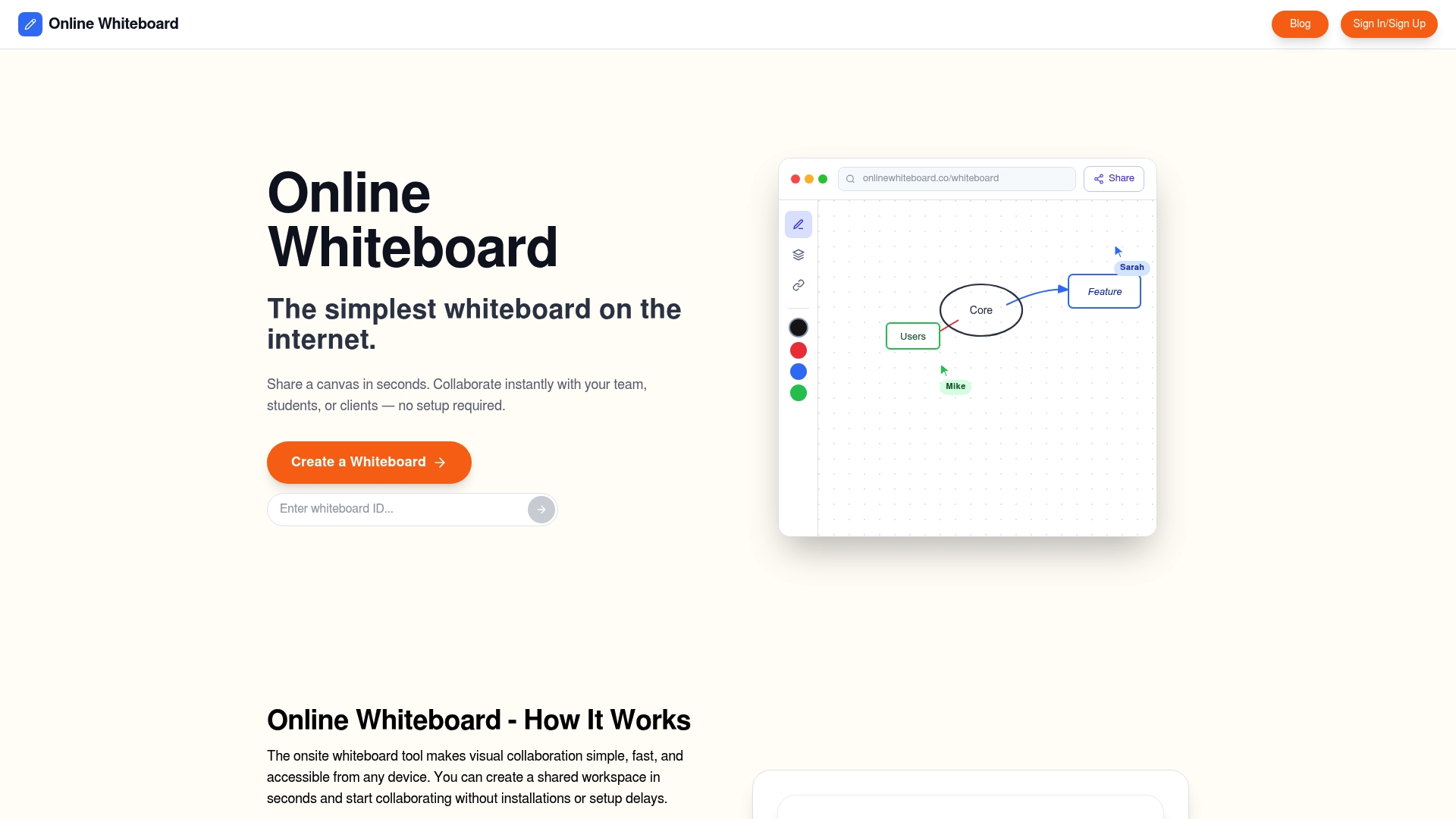
Onlinewhiteboard gives product managers and team leaders a clean, fast digital canvas purpose-built for exactly this kind of structured collaboration. You can set up your framing board with pre-populated templates, labeled zones for each session phase, and built-in timers, all without downloading software or spending time on setup. The tool works directly in the browser, so your entire distributed team can join and contribute in seconds. Whether you are running a full remote problem-solving workshop or a quick 30-minute framing check-in, Onlinewhiteboard removes the friction between your facilitation plan and your team’s participation.
FAQ
What is a virtual problem framing session?
A virtual problem framing session is a structured online workshop where a team clarifies and aligns on the right problem before generating solutions. It typically produces a validated problem statement and a “How Might We” question that guides subsequent solution work.
How long should a virtual problem framing session be?
Most effective sessions run between 60 and 90 minutes, divided into Look Inward, Look Outward, and Reframe phases. Sessions longer than 60 minutes with groups larger than eight people require breakout rooms to maintain engagement and participation quality.
What is the difference between problem framing and brainstorming?
Problem framing defines and validates the problem before any idea generation begins, while brainstorming generates solutions to an already-defined problem. Mixing the two phases in the same session is the most common reason virtual workshops produce unfocused or unusable outputs.
How do you prevent one person from dominating a virtual framing session?
Use silent individual brainstorming before any group discussion, and alternate between independent work and shared debrief throughout the session. Explicit silence cues and structured question sets give every participant an equal opportunity to contribute before group dynamics take hold.
What should the output of a problem framing session be?
The session should produce a clear problem statement, a list of the assumptions it rests on, a “How Might We” action question, and agreed validation steps such as customer interviews or data reviews. Leaving without defined next steps turns the session into a conversation rather than a decision.